4-17
Setting Up the Printing Environment
4
Installing the Printer Driver
● If you are using 64-bit Windows Vista
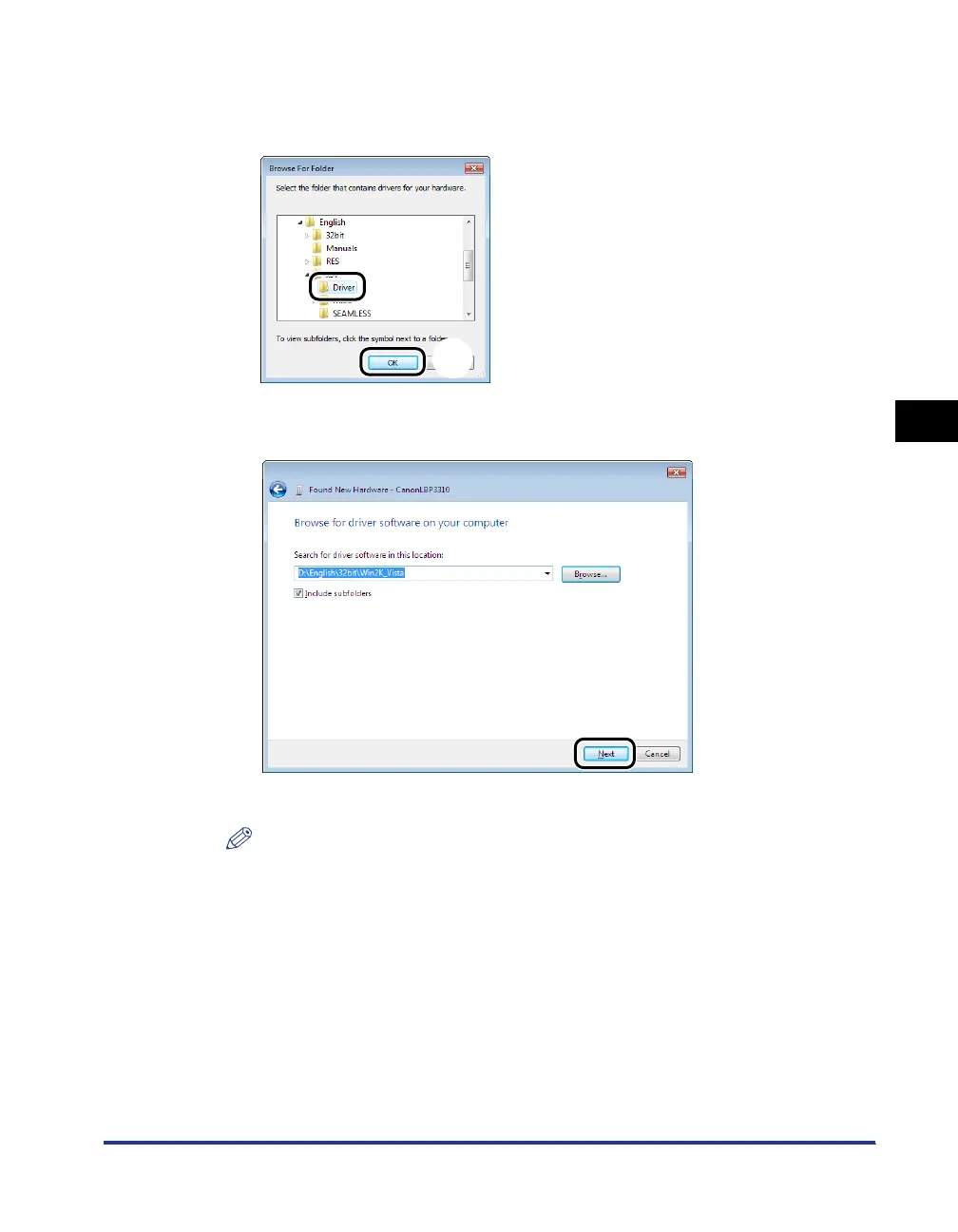
Select the folder in the supplied CD-ROM: [English] - [x64] - [Driver] a, then
click [OK] b.
13
Click [Next].
Copying files is started.
NOTE
If the [Windows Security] dialog box appears, click [Install this driver software
anyway].
a
b


 To Next Page
 Loading...










