4-61
Setting Up the Printing Environment
4
Printing from a Network Computer by Sharing the Printer on a Network
7
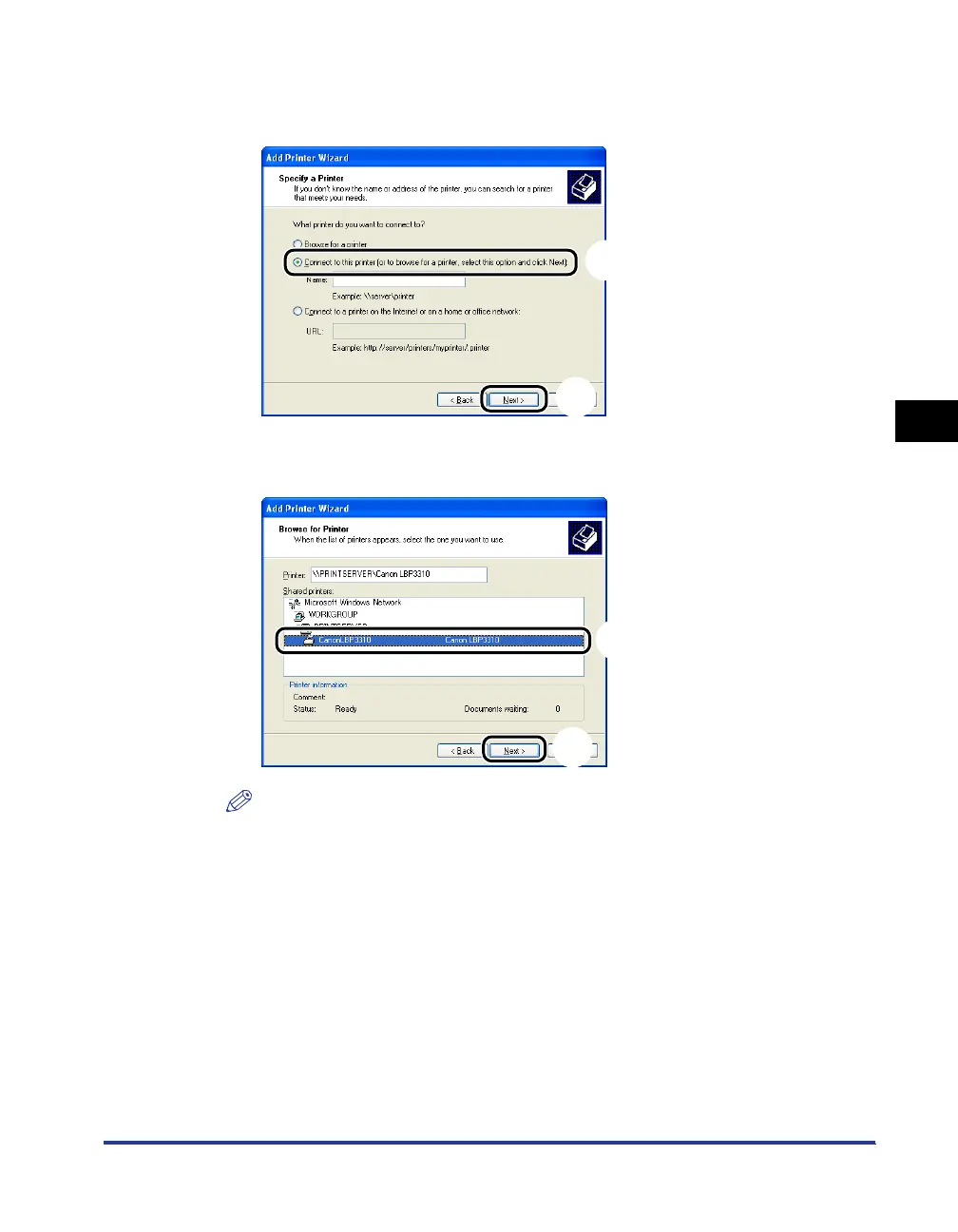
Select [Connect to this printer (or to browse for a printer,
select this option and click Next)]
aa
aa
, then click [Next]
bb
bb
.
8
Select the printer on the print server
aa
aa
, then click [Next]
bb
bb
.
NOTE
•
If the [Connect to Printer] dialog box appears, follow the directions in the message.
•
When specifying the path to the network using "\" directly, specify it as "\\the print
sever name (the computer name of the print server)\the printer name".
a
b
a
b


 To Next Page
 Loading...










