5-13
Basic Usage of the Printer
5
2-sided Printing
7
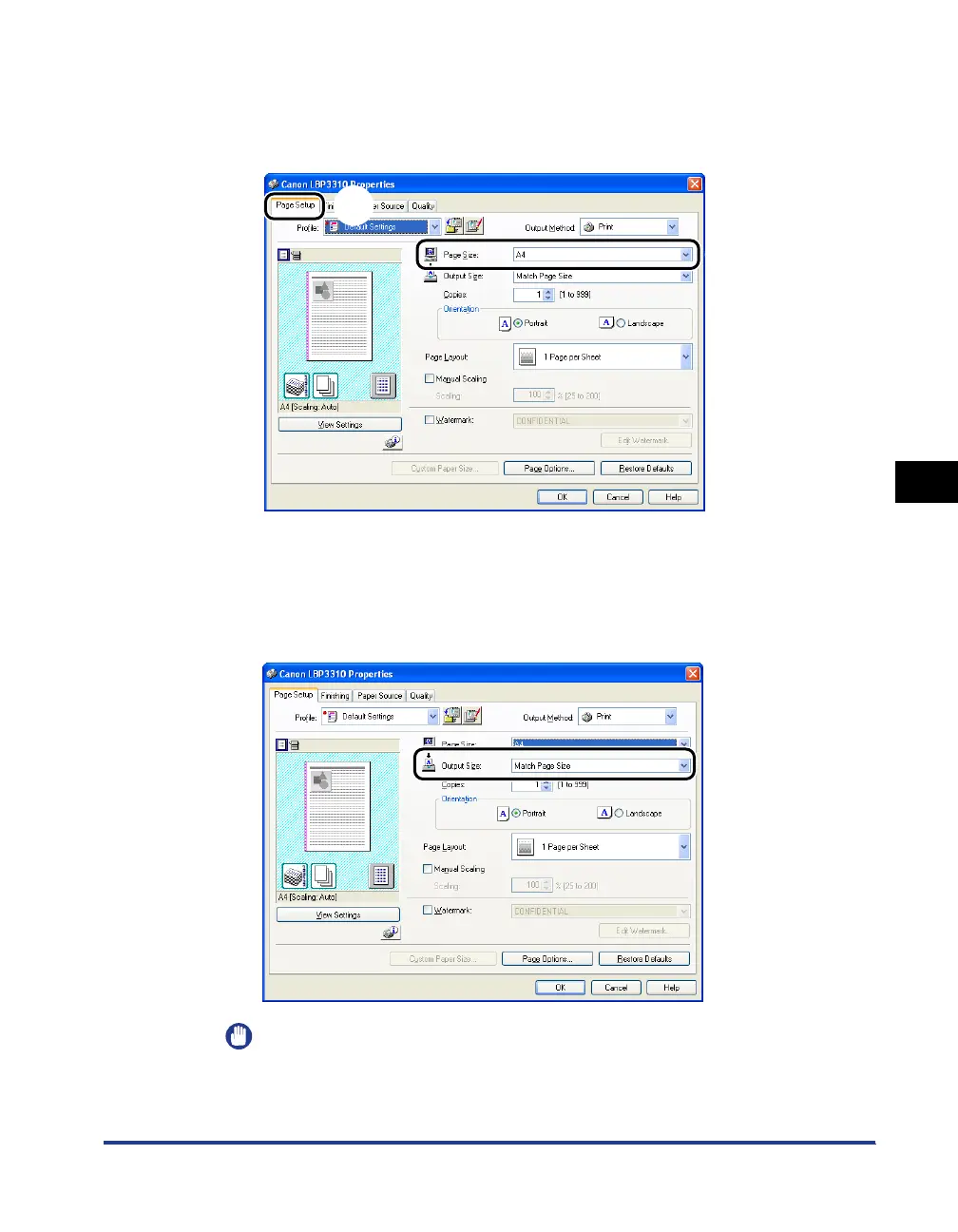
Display the [Page Setup] sheet aa
aa
, then from [Page Size],
select the page size of the document created by an
application
bb
bb
.
8
Select the size of the loaded paper in [Output Size] as needed.
Leave the setting at [Match Page Size] if the page size and the size of the paper
loaded in the paper source are the same, because there is no need to change
the setting in this case.
IMPORTANT
The print will be automatically reduced or enlarged to fit on the page when the
settings for [Page Size] and [Output Size] are different.
a
b



 To Next Page