5-14
Basic Usage of the Printer
5
2-sided Printing
9
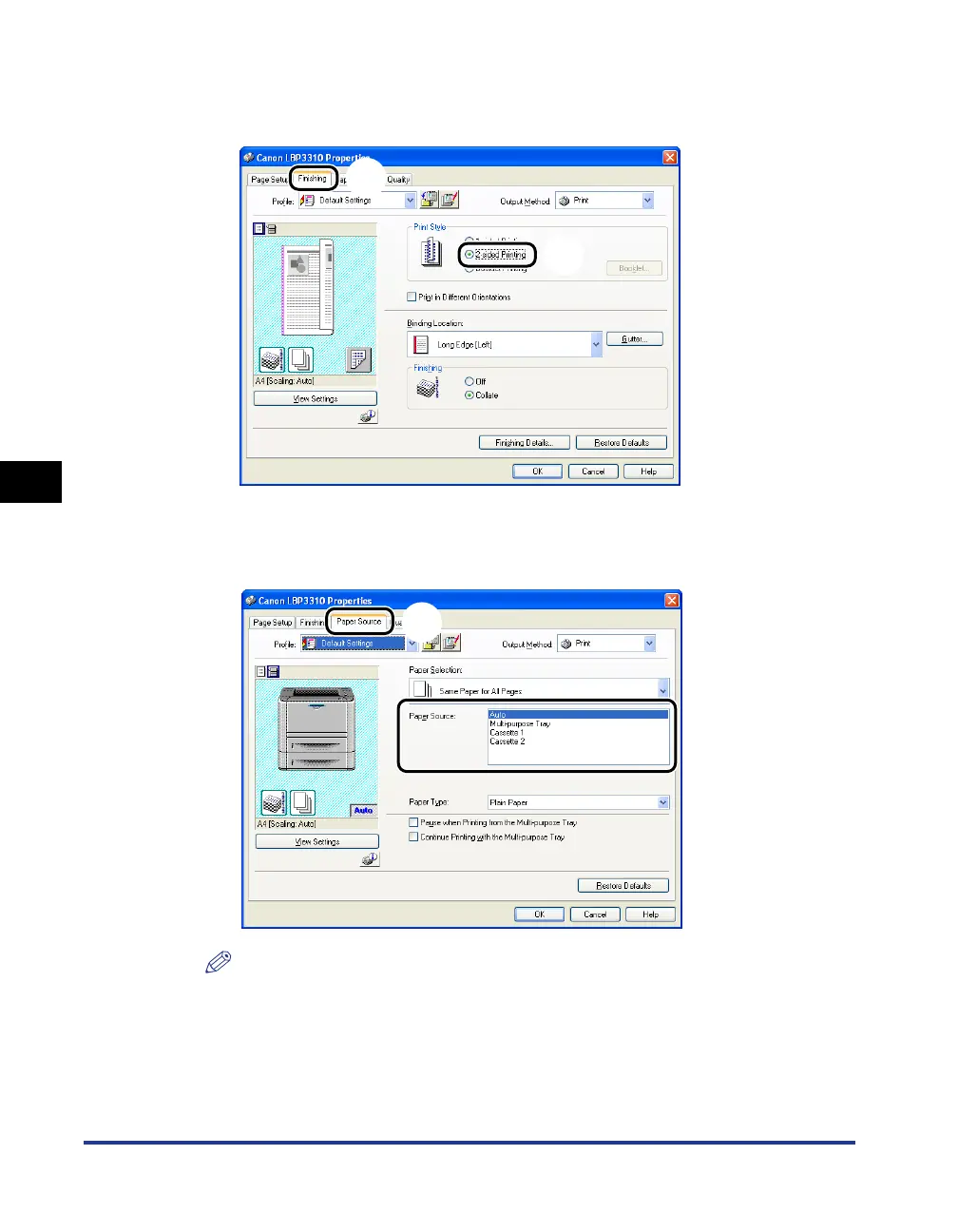
Display the [Finishing] sheet aa
aa
, then select [2-sided Printing]
in [Print Style]
bb
bb
.
10
Display the [Paper Source] sheet aa
aa
, then select [Paper
Source]
bb
bb
.
NOTE
If [Paper Selection] is set to a setting other than [Same Paper for All Pages], the
setting for [Paper Source] is changed as follows. Specify the same setting as for
[Paper Source].
- [First Page]
- [Second Page]
- [Other Pages]
- [Last Page]
a
b
a
b



 To Next Page