9-25
Installing the Optional Accessories
9
Network Board
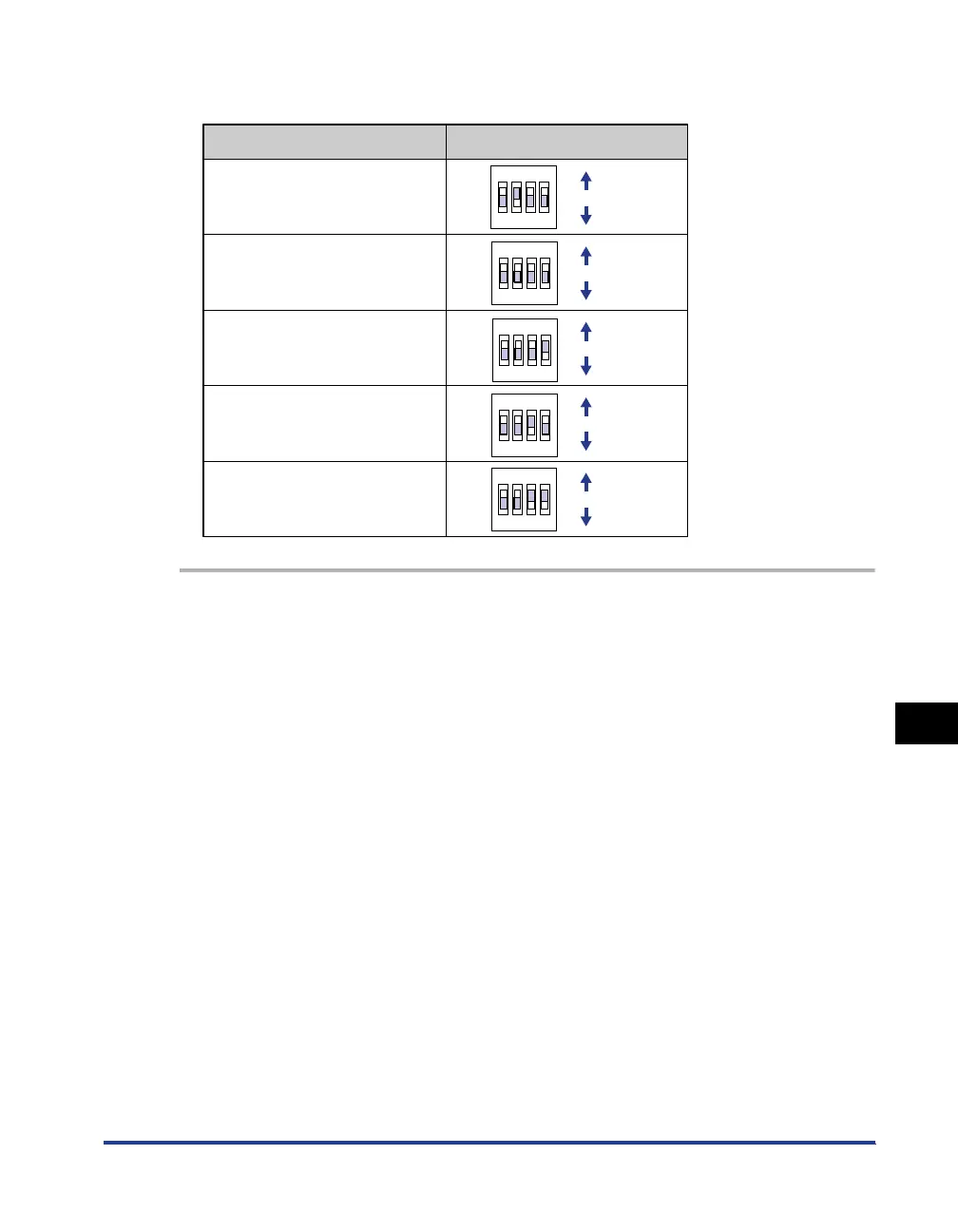
■ Setting the Network Transmission Speed/Transfer Mode and the DIP
Switches
1
Turn the printer OFF.
2
If a USB cable is connected, turn the computer off, and then
disconnect the USB cable from the printer.
3
Disconnect the power plug from the AC power outlet.
4
Remove the power cord from the printer.
5
Disconnect the LAN cable from the network board.
6
Remove the two screws and remove the network board.
Communication speed and
Transmission mode of LAN
10BASE-T/Half-duplex
ON
OFF
ON
OFF
ON
OFF
ON
OFF
ON
OFF
Auto detect (default setting)
10BASE-T/Full-duplex
100BASE-TX/Half-duplex
100BASE-TX/Full-duplex
DIP switch setting
OFF
1234
OFF
1234
OFF
1234
OFF
1234
OFF
1234



 To Next Page