3-22
Loading Paper in the Paper Cassette
Paper Loading and Output Tray
3
7
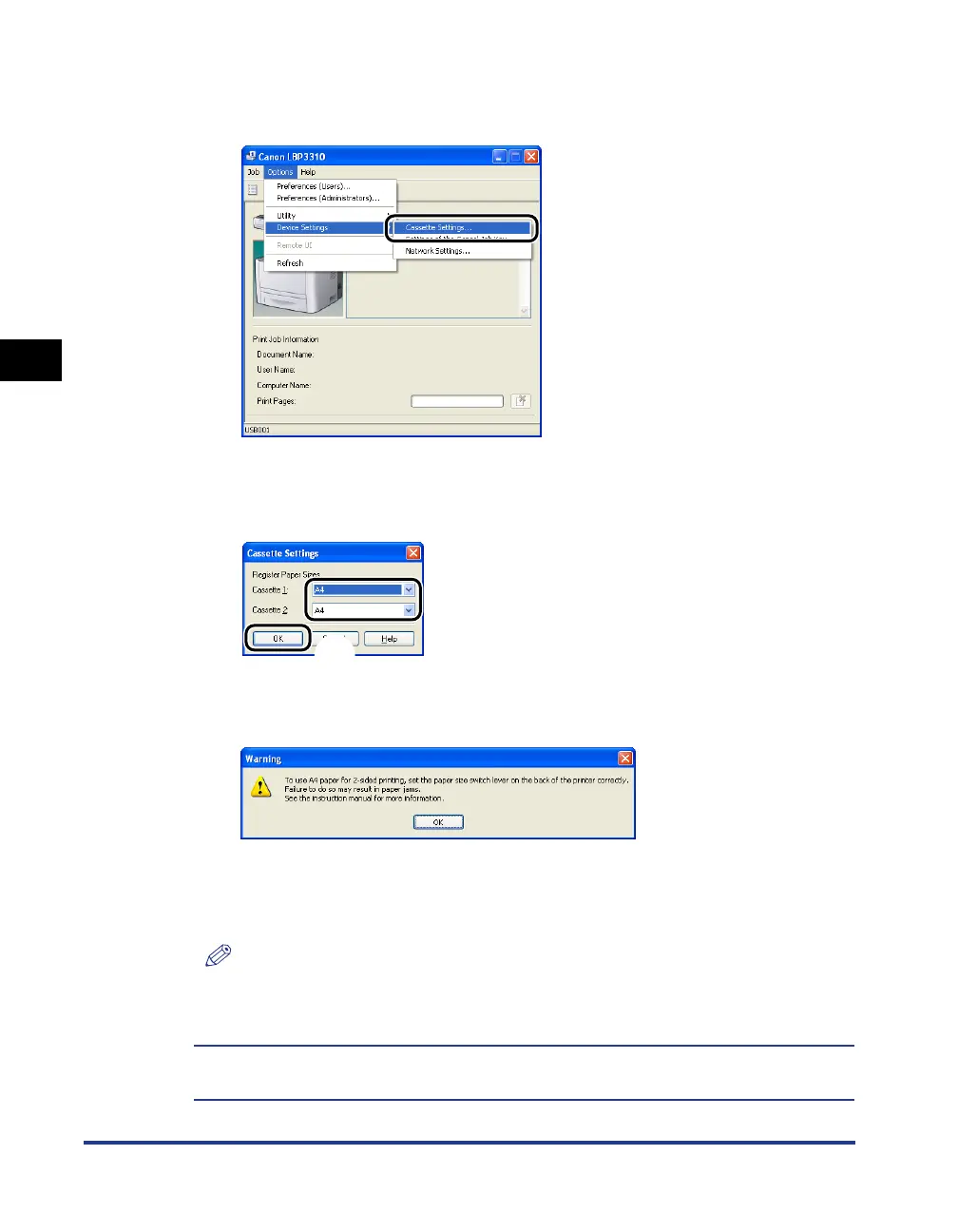
From the [Options] menu, select [Device Settings] ➞
[Cassette Settings].
8
Select the size of the paper loaded in the paper cassette aa
aa
,
then click [OK]
bb
bb
.
When the paper size is changed to A4, Letter, or Legal, the following screen
appears.
If you want to perform 2-sided printing: Set the paper size switch lever on the rear
side of the printer to the appropriate position, then click [OK].
If you do not want to perform 2-sided printing: Simply click [OK].
NOTE
For details on the procedure for setting the paper size switch lever, see "Automatic
2-sided Printing," on p. 5-10.
Loading paper is now completed.
For details on the procedure for printing, see "Printing from an Application," on p. 5-2.
a
b



 To Next Page