PC3000 with 26" Deck (PC3000-26) User’s Manual
4-8 Document ID 13-003 v 2.0
c. Once the ramp is resting on the ramp hangers (Figure 4-1, page 4-1), attach and tighten the
turnbuckles to keep the ramp from pulling back.
20. IF THE CATWALK HAS A HYDRAULIC RAMP PIVOT INSTALLED:
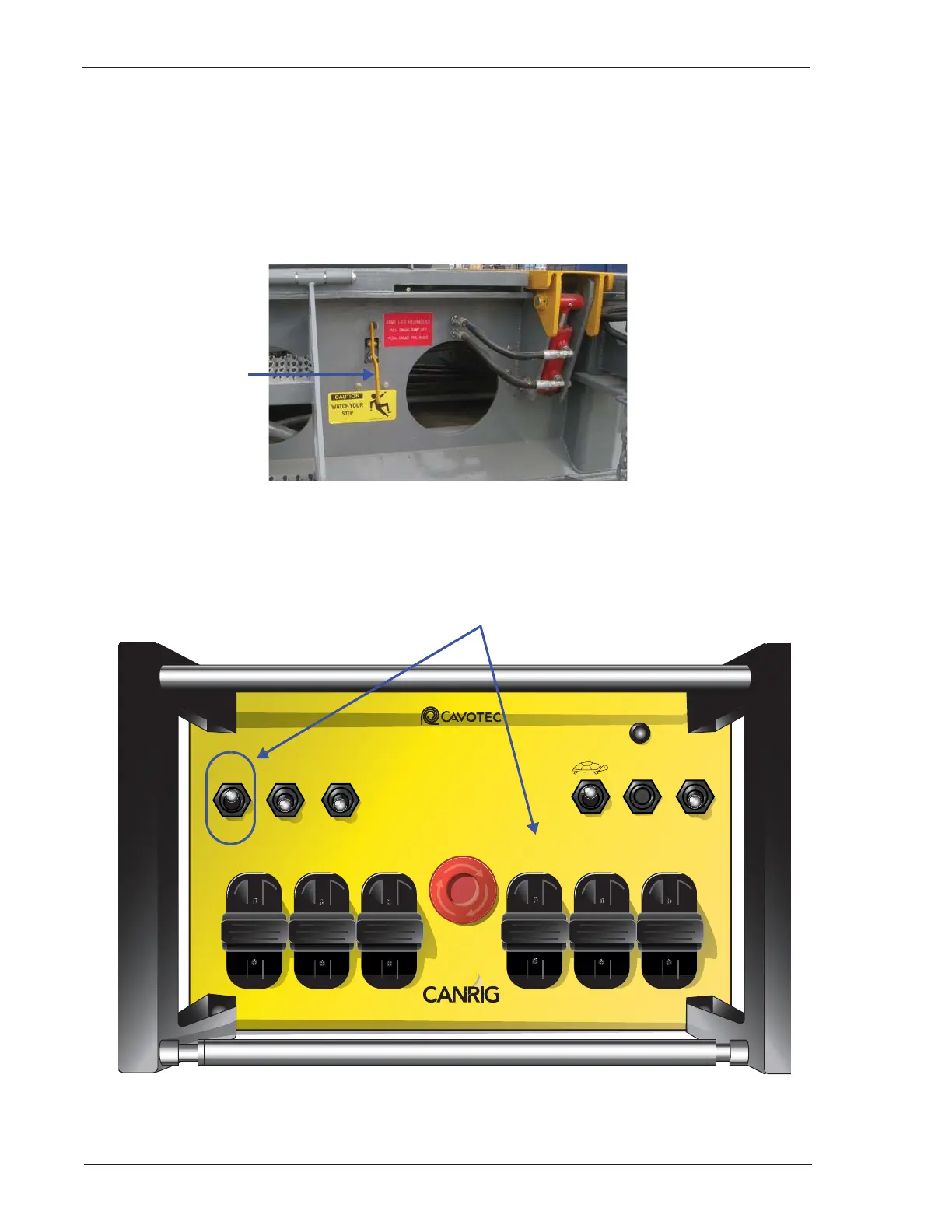
a. At the ramp end DS, engage the ramp-lift hydraulics by pulling the handle on the selection valve
(Figure 4-9).
Figure 4-9: Pulling Ramp Raise Valve Engages Ramp-lift Hydraulics
b. Using the wireless terminal (Figure 4-10), raise the ramp by toggling the DS P-RACK and toggling
the DS KICKER (DS RAMP END PIPE RACK).
Figure 4-10: Wireless Terminal
Selection Valve
MC 3200 EX
STATUS
ODS
LOCATOR PIN
CARRIER LIFT
ODS
P-RACK
DS
P-RACK
ODS INDEX
ODS KICKER DS KICKER
OUTER
RAISE
INNER
RAISE
Service Tel: +1 866.433.4345
www.canrig.com
INNER
RAISE
FWD.
BACK
DS INDEX
SKATE
MOTOR START RESET
TERMINAL
START
TERMINAL
ON
TERMINAL
OFF
E-STOP
OUTER
RAISE
UP
DOWN
DS
LOCATOR PIN



 To Next Page