Remote Operation
2. In Private LAN
In most situations the PC will not have a DHCP Server. In a Private LAN, the IP addresses of
all connected network devices need to be set manually. For the 62020H-150S Model, refer to
section 7.2.1 for the network parameter settings.
Procedure for setting DHCP = OFF on PC
Ensure DHCP=OFF. If it is YES, change it to OFF and complete the following steps.
STEP 1:
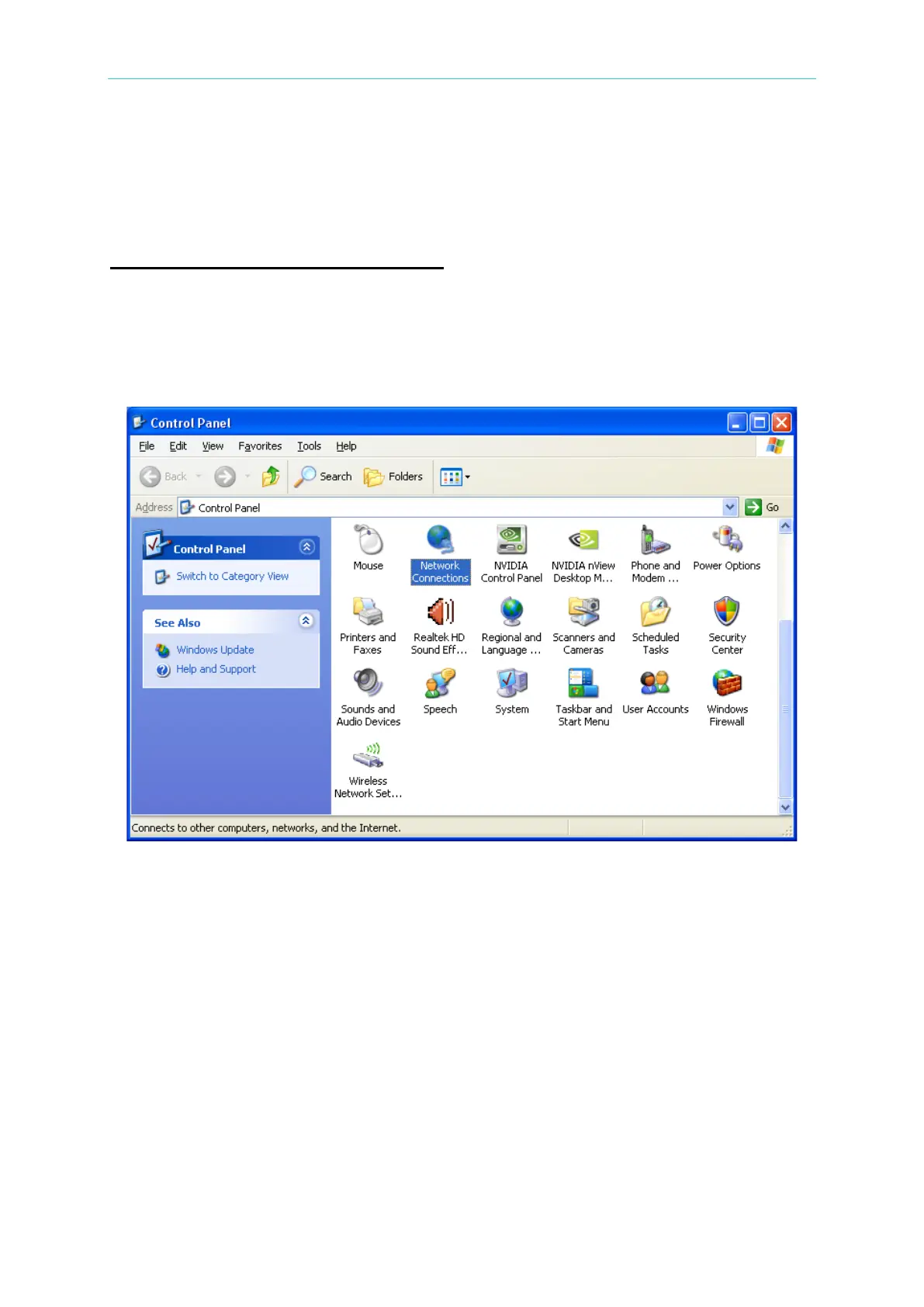
Click [Control Panel] on the PC and click “Network Connections”.
STEP 2:
Select “Local Area Connection” and right-click it to select the [Properties].



 To Next Page