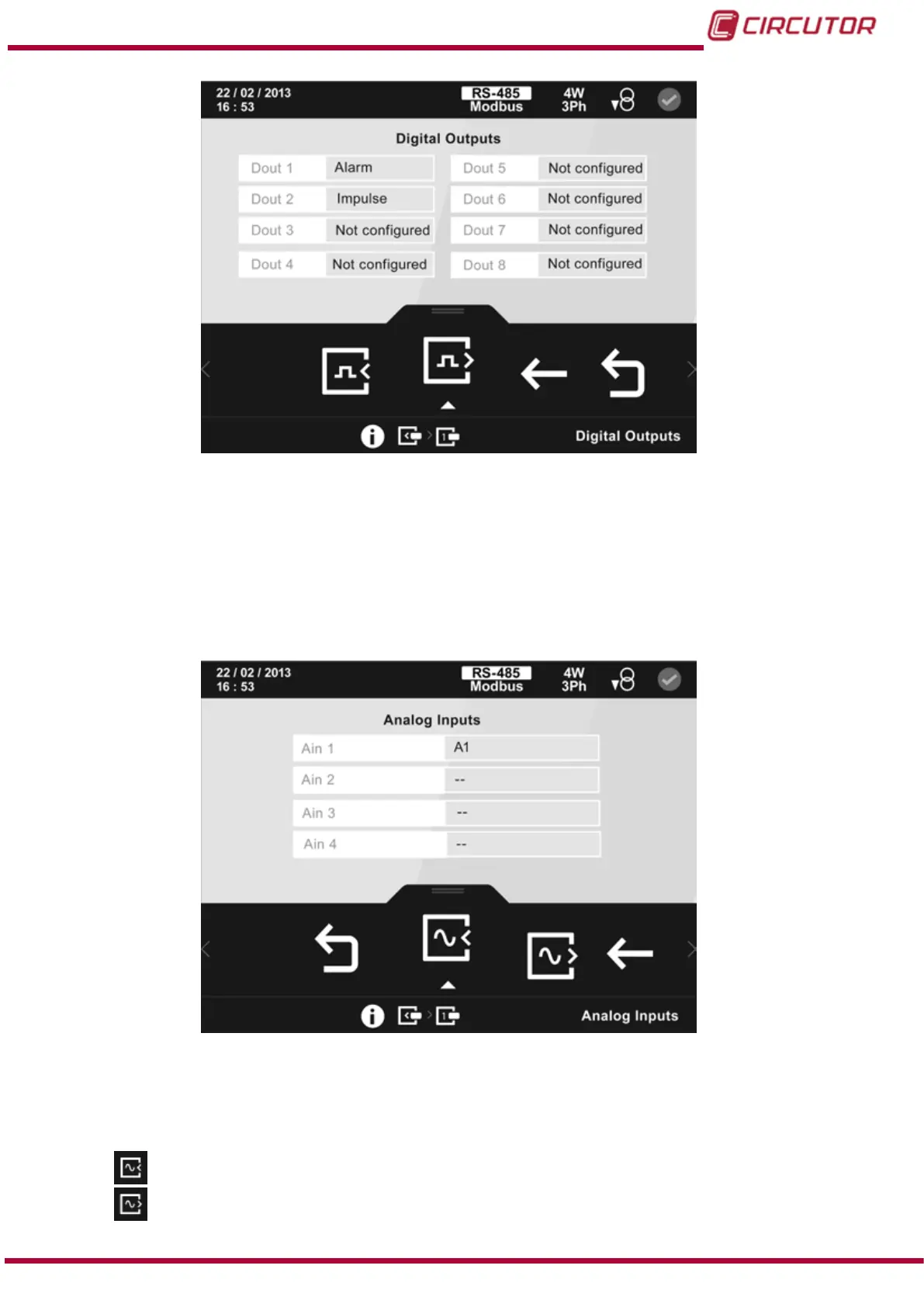
Figure 100: Digital outputs information screen (Transistor Digital Inputs/Outputs Module)
If no key is pressed for 5 minutes, the display screen changes automatically to the default
screen.
5.5.3.2.- Analogue Inputs/Outputs expansion modules
The screen in Figure 101, is one of the information display screens for the expansion module.
Figure 101: Analogue outputs information screen (Analogue Inputs/Outputs Module).
This screen displays the conguration of the analogue inputs of the module.
The following options appear in the lower area:
Analogue inputs, to display how the inputs have been congured.
Analogue outputs, to display how the outputs have been congured.
115
Instruction Manual
CVM-B100 - CVM-B150













 To Next Page