7.2.3.- CONFIGURATION
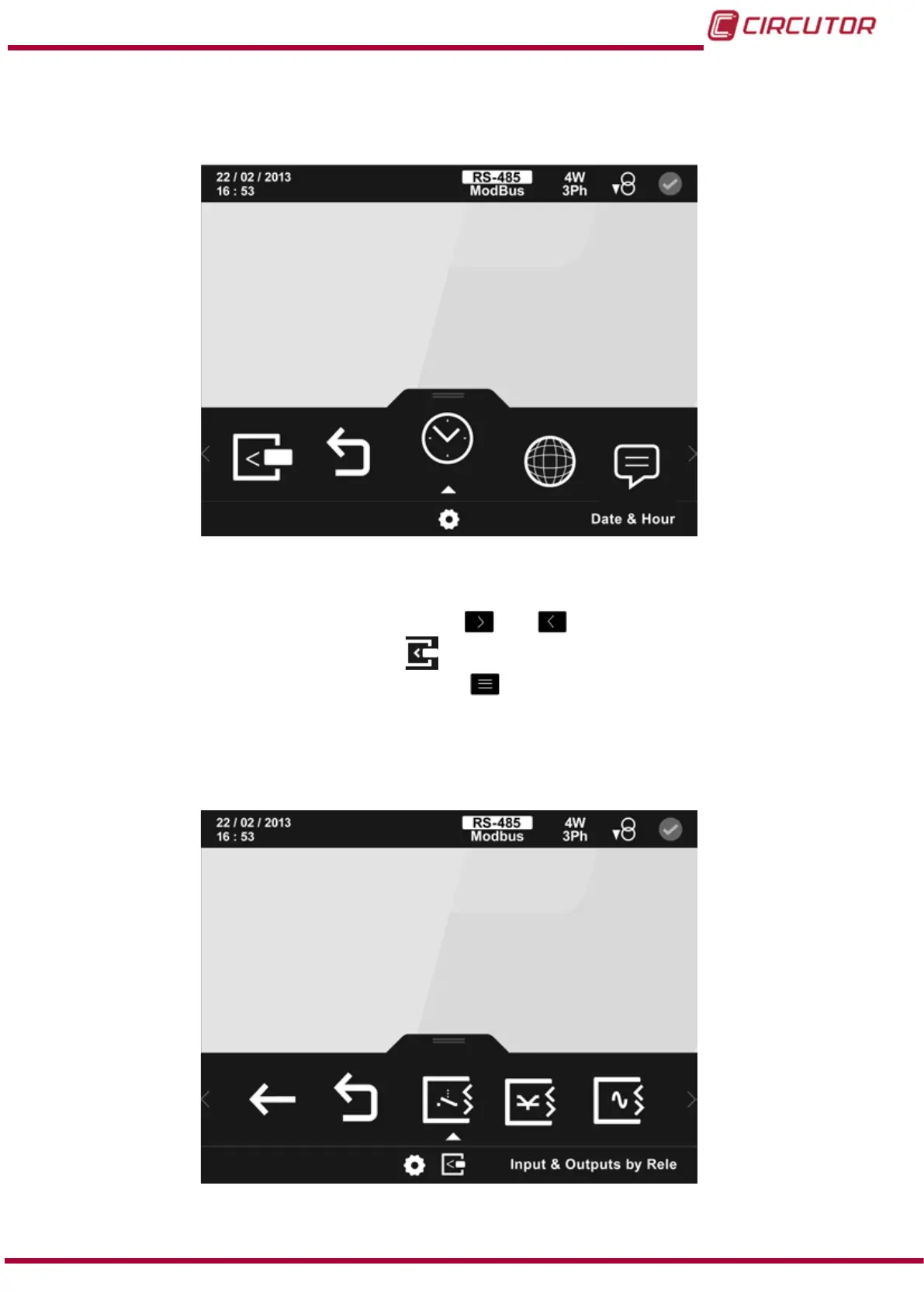
You can access the setup menu on the main screen, Figure 25.
The screen in
Figure 154, is the home screen of the setup menu.
Figure 154: Main screen of setup menu.
All the possible programming parameters for the unit appear in the lower area. To congure the
expansion modules you need to, using the keys
and , browse the various parameters
until nding the expansion modules icon, .
To access the selected parameter, press the key
.
If no key is pressed for 5 minutes, the display screen changes automatically to the default
screen.
The main screen of the expansion modules is shown in Figure 155.
Figure 155: Main screen of expansion modules.
215
Instruction Manual
CVM-B100 - CVM-B150













 To Next Page