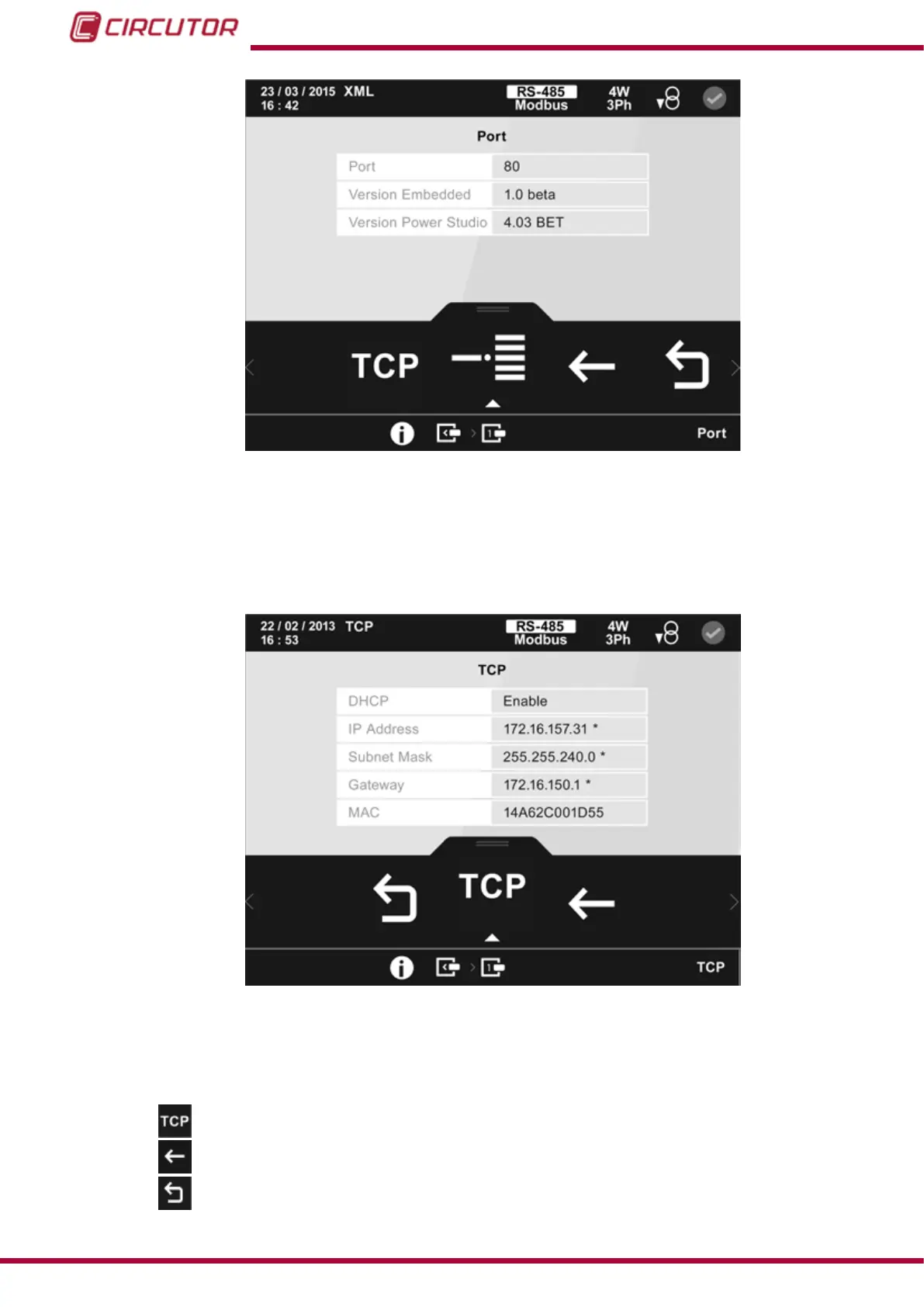
Figure 109: Datalogger (Port) module information screen.
5.5.3.8.- Modbus TCP (Switch) communications expansion modules
The screen in Figure 103, is a screen that displays the information of the Modbus TCP (Switch)
communications module.
Figure 110: Information screen of the Modbus TCP ( Switch ) module (TCP communications).
This screen shows how the TCP communications of the module are congured.
The following options appear in the lower area:
TCP, for viewing how the TCP communications have been congured.
Back, returns to the expansion module information screen, Figure 98.
Main Menu, back to the main menu, Figure 25.
122
CVM-B100 - CVM-B150
Instruction Manual













 To Next Page