User's Manual
121
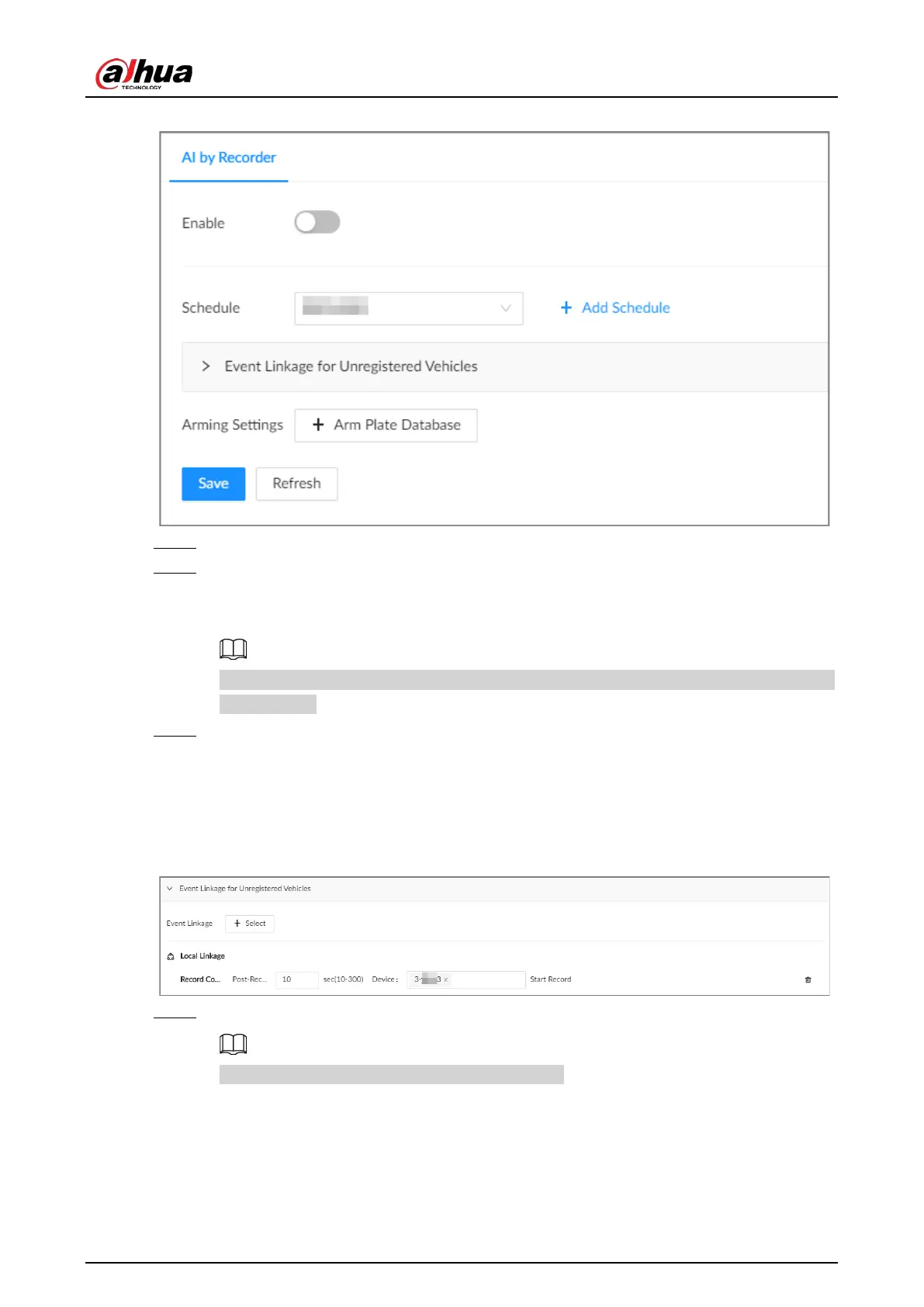
Figure 6-37 Plate comparison
Step 5 Select device from the device tree on the left side.
Step 6 Click
Schedule
to select a schedule from the drop-down list.
The system triggers corresponding alarm actions only during the alarm deployment
period.
You can select an existing schedule from the
Schedule
drop-down list. You can also add a
new schedule.
Step 7 Configure event linkage for unregistered vehicles.
An alarm is triggered when the detected vehicle information is not found in the plate
database.
1) Click
Event Linkage for Unregistered Vehicles
.
2) Click
Select
to set alarm linkage actions.
Figure 6-38 Event linkage for unregistered vehicles
Step 8 Configure the linkage database.
You can repeat the step to arm multiple databases.
1) Click
Arm Plate Database
.
2) Configure the parameters.


 To Next Page
 Loading...

