User's Manual
164
●
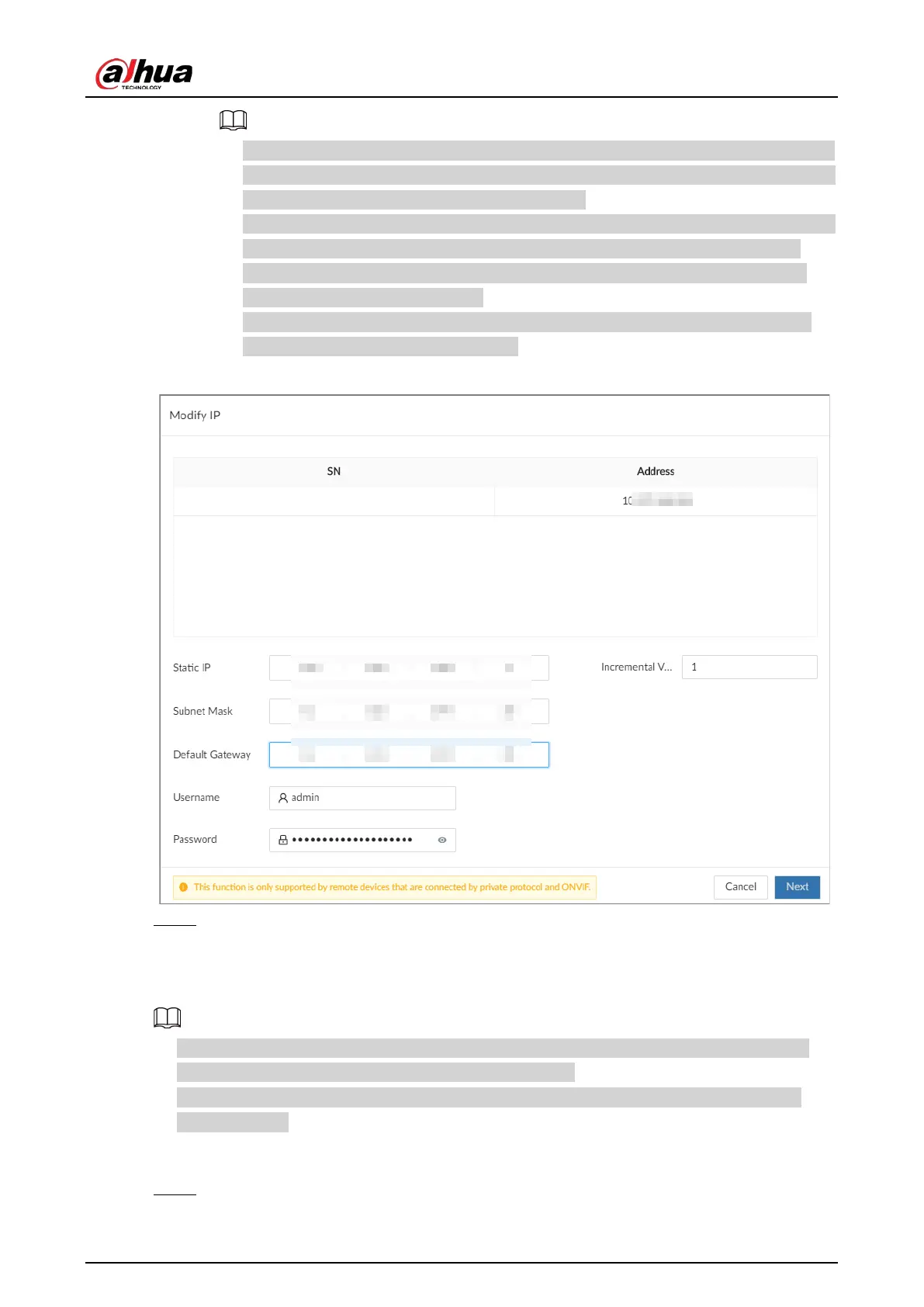
Enter incremental value only when you want to change IP addresses of several devices
at the same time. The system will allocate IP address one by one with the fourth part of
the IP address increasing by the incremental value.
●
If an IP conflict occurs when you change the static IP address, the system will notify you
of the issue. When an IP conflicts happens when you are changing IP addresses in
batches, the system automatically skips the conflicted IP and begins the allocation
according to the incremental value.
●
If you want to change IP addresses of multiple remote devices, make sure that they
share the same username and password.
Figure 8-5 Modify IP (1)
Step 7 Click
OK
.
8.1.2.2 Modifying IP of Connected Devices
●
You can only modify the IP address of initialized devices. For remote device initialization, see
"5.5.1 Initializing Remote Devices" for detailed information.
●
You can only modify the IP address of remote devices connected through
Private
,
Onvif
or
Onvifs
protocol.
Procedure
Step 1 Log in to the PC client.


 To Next Page
 Loading...

