User's Manual
338
●
Click
Clear Downloads to clear history download records.
10.4 Configuring PCAPP
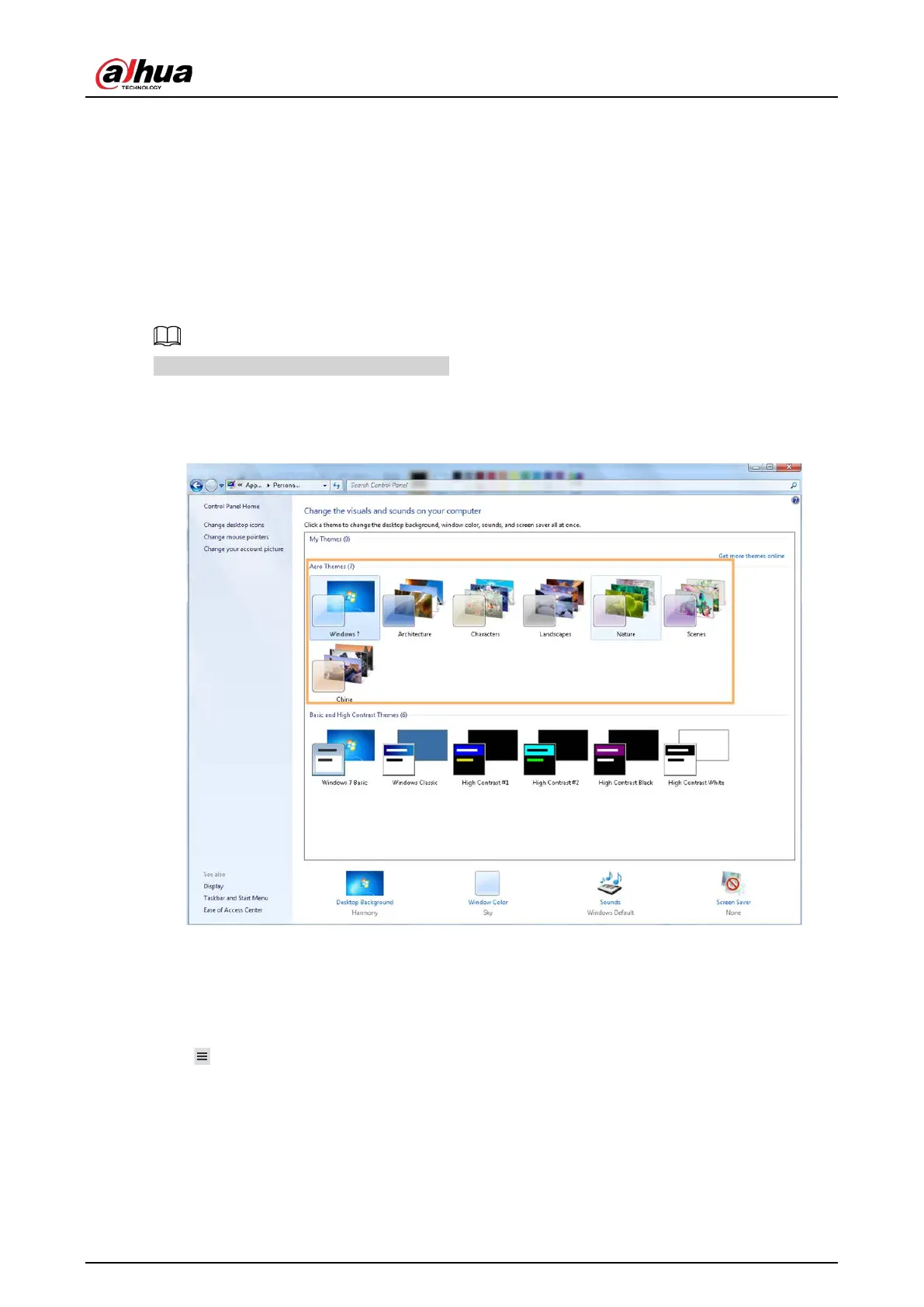
When PC theme is not Areo, video of PCAPP might not be displayed normally. It is suggested that PC
theme should be switched to Areo, or compatibility mode of PCAPP should be enabled.
Switching PC Theme
This section uses Windows 7 as an example.
Right-click any blank position on PC desktop, select
Personalize, and then switch to Aero theme.
Restart PCAPP before the Aero theme takes effect.
Figure 10-2 PC theme
Setting Video and Picture Storage Path
Click Browse to specify the paths for saving videos and pictures. Only PCAPP supports this function.
Enabling Compatibility Mode
Click , and select Settings. The Settings page is displayed. Select compatibility mode. Restart
PCAPP before the compatibility mode takes effect.


 To Next Page
 Loading...

