User's Manual
218
Table 8-22 Manual creation parameters description
Parameter Description
Storage Device
Select the storage device where the disks are located and select the
disks you want to add to the RAID.
Different levels of RAID might need different number of disks.
RAID Select the level of RAID that you want to create.
Working mode
Set RAID resources allocation mode. The default mode is self-adaptive.
●
Self-adaptive
: The system automatically adjusts RAID
synchronization speed according to current business load. When
there is no external business, the synchronization speed is high.
When there is external business, the synchronization speed is low.
●
Sync Priority
: The system allocates resources to RAID
synchronization first.
●
Operation Priority
: The system allocates resources to business
first.
●
Load Balance
: The system allocates resources to business and RAID
synchronization equally.
Name Set RAID name.
●
One-Click Create
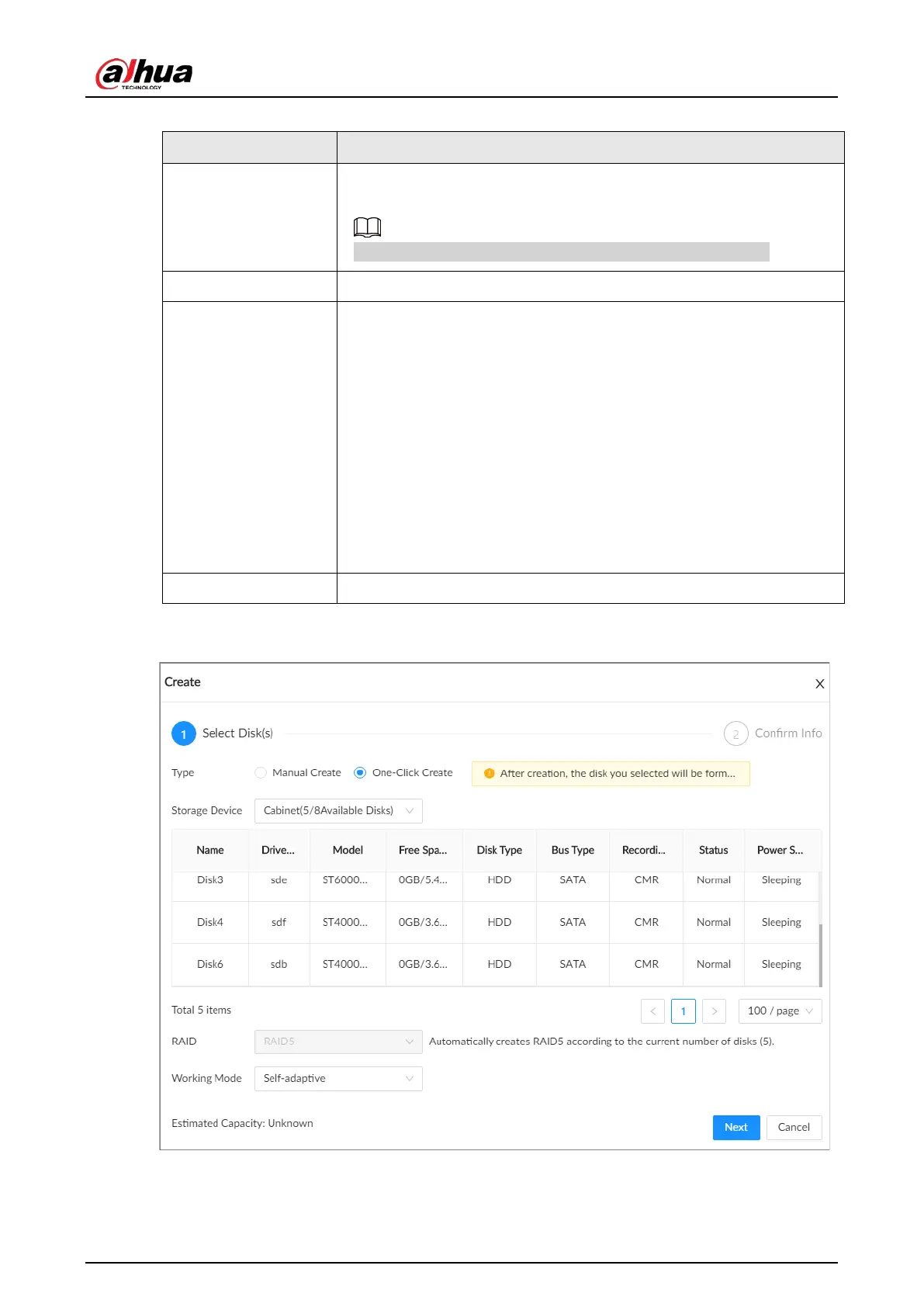
: The system creates RAID5 according to the current number of disks.
Figure 8-49 One-click create


 To Next Page
 Loading...

