User's Manual
30
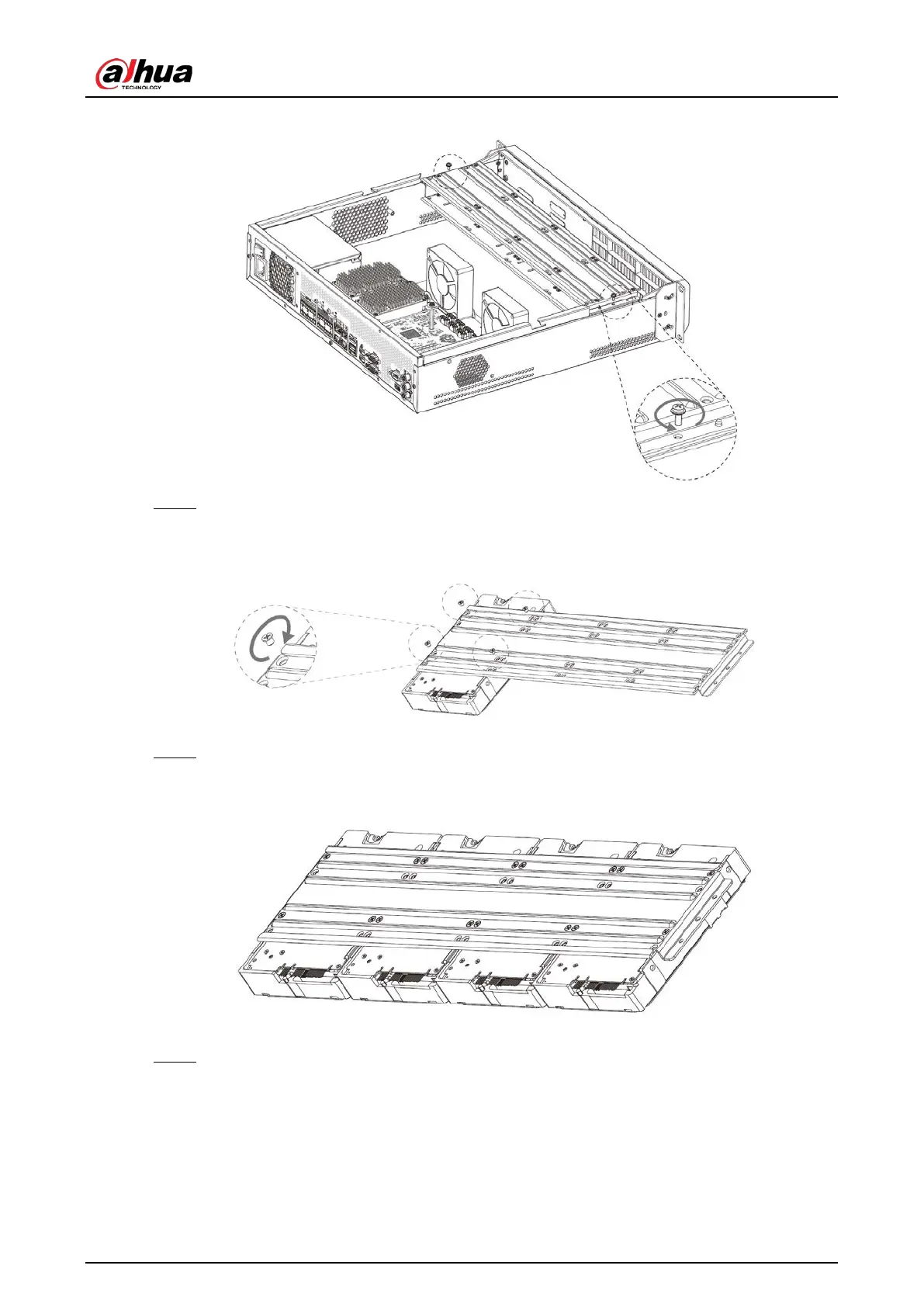
Figure 3-4 Remove HDD holder
Step 4 Align the 4 screw holes on the HDD to the 4 screw holes on the HDD holder, and then
tighten the screws.
Figure 3-5 Install HDD (1)
Step 5 Repeat step 4 to install the other HDDs on the holder.
Figure 3-6 Install HDD (2)
Step 6 Repeat step 5 to install HDDs on the other holder.


 To Next Page
 Loading...

