User's Manual
78
●
Quantity
: The proportion of the number of added face images in the sample databases
and passerby databases to the allowed face images in total.
●
Data Capacity
: The proportion of the space occupied by the sample databases and
passerby databases to the allowed space in total.
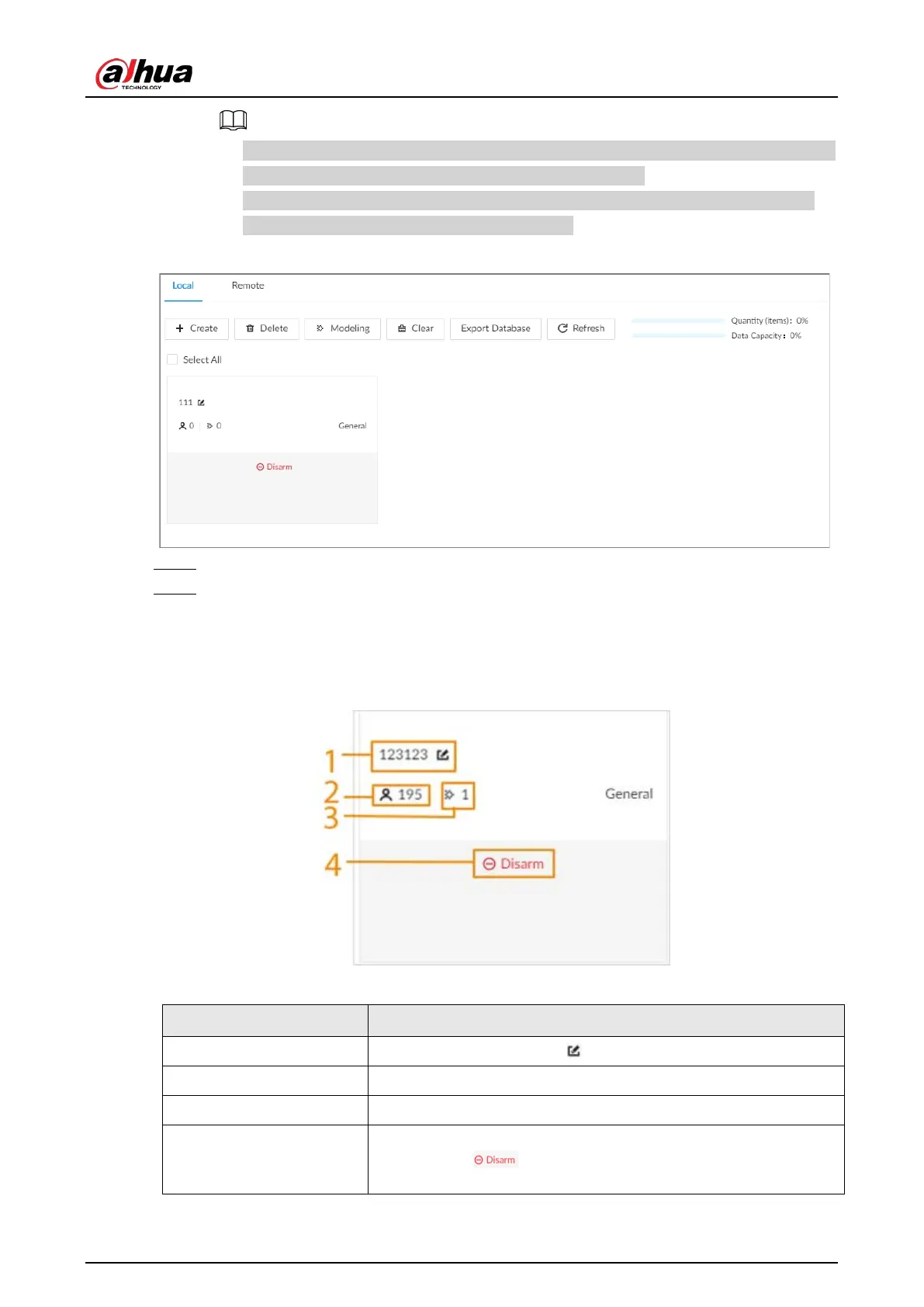
Figure 6-13 Local face database
Step 4 Enter a name for the face database.
Step 5 Click
Register
or
Save and Close
.
●
Click
Register
to add face images to the database.
●
Click
Save and Close
if you want to add face images later.
●
View face database details and status.
Figure 6-14 Face database
Table 6-9 Parameters of face database
No. Description
1 Face database name. Click to change the name.
2 Number of face images in the face database.
3 Number of face images that failed to abstract.
4
Remote devices associated to this face database for face
comparison. indicates that no remote devices are
associated to the database.
●
Search for face images.


 To Next Page
 Loading...

