ineo+ 650/550/451 2-71
Copy Operations
2
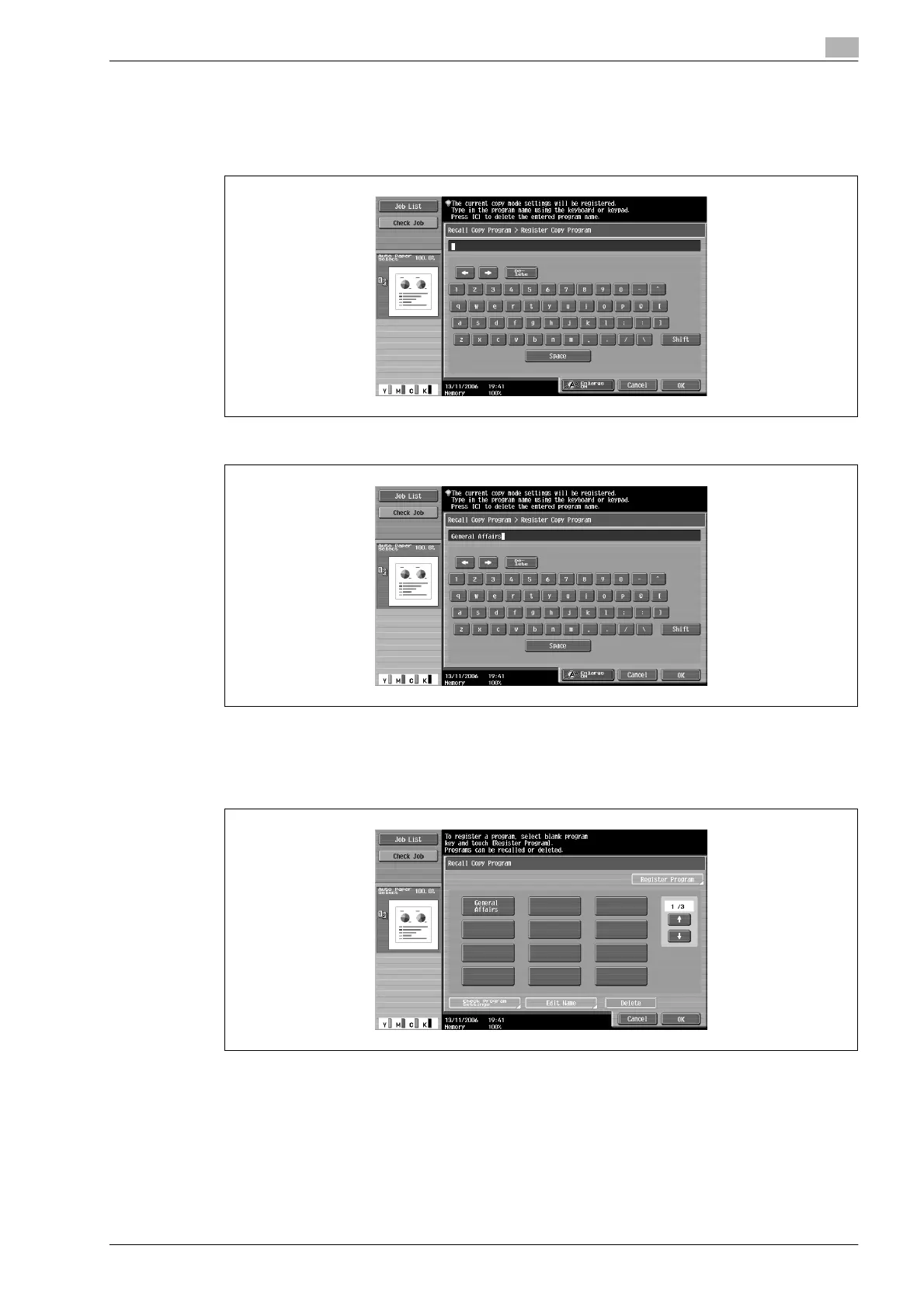
4 Use the control panel keypad and the keyboard that appears in the touch panel to type in the name of
the copy program.
– The program name can contain a maximum of 16 characters.
– For details on typing in text, refer to "Entering text" on page 9-3.
5 After typing in the name, touch [OK].
– The copy program can be given the same name as a copy program that has already been registered.
– To stop specifying the name of the copy program, touch [Cancel].
The Recall Copy Program screen appears again. The copy program is registered and a button with the
entered copy program name appears.
?
Can the copy program name be corrected?
% To change the entered copy program name, touch the button whose name is to be changed, and
then touch [Edit Name]. The Edit Name screen appears. Return to step 4 and repeat the procedure
to change the copy program name.










 To Next Page