5
Network Scanner Operations
5-64 ineo+ 650/550/451
E-Mail setting
When data is sent, an e-mail message containing the document name can be sent to the specified e-mail
address.
!
Detail
The information specified as the document name is used with Scan to FTP and Scan to SMB
operations.
If "Change the "From" Address" (displayed by touching [System Settings] on the Administrator Settings
screen, then [Restrict User Access], then [Restrict Operation]) is set to "Restrict", the From address
cannot be entered directly.
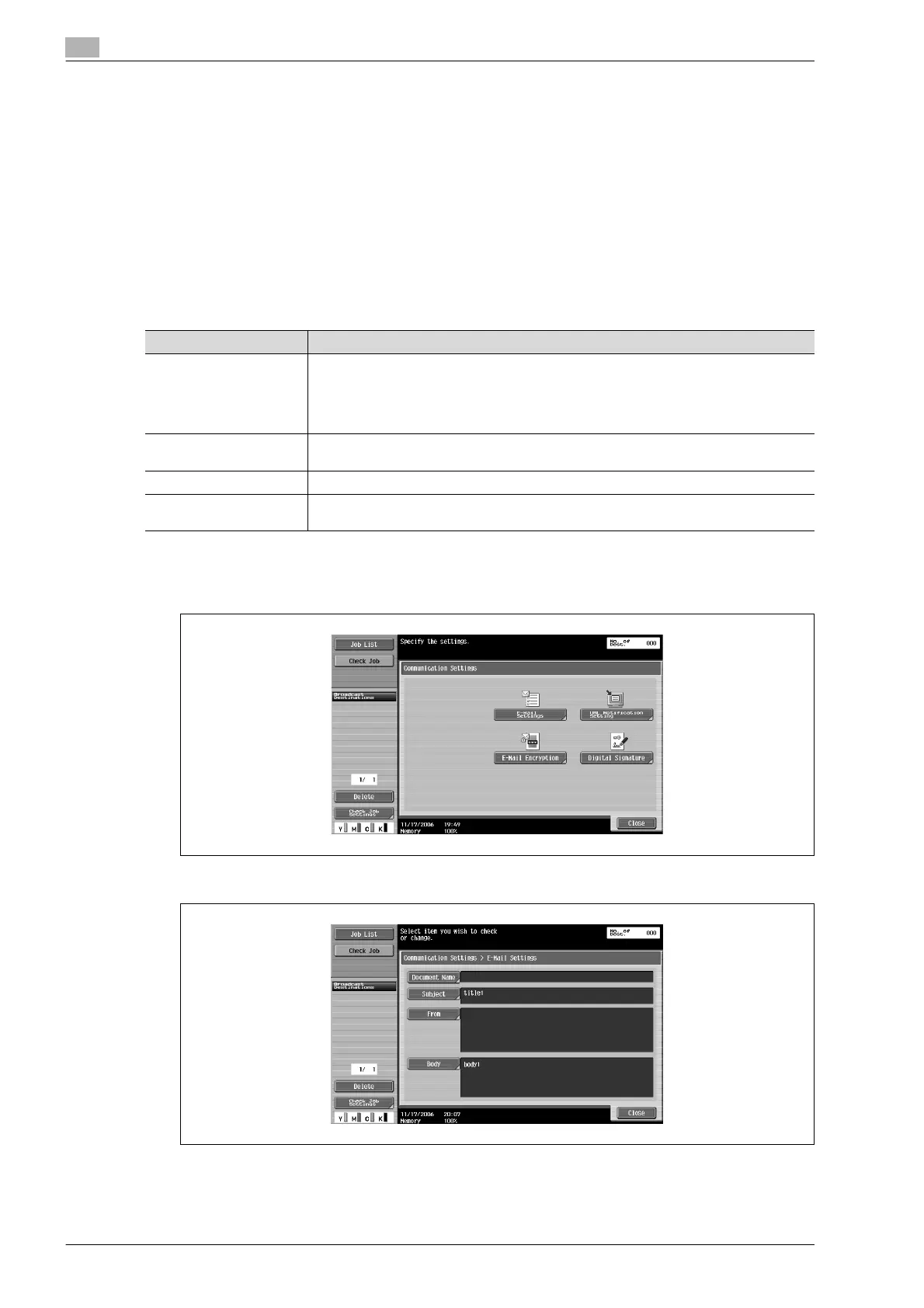
1 Touch [Communication Settings] in the Fax/Scan mode screen.
2 Touch [E-Mail Settings].
3 Specify the e-mail transmission settings.
4 Touch [Close], and then touch [Close] in the next screen that appears.
Parameter Description
Document Name The name of the file to be saved is displayed. The document name specified later appears
as the document name, even if the document name was specified with "Document
Name" on the Scan Settings screen. If no document name is specified, the name auto-
matically specified based on the settings in the Administrator Settings screen is dis-
played. A maximum of 30 characters can be entered.
Subject The text specified from Utility mode is automatically displayed. Touch [Direct Input] to
change the text. A maximum of 64 characters can be entered.
From The e-mail address specified from Utility mode is automatically displayed.
Body The text specified from Utility mode is displayed. Touch [Direct Input] to change the text.
A maximum of 256 characters can be entered.










 To Next Page