2
Copy Operations
2-92 ineo+ 650/550/451
Specifying a setting for special paper
If paper other than plain paper, such as OHP transparencies or special paper, is loaded in a paper tray, be
sure to change the paper type setting for that tray.
The following procedure describes how to specify the setting for special paper loaded into tray 1.
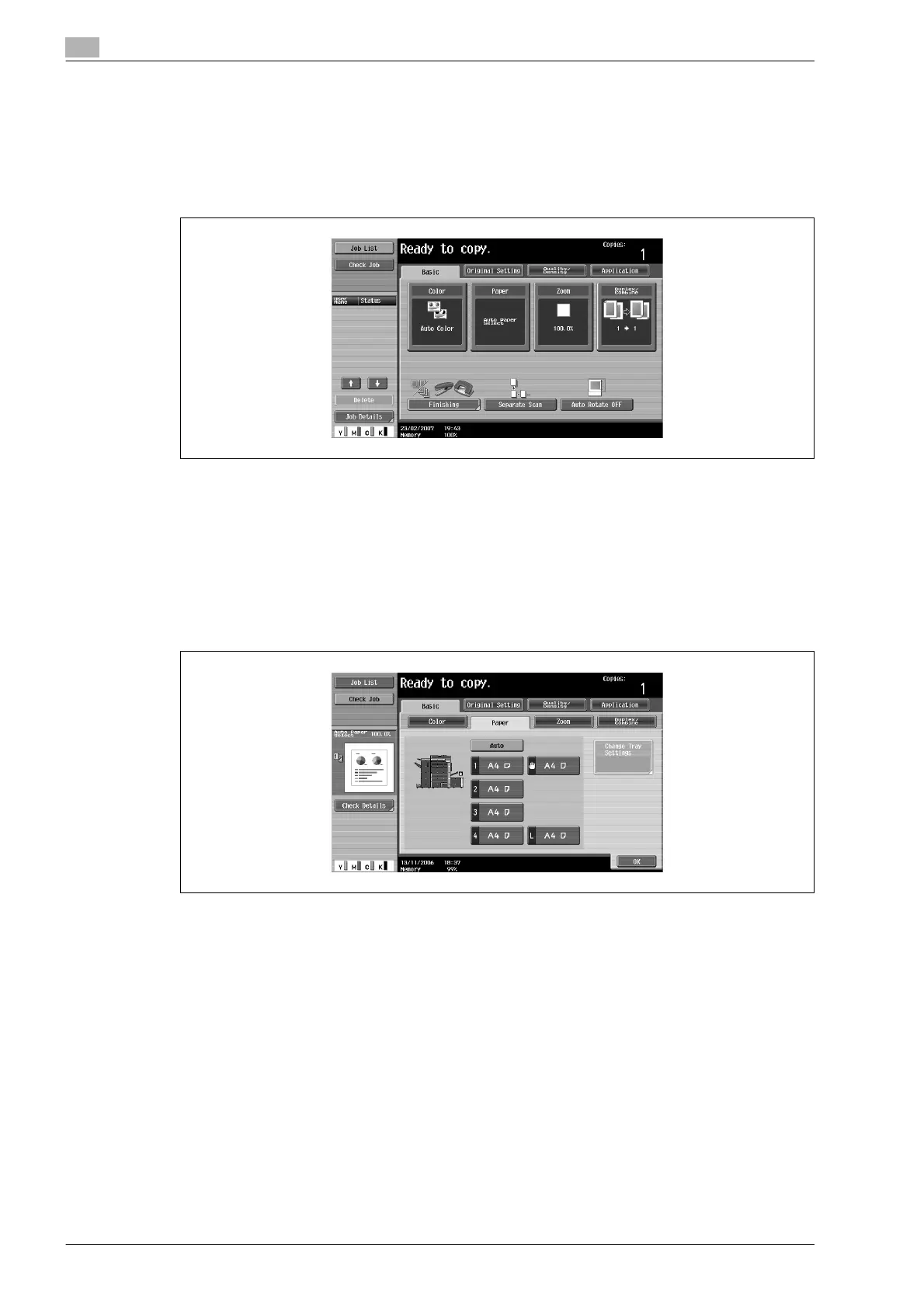
1 In the Basic screen, touch [Paper].
The Paper screen appears.
2 Touch the button for tray 1.
– To specify a setting for special paper for tray 1, tray 2 or tray 3 or the bypass tray, touch the button
for the corresponding paper tray.
– If a setting for special paper is selected for a paper tray, that tray is not selected automatically with
the "Auto" Paper setting. However, if the paper cannot be used for double-sided printing and the
"Single Side Only" setting is selected for the paper tray, that tray is given priority.
– The auto tray switch feature applies only to paper trays specified with the same paper type setting.
3 Touch [Change Tray Settings].










 To Next Page