ineo+ 650/550/451 3-9
Print Operations
3
Specifying the paper type for a paper tray
You can specify the paper type for a paper tray.
1 Click the Basic tab.
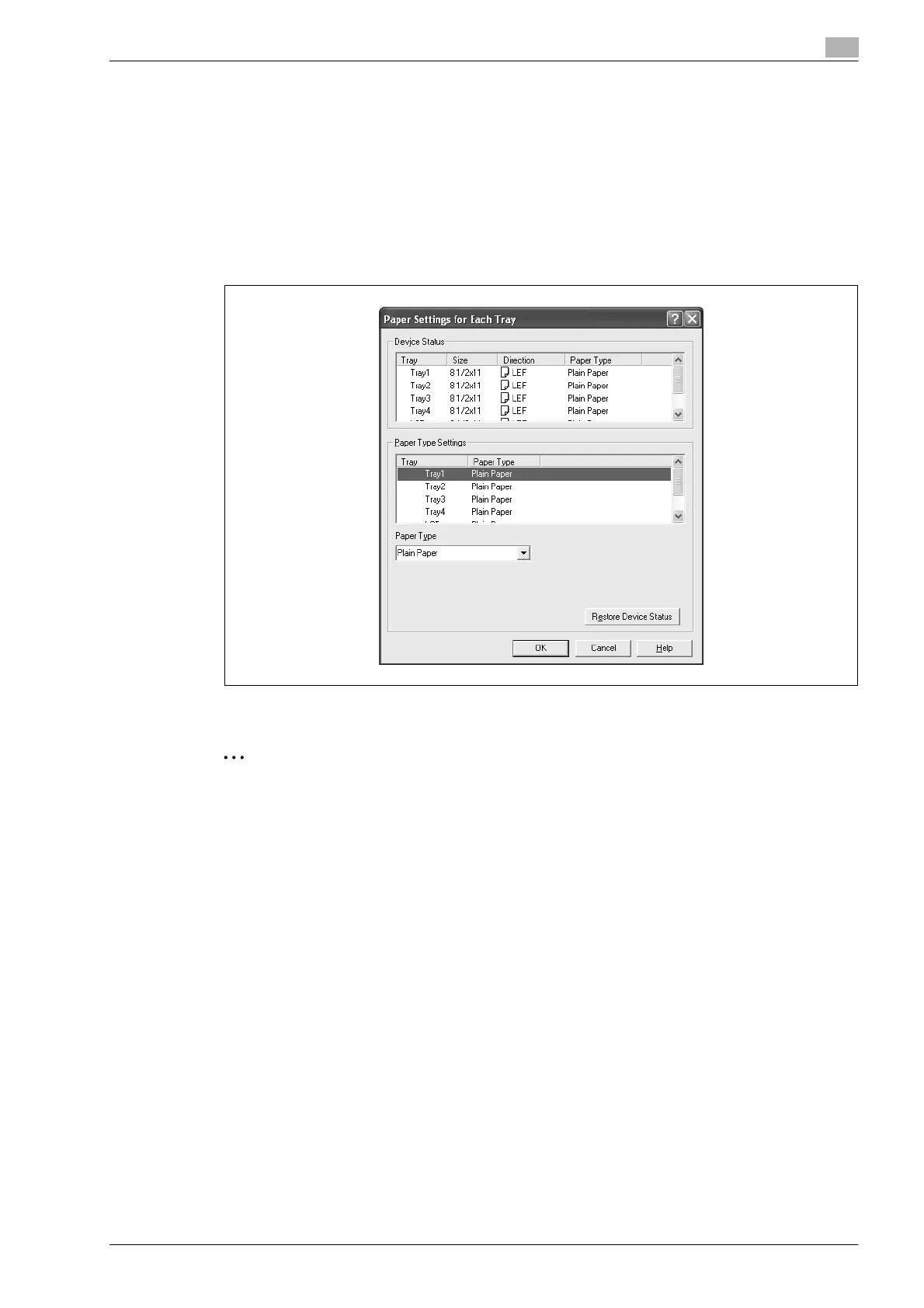
2 Click the [Paper Settings for Each Tray] button.
The Paper Settings for Each Tray dialog box appears.
3 From "Paper Type Settings", select the desired paper tray, and then select the paper type to be
specified from the "Paper Type" drop-down list.
4 Click the [OK] button.
2
Note
The current specified settings can be checked in "Device Status".
Click the [Restore Device Status] button to communicate with this machine and read the status of the
settings specified on this machine. You cannot use this function if you are not connected to or able to
communicate with this machine.
The paper type for a paper tray can also be specified from the Configure tab, and the paper size and
paper orientation can be specified as well.
Specify "Duplex Side 2" to print on the back side of a page.










 To Next Page