ineo+ 650/550/451 4-39
Box Operations
4
Specifying finishing settings
Specify settings for collating, grouping, stapling, hole punching, folding/binding or center stapling/folding.
Settings can be specified for the following.
!
Detail
The feeding method when a finisher is installed can be changed from Administrator mode.
When a Fold/Bind or Center Staple/Fold setting is selected, "Sort" is automatically selected, and the
"Group", Offset, Staple and Punch settings are canceled.
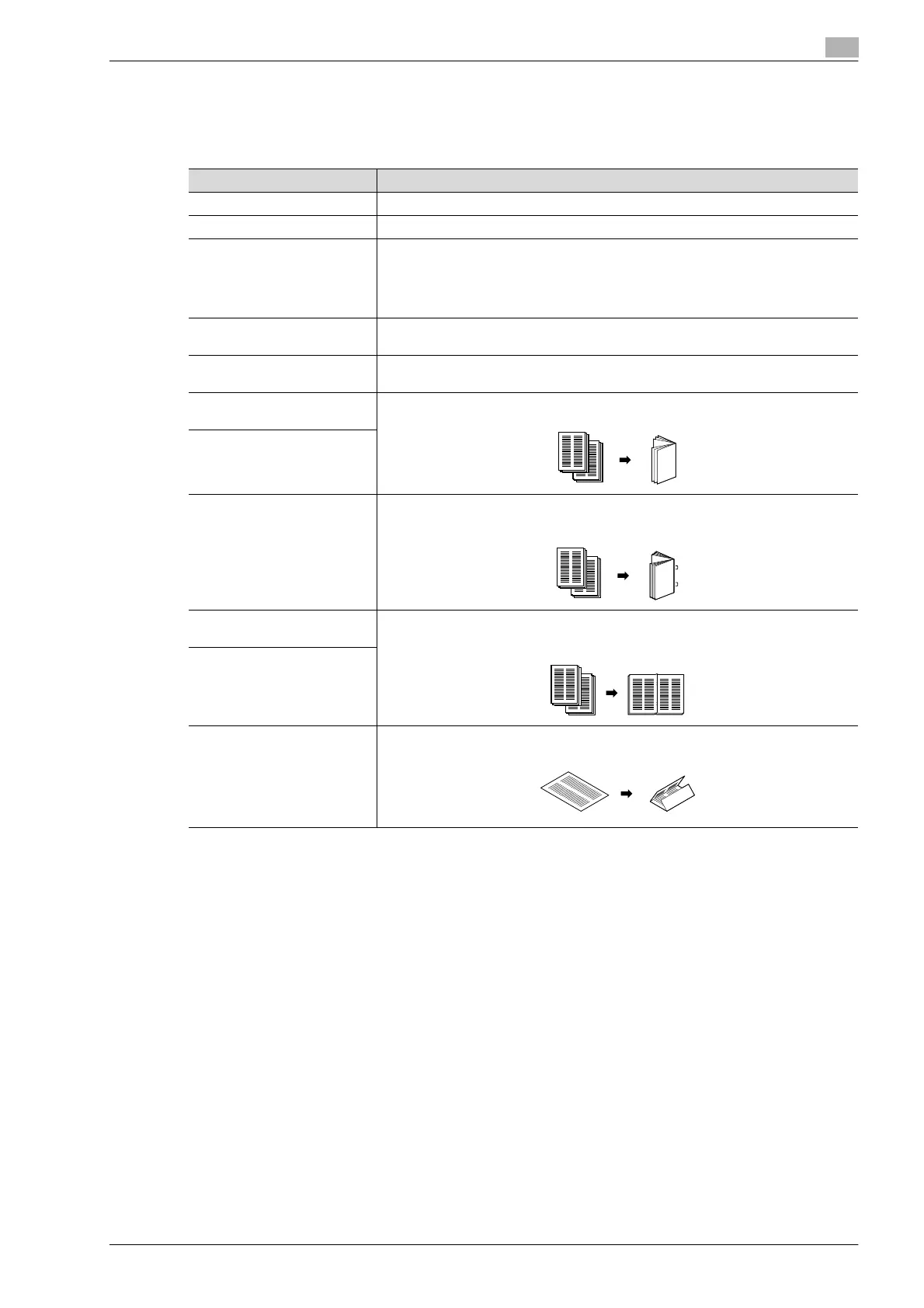
Parameter Description
Sort Select this setting to feed out copies of the document by sets.
Group Select this setting to feed out copies of the document by page.
Offset Select this setting to separate the sets or pages of the copies.
If a finisher is installed, the printed pages are fed out with each set shifted to separate
it.
If no finisher is installed, the printed pages are fed out sorted in an alternating criss-
cross pattern.
Staple Select one of these settings to bind copies with a staple in the corner (upper left or
upper right) or with two staples. The stapling position can also be selected.
Punch Select a setting to punch holes in copies. The position of the punched holes can also
be selected.
Half-Fold
(Fold/Bind)
Select this setting to fold copies in half before feeding them out.
Half-Fold
(Center Staple/ Fold)
Center Staple & Fold
(Fold/Bind)
Select this setting to staple copies at two places along the center, then fold the cop-
ies in half before feeding them out.
Center Staple
(Center Staple/Fold)
Select this setting to staple copies at two places along the center before feeding
them out.
Center Staple & Fold
(Fold/Bind)
Tri-fold (Fold/Bind) Select this setting to fold copies in three before feeding them out.










 To Next Page