ineo+ 650/550/451 2-53
Copy Operations
2
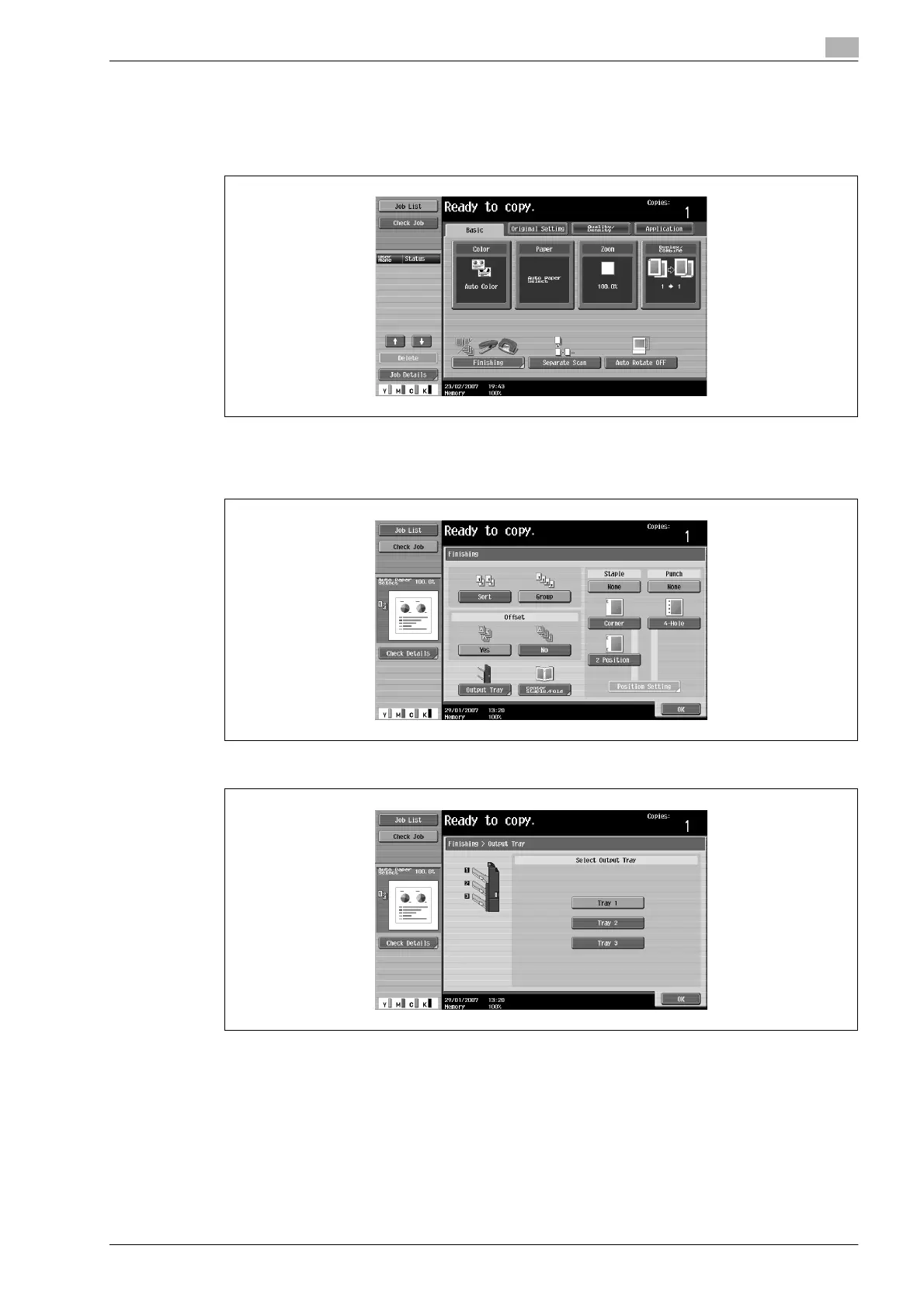
Selecting the output tray
0 The output tray can be selected only if optional finisher FS-519 is installed.
1 In the Basic screen, touch [Finishing].
The Finishing screen appears.
2 Touch [Output Tray].
3 Select the output tray where copies are to be fed, and then touch [OK].
The Basic screen appears again.










 To Next Page