ineo+ 650/550/451 2-121
Copy Operations
2
2.33 Tiling copy images ("Image Repeat" function)
A document image can be repeatedly printed on a single sheet of paper.
The possible number of repeating images is automatically selected based on the size of the loaded
document, the specified paper size and the zoom ratio.
The following repeating formats and settings are available.
1 Position the document to be copied.
– For details on positioning the document, refer to "Feeding the document" on page 2-26.
2 Load the paper to be used into the desired paper tray.
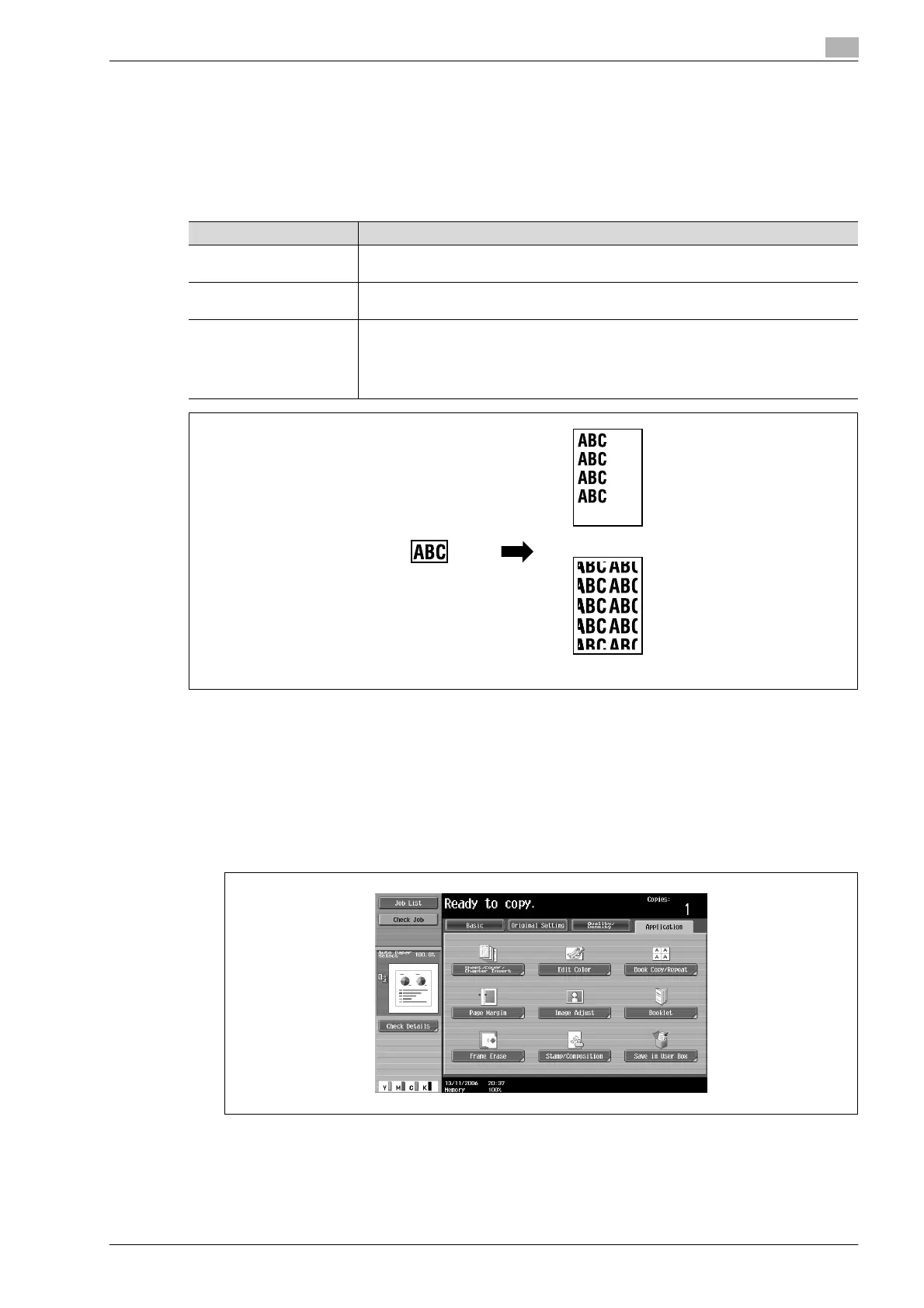
3 Touch [Application], and then touch [Book Copy/Repeat].
– To cancel changes to the settings for all Application functions, press the [Reset] key. All changes to
the settings are canceled.
The Book Copy/Repeat screen appears.
Setting Description
With Margin Multiple copies are printed of the entire image within the specified area. The area around
the image appears as a margin.
Without Margin Multiple copies of the selected area of the image are printed to fill the paper; however,
a part of the image may be cut off.
2/4/8 Repeat A fixed number of copies of the selected image area are printed in the paper. The
number of repeating copies can be set to 2, 4 or 8 times. However, any part of the image
that does not fit within its specific section of the paper is cut off.
After specifying settings in the 2/4/8 Repeat screen, the paper and zoom ratio settings
must be specified.
Document
With Margin
Without Margin










 To Next Page