ineo+ 650/550/451 2-83
Copy Operations
2
2.24 Selecting the paper settings
This section describes the procedures for specifying the size and type of paper loaded in each paper tray.
!
Detail
For details on loading the paper into tray 1 and tray 2, refer to "Loading paper into tray 1 and tray 2" on
page 2-17.
For details on loading the paper into the bypass tray, refer to "Loading paper into the bypass tray" on
page 2-22.
Automatically detecting the paper size ("Auto Detect" setting)
The size of the paper loaded into tray 1 and the bypass tray can be detected automatically.
The following procedure describes how to specify the setting for automatically detecting the paper loaded
into tray 1.
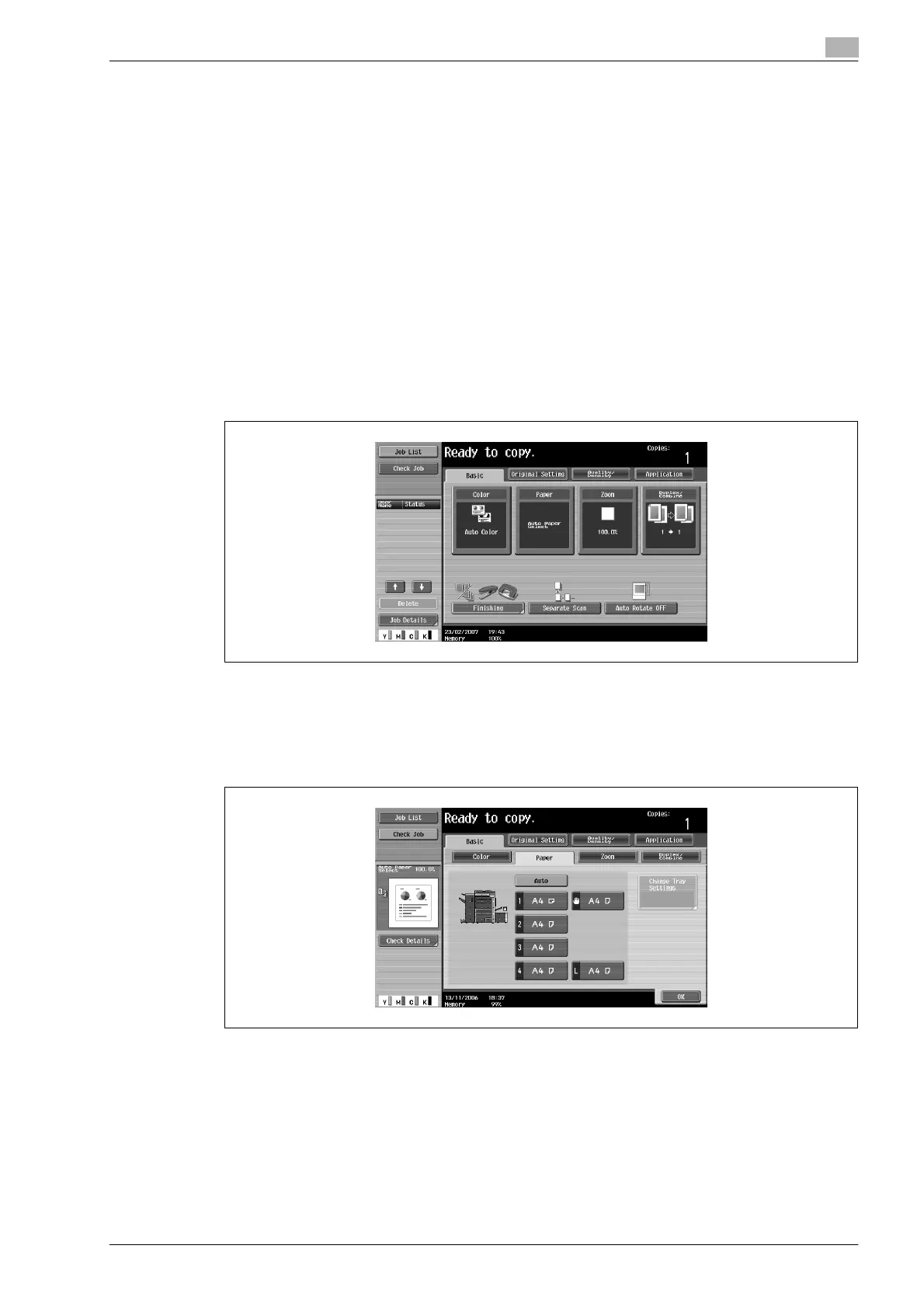
1 In the Basic screen, touch [Paper].
The Paper screen appears.
2 Touch the button for tray 1.
– To select the automatic paper detection setting for tray 2 or the bypass tray, touch the button for
the corresponding paper tray.
3 Touch [Change Tray Settings].










 To Next Page