6
Web Connection Operations
6-8 ineo+ 650/550/451
!
Detail
If user authentication settings have specified on the machine, "Change User Password" appears in the
menu.
The user password can be changed when "User Authentication" is set to "ON (MFP)".
2
Reminder
If "Password Rules" is set to "Enable", only a password containing 8 digits can be specified.
If a user password containing less than 8 characters has already been registered, change the password
so that it contains 8 characters before setting "Password Rules" to "Enable".
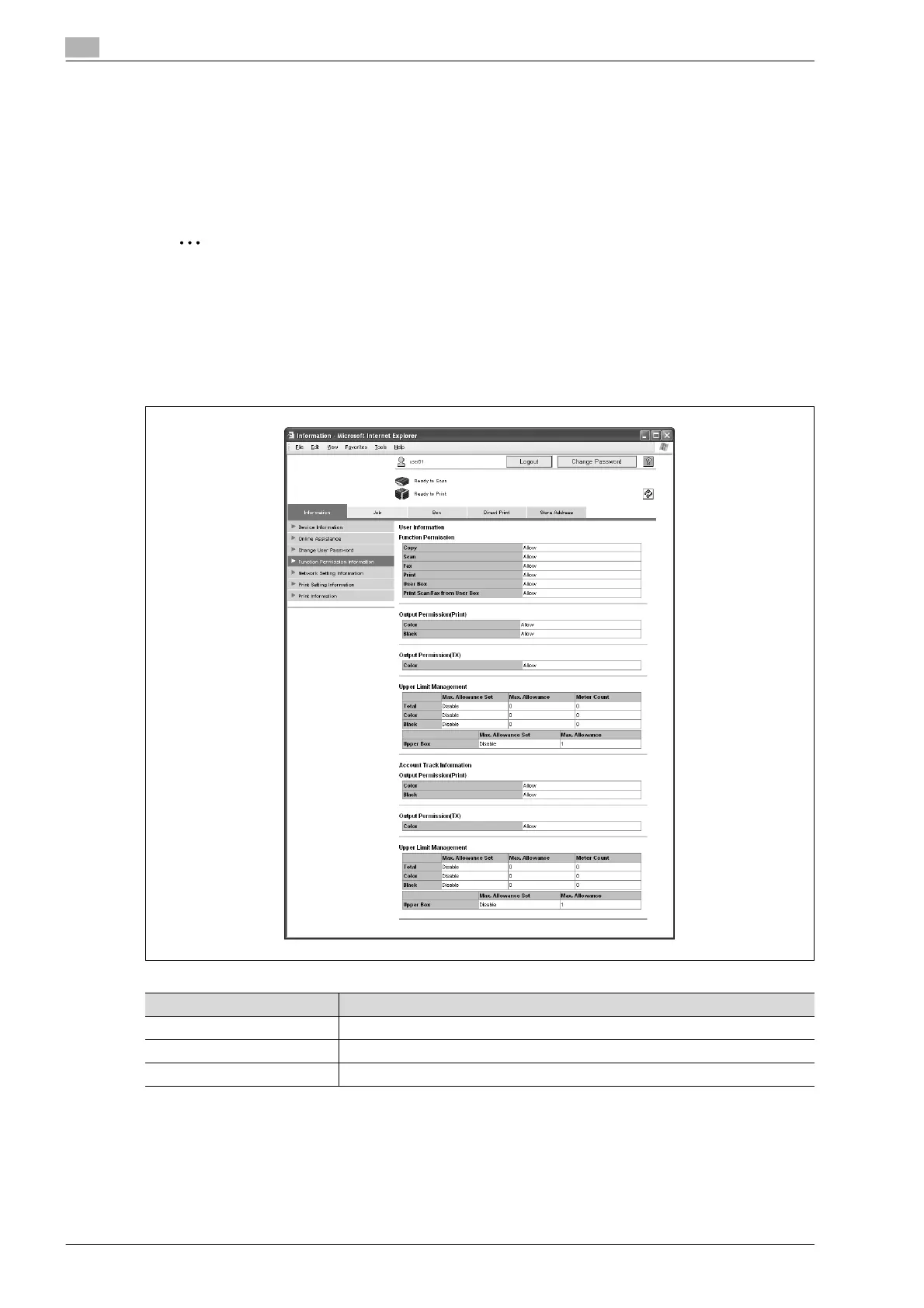
Function Permission Information
Information on operations permitted by users and accounts can be displayed.
* This is only displayed in user registration information.
!
Detail
If user authentication and account track settings have been specified on the machine, "Function
Permission Information" appears in the menu. If user authentication or account track settings have not
been specified, only the specified function permissions are displayed.
Item Description
Function Permission* Displays whether or not each machine operation can be used.
Output Permission (Print/TX) Displays whether or not each machine output operation can be used.
Upper Limit Management Displays the maximum limits and current counter values.










 To Next Page