ineo+ 650/550/451 6-25
Web Connection Operations
6
6.5 Store Address tab
From the Store Address tab, transmission destinations and user box destinations for saving data can be
registered and their settings can be changed.
!
Detail
This menu appears if the user is permitted to change registered destinations.
If a registered user is logged on, new destinations cannot be created unless the user is given access to
the destinations.
Displaying the list of registered destinations and specifying "Reference Allowed Setting" for registered
destinations may be limited, depending on the access permission level of the user who is logged on.
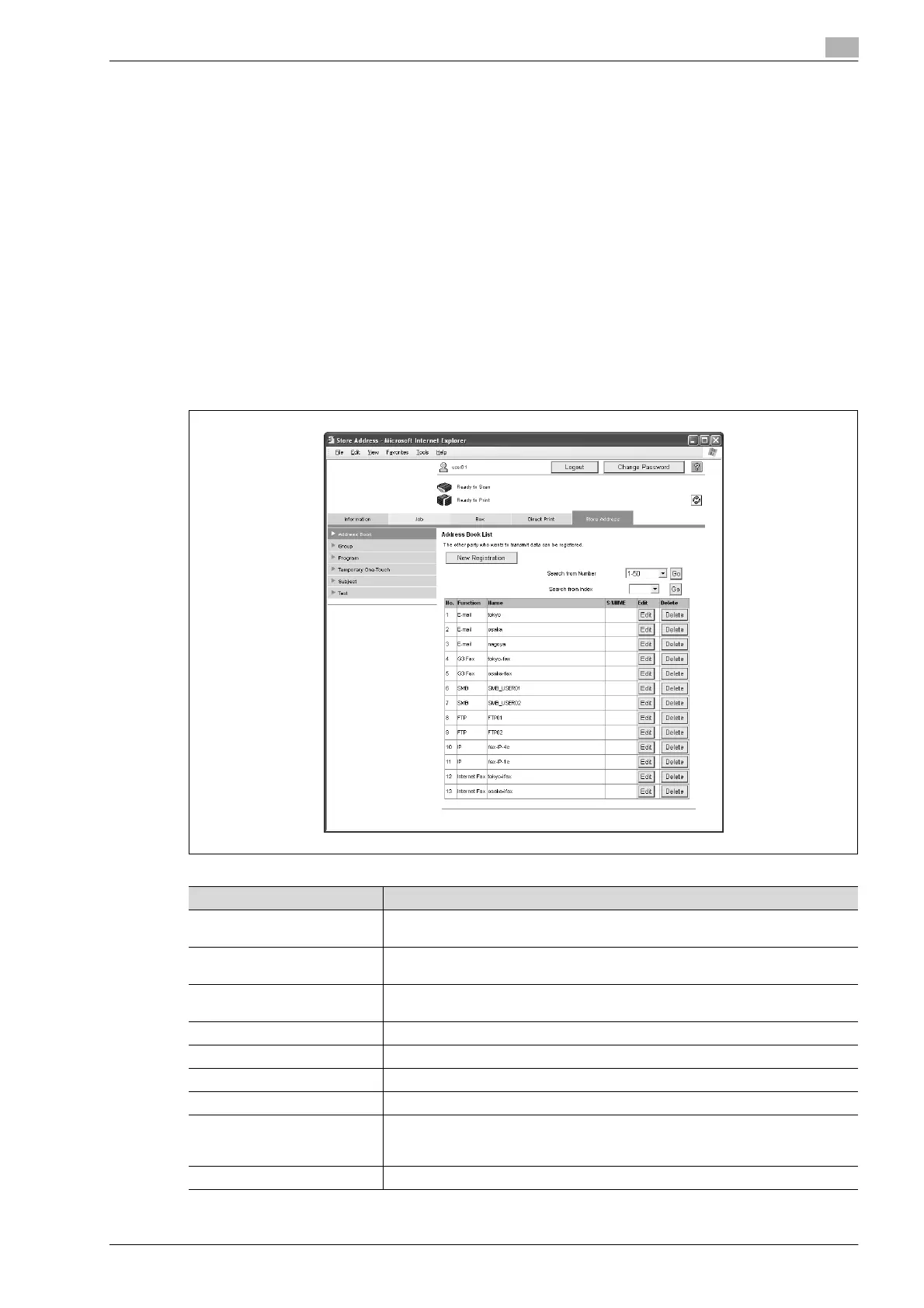
Address Book
The list of destinations currently registered in the address book can be displayed, and destinations can be
registered or their settings can be changed.
Item Description
[New Registration] button Click this button to register a new destination. For details, refer to "Registering a
destination" on page 6-26.
Search from Number Select a range of registration numbers, and then click the [Go] button to display the
list of destinations with the displayed numbers.
Search from Index Select index characters, and then click the [Go] button to display the list of desti-
nations with the displayed index characters.
No. Displays the registration number.
Function Displays the specified transmission type.
Name Displays the name of the registered destination.
S/MIME Shows whether or not a certificate is attached to the e-mail destination.
[Edit] button Click this button to display a page for changing the settings and editing the regis-
tered destination. The settings are the same ones available during registration.
Cannot change the registration number.
[Delete] button Click this button to display a page to delete the registered destination.










 To Next Page