3
Print Operations
3-60 ineo+ 650/550/451
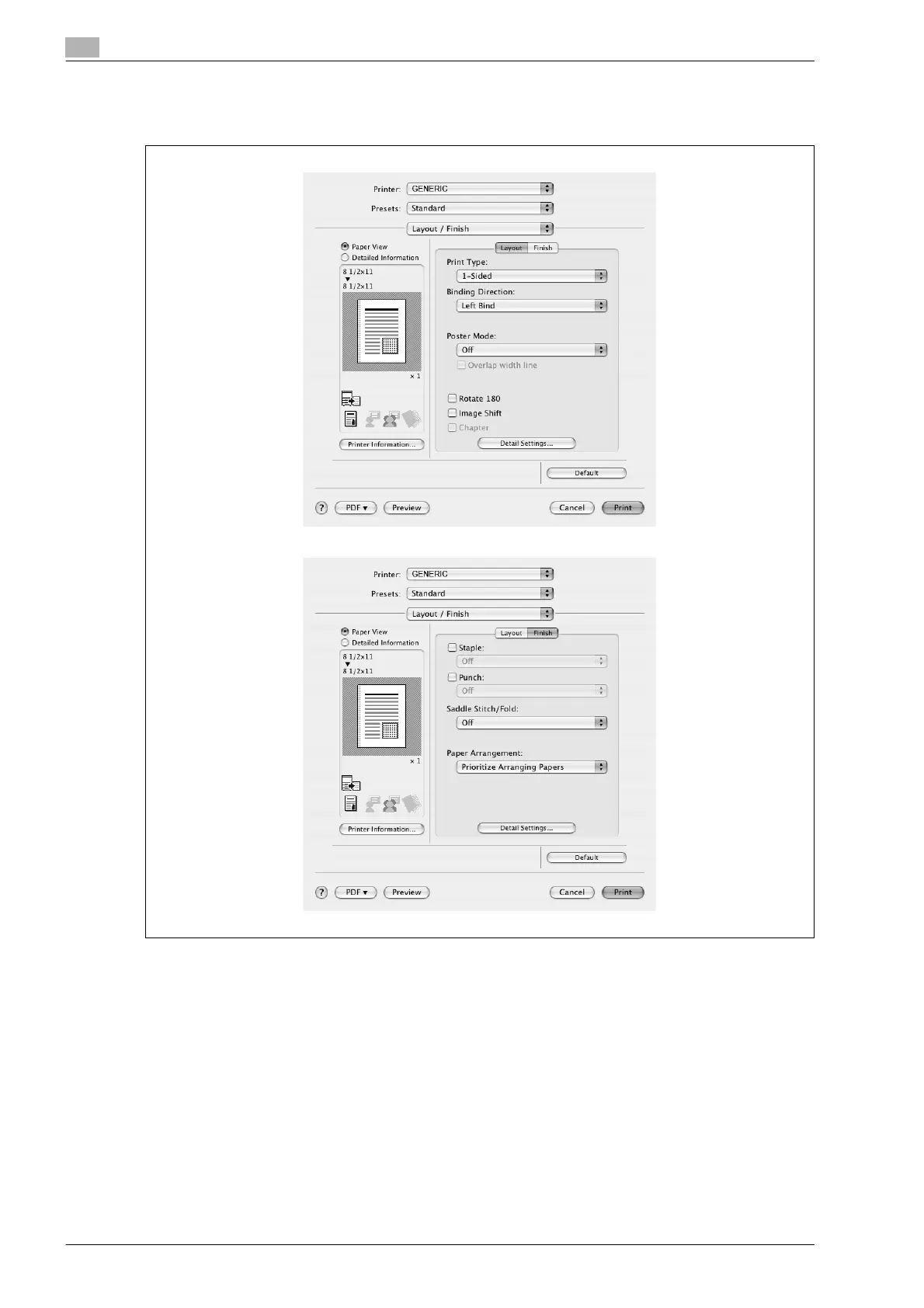
3.17 Layout/Finish (PPD driver for Mac OS X)
You can switch between the Layout dialog box and the Finish dialog box.
Print Type: Specifies duplex printing and booklet printing.
Binding Direction: Specifies the binding position.
Poster Mode: Prints one page of an original document divided on multiple pages.
Overlap width line: Prints an overlap width line on split pages. This setting can be specified when "Poster
Mode" is specified.
Rotated 180: Prints the image rotated 180°.
Image Shift: Prints by shifting the entire print image. For details, refer to "Shifting images" on page 3-61.
Chapter: Specifies the page to be printed on the front side. For details, refer to "Chapter" on page 3-62.
Staple: Specifies stapling. Select the "Staple" check box, and then specify the number of staples and the
stapling position from the drop-down list.










 To Next Page