2
Copy Operations
2-36 ineo+ 650/550/451
3 Touch [OK].
The Basic screen appears again.
Manually selecting the desired paper size
0 By also selecting the "Auto" Zoom setting, the most appropriate zoom ratio is selected based on the
size of the loaded document and the specified paper size. For details on the "Auto" Zoom setting, refer
to "Automatically selecting the zoom ratio ("Auto" zoom setting)" on page 2-37.
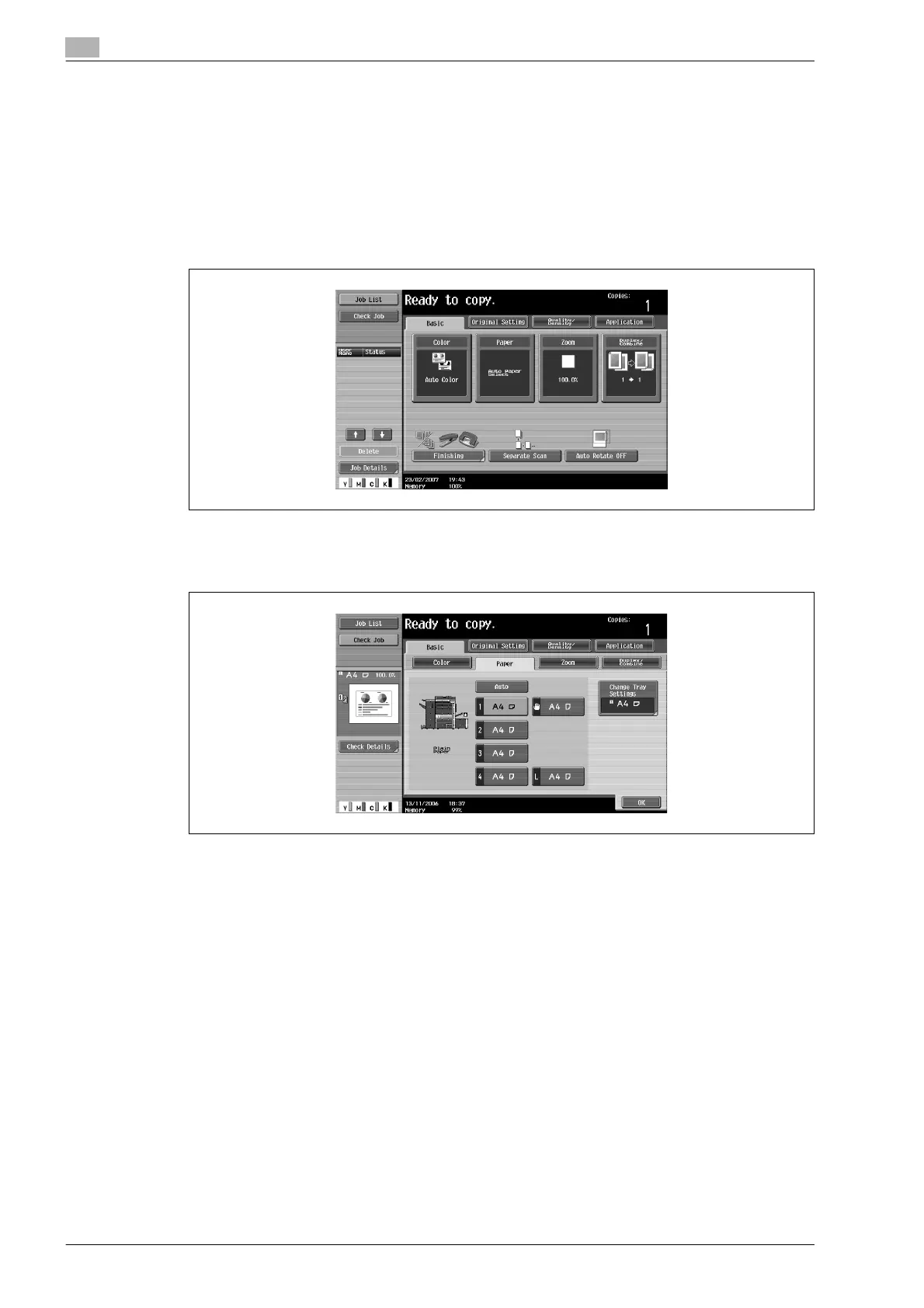
1 In the Basic screen, touch [Paper].
The Paper screen appears.
2 Select the paper tray loaded with the desired paper.
3 Touch [OK].
The Basic screen appears again.










 To Next Page