5
Network Scanner Operations
5-68 ineo+ 650/550/451
5.7 Registering an address book destination
A maximum of 2,000 destinations can be registered.
E-Mail destination
Settings can be specified for the following for the e-mail destination to be registered.
!
Detail
If "Registering and Changing Address" in Administrator mode is set to "Restrict", specify these settings
with "One-Touch/User Box Registration" on the Administrator Settings screen.
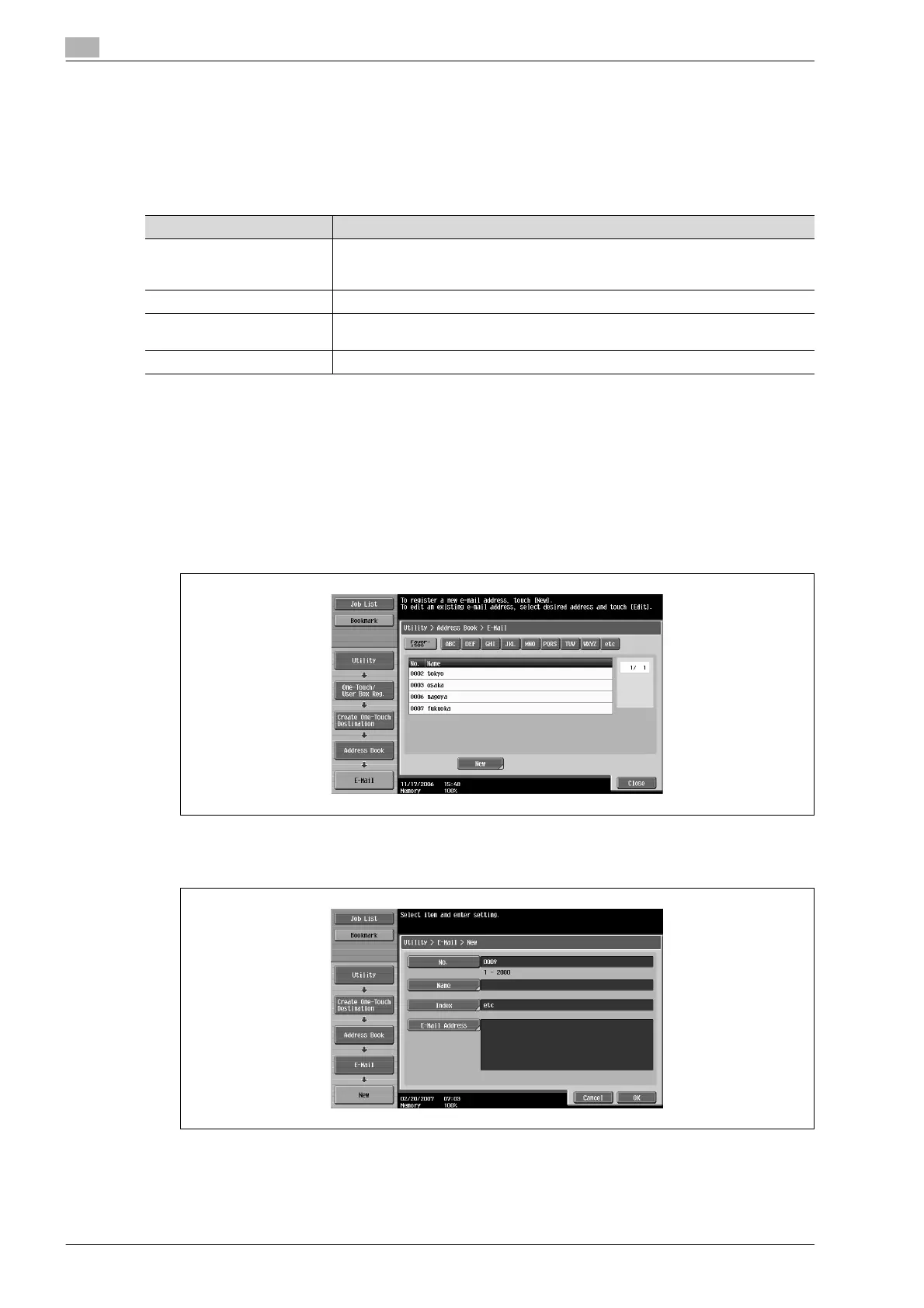
1 Touch [1 Create One-Touch Destination (Address Book)] in the Create One-Touch Destination screen.
2 Touch [1 E-Mail].
The E-Mail screen appears.
3 Touch [New].
The New screen appears.
4 To specify the registration number, touch [No.], and then use the keypad to type in the number.
Parameter Description
No. Type in the registration number (between 1 and 2000) for the address
book destination. When the screen appears, the displayed
number is the lowest available number.
Name Type in a name of 24 characters or less for the registered destination.
Index Select the index characters. For frequently used destinations, touch [Favorites] so
that the destination can be found more easily.
E-Mail Address Type in the address where the e-mail is sent.










 To Next Page