ineo+ 650/550/451 2-3
Copy Operations
2
2Copy Operations
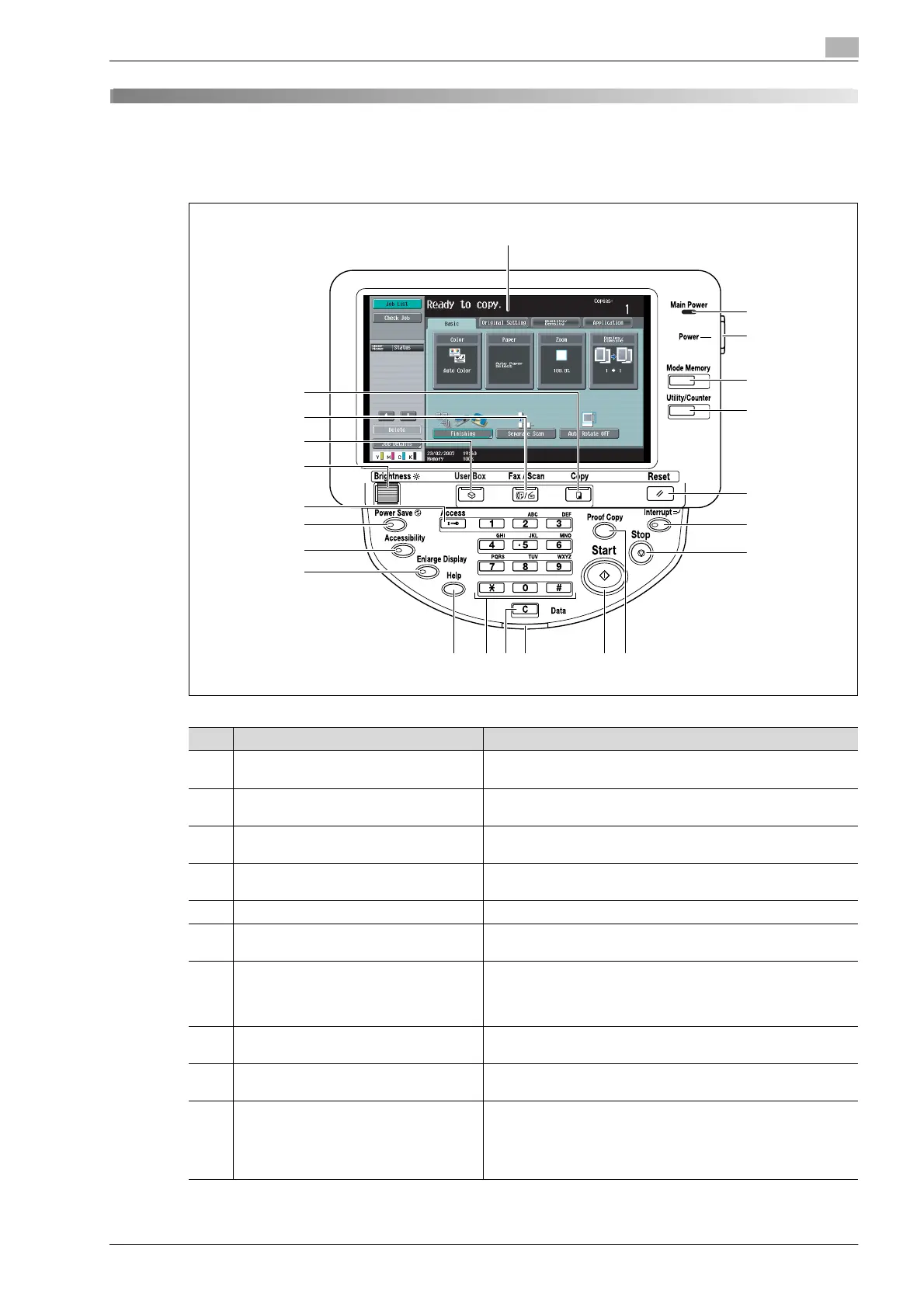
2.1 Control panel
1
2
3
4
5
6
7
8
91011121314
15
16
17
18
19
20
21
22
No. Part name Description
1 Touch panel Displays various screens and messages.
Specify the various settings by directly touching the panel.
2 Main Power indicator Lights up in green when the machine is turned on with the main
power switch.
3 [Power] (auxiliary power) key Press to turn on/off machine operations. When turned off, the
machine enters a state where it conserves energy.
4 [Mode Memory] key Press to register (store) the desired copy/fax/scan settings as a
program or to recall a registered program. (See p. 2-70)
5 [Utility/Counter] key Press to display the Meter Count screen and the Utility screen.
6 [Reset] key Press to clear all settings (except programmed settings) entered
in the control panel and touch panel.
7 [Interrupt] key Press to enter Interrupt mode. While the machine is in Interrupt
mode, the indicator on the [Interrupt] key lights up in green and
the message "Now in Interrupt mode." appears on the touch
panel. To cancel Interrupt mode, press the [Interrupt] key again.
8 [Stop] key Pressing the [Stop] key while copying, scanning or printing tem-
porarily stops the operation.
9 [Proof Copy] key Press to print a single proof copy to be checked before printing
a large number of copies.
10 [Start] key Press to start the copy, scan or fax operation. When this machine
is ready to begin the operation, the indicator on the [Start] key
lights up in blue. If the indicator on the [Start] key lights up in or-
ange, copying cannot begin.
Press to restart a stopped job.










 To Next Page