ineo+ 650/550/451 9-5
Appendix
9
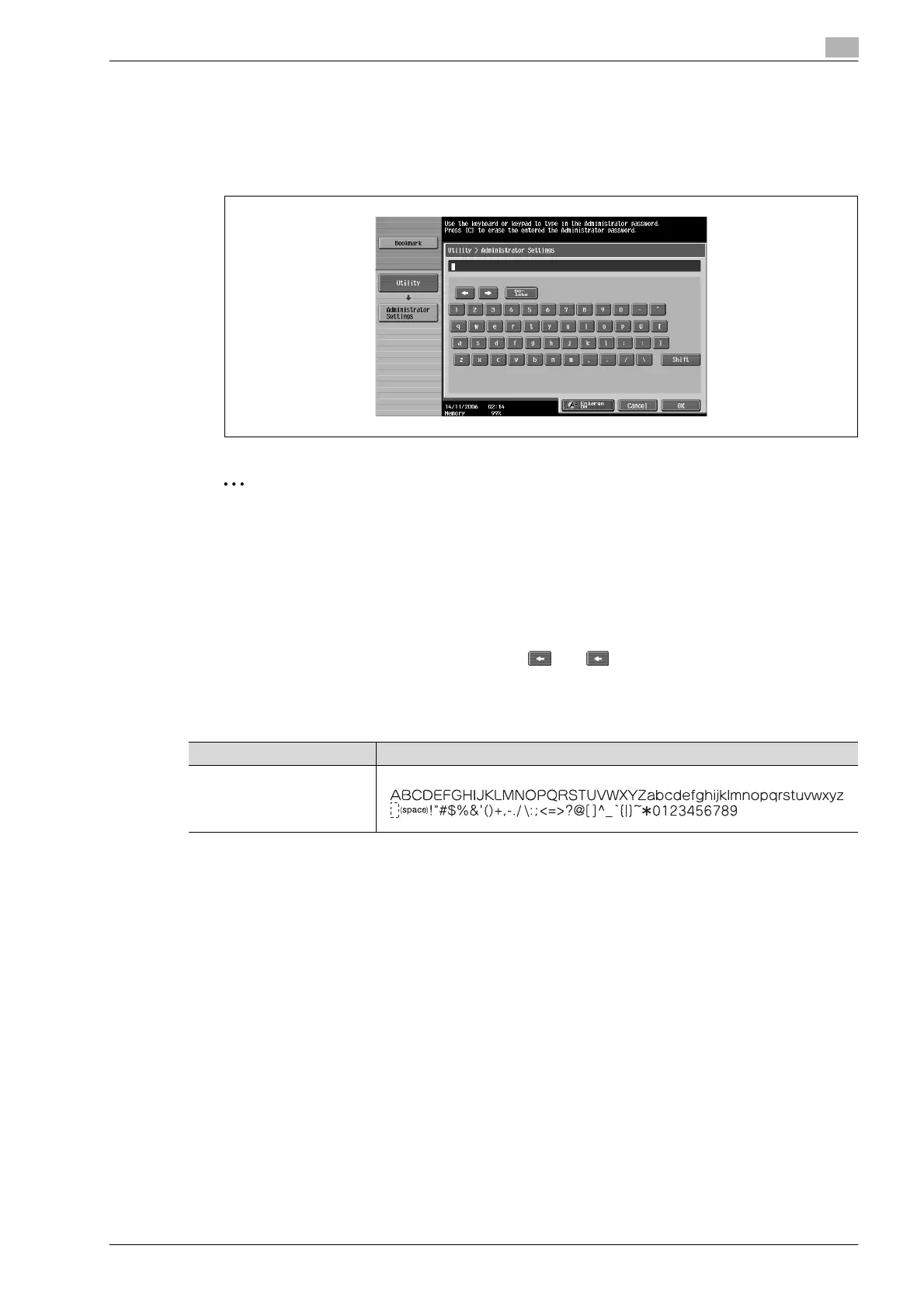
To type text
% Touch the button for the desired character from the keyboard that appeared.
– To type in uppercase letters or symbols, touch [Shift].
– Numbers can also be typed in with the keypad.
The entered characters appear in the text box.
2
Note
To revert to the setting when the keyboard was displayed, touch [Cancel].
To clear all entered text, press the [C] (clear) key.
Some buttons may not appear, depending on the characters being entered.
!
Detail
To change a character in the entered text, touch and to move the cursor to the character to
be changed, touch [Delete], and then type in the desired letter or number.
List of available characters
Type Characters
Alphanumeric charac-
ters/symbols










 To Next Page