4
Box Operations
4-40 ineo+ 650/550/451
2
Reminder
In order to select a Fold/Bind or a Center Staple/Fold setting, all of the following conditions must be
met.
The paper width must be between 182 and 314 mm.
The paper length must be between 257 and 458 mm.
In order to use a Fold/Bind or a Center Staple/Fold setting, an optional finisher must be installed.
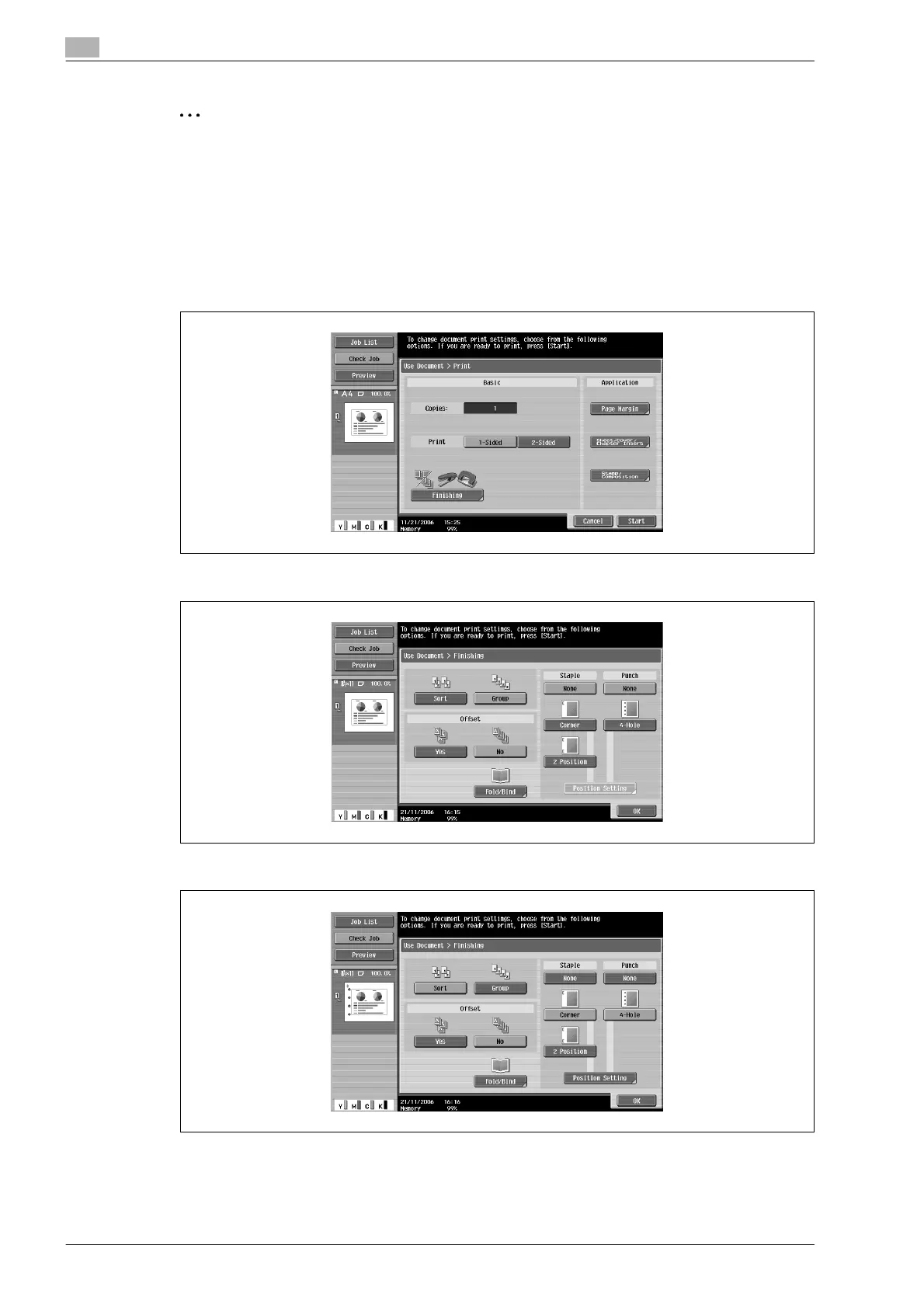
1 In the Print screen, touch [Finishing].
2 Touch [Sort] or [Group]. To separate the copies, touch [Yes] under "Offset".
3 Select the desired Staple and Punch settings.
4 To specify the positions of the staples and punched holes, touch [Position Setting].










 To Next Page