ineo+ 650/550/451 5-63
Network Scanner Operations
5
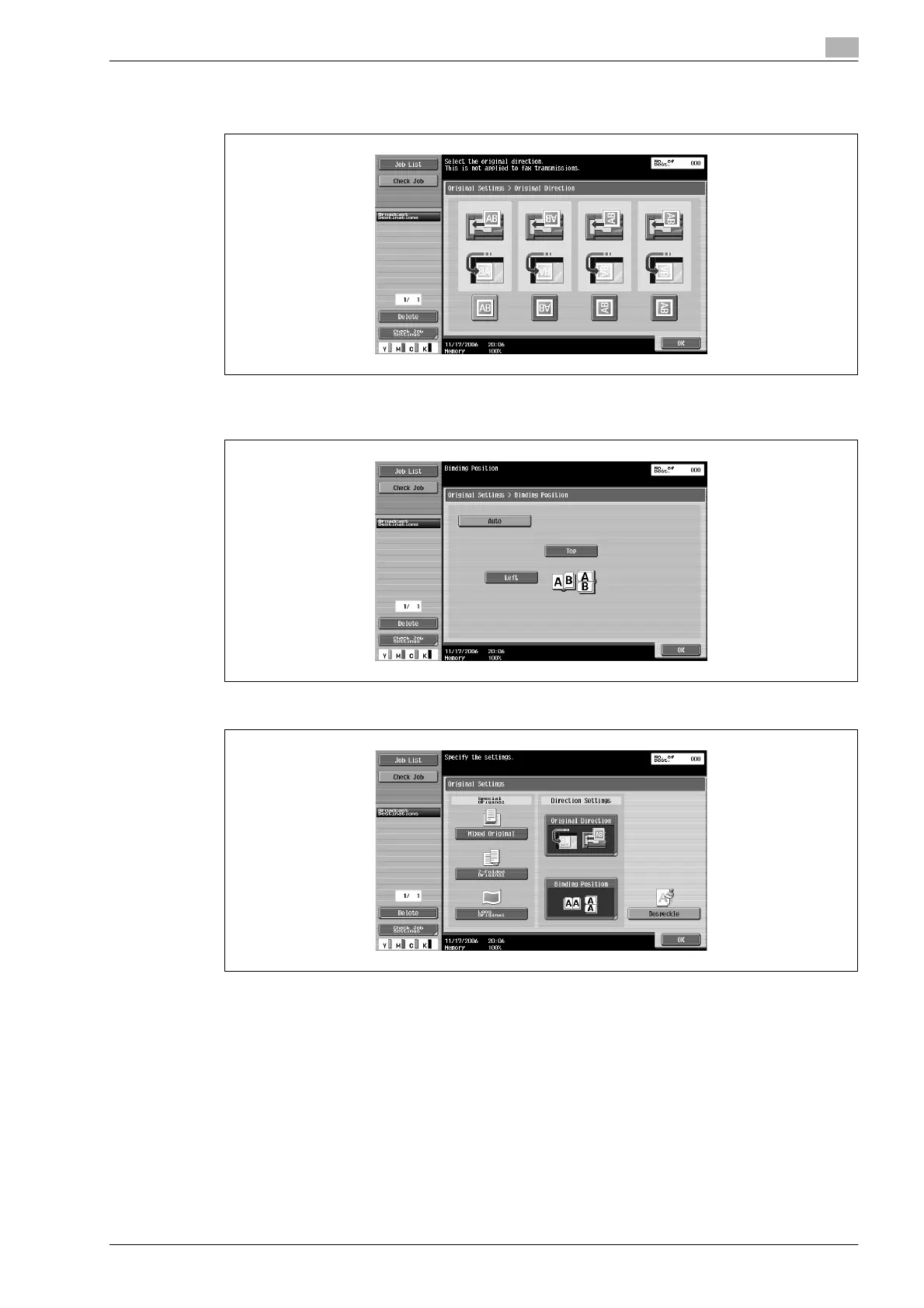
– Touching [Original Direction] displays the Original Direction screen. Touch the button for the desired
orientation, and then touch [OK].
– Touching [Binding Position] displays the Binding Position screen. Touch the button for the binding
position, and then touch [OK].
– To apply the "Despeckle" setting, touch [Despeckle] to select it.
3 Touch [OK], and then touch [OK] in the next screen that appears.
!
Detail
The scanning speed will be reduced if the "Despeckle" setting is selected.
Clean the left partition glass when it becomes extremely dirty.










 To Next Page