ineo+ 650/550/451 2-85
Copy Operations
2
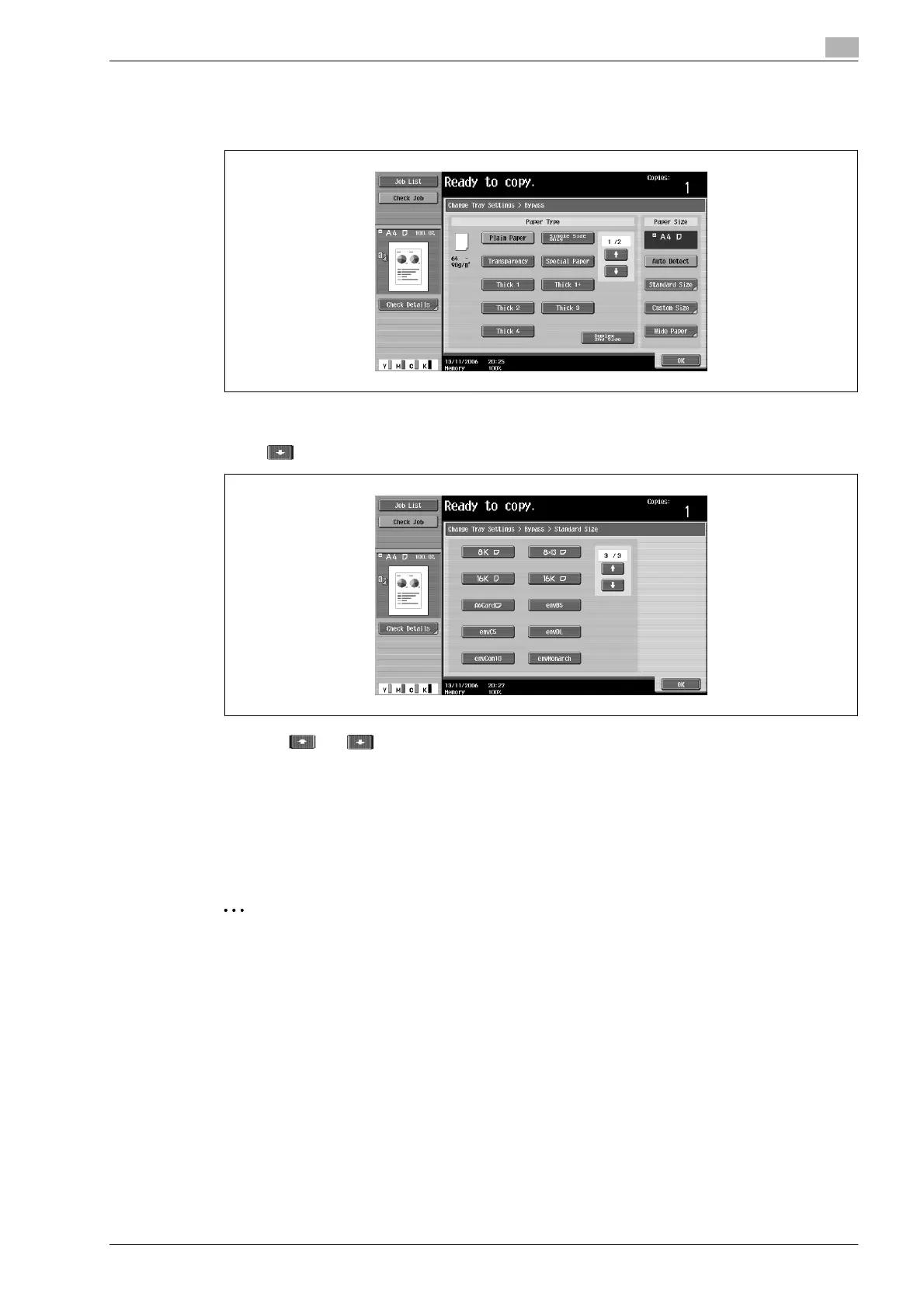
3 Touch [Change Tray Settings].
4 Touch [Standard Size].
The Standard Size screen appears.
5 Touch twice, and then touch [A6Cardw].
– Touch and until the button for the desired paper size is displayed.
–If "A6Cardw" is selected, "Thick 3" is automatically selected. If paper other than postcards are
loaded, change the paper type setting. For details on the paper type settings, refer to "Specifying a
setting for special paper" on page 2-92.
6 Touch [OK], and then touch [OK] in the next two screens that appear.
The Basic screen appears again.
The paper size for the bypass tray is set.
2
Reminder
If paper other than the specified paper size is loaded, a paper misfeed may occur since the paper size
is not automatically detected.
!
Detail
For tray 1 and tray 2, "12-1/4 e 18 w" is available.










 To Next Page