2
Copy Operations
2-94 ineo+ 650/550/451
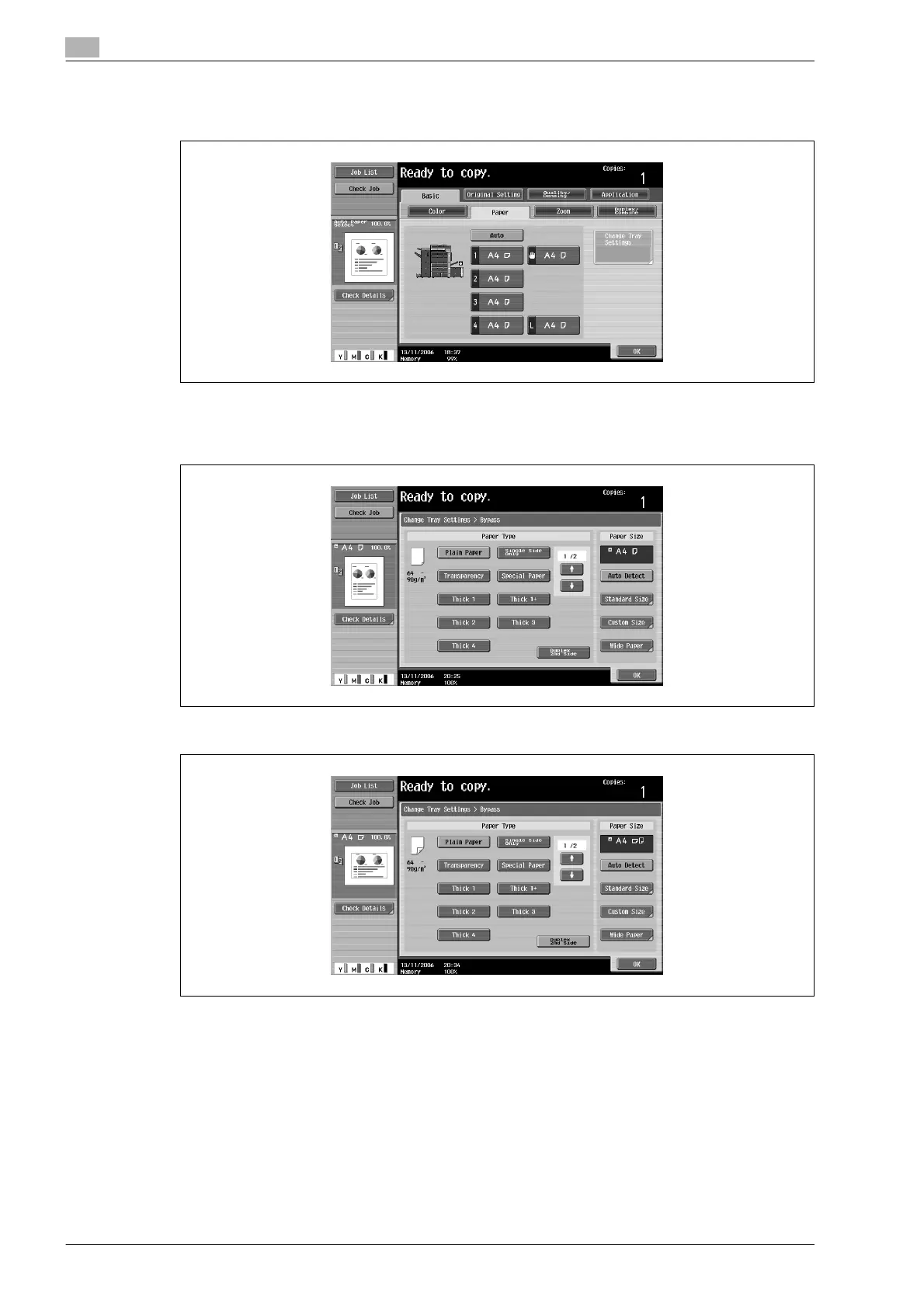
2 Touch the button for the bypass tray.
– A paper tray set to "2nd Side" is not selected when the "Auto" Paper setting is selected.
3 Touch [Change Tray Settings].
4 Touch [Duplex 2nd Side].
5 Select the type of paper to be loaded.
6 Touch [OK], and then touch [OK] in the next screen that appears.
The Basic screen appears again.










 To Next Page