2
Copy Operations
2-104 ineo+ 650/550/451
!
Detail
The specified paper can be inserted at a maximum of 30 locations within a document of up to 999
pages.
In double-sided documents, one double-sided page is considered to be two pages (one for the front
and one for the back).
2
Note
If the optional post inserter has been installed, paper can be inserted from the post inserter.
1 Position the document to be copied.
– For details on positioning the document, refer to "Feeding the document" on page 2-26.
– For a document that exceeds 100 pages, refer to "Scanning the document in separate batches
("Separate Scan" setting)" on page 2-28.
2 Load the paper to be used for the insertions sheets and the main body of the document into the desired
paper trays.
– Use paper with the same size for the insertion sheets and for the main body of the document, and
load them in the same orientation.
– To cancel changes to the settings for all Application functions, press the [Reset] key. All changes to
the settings are canceled.
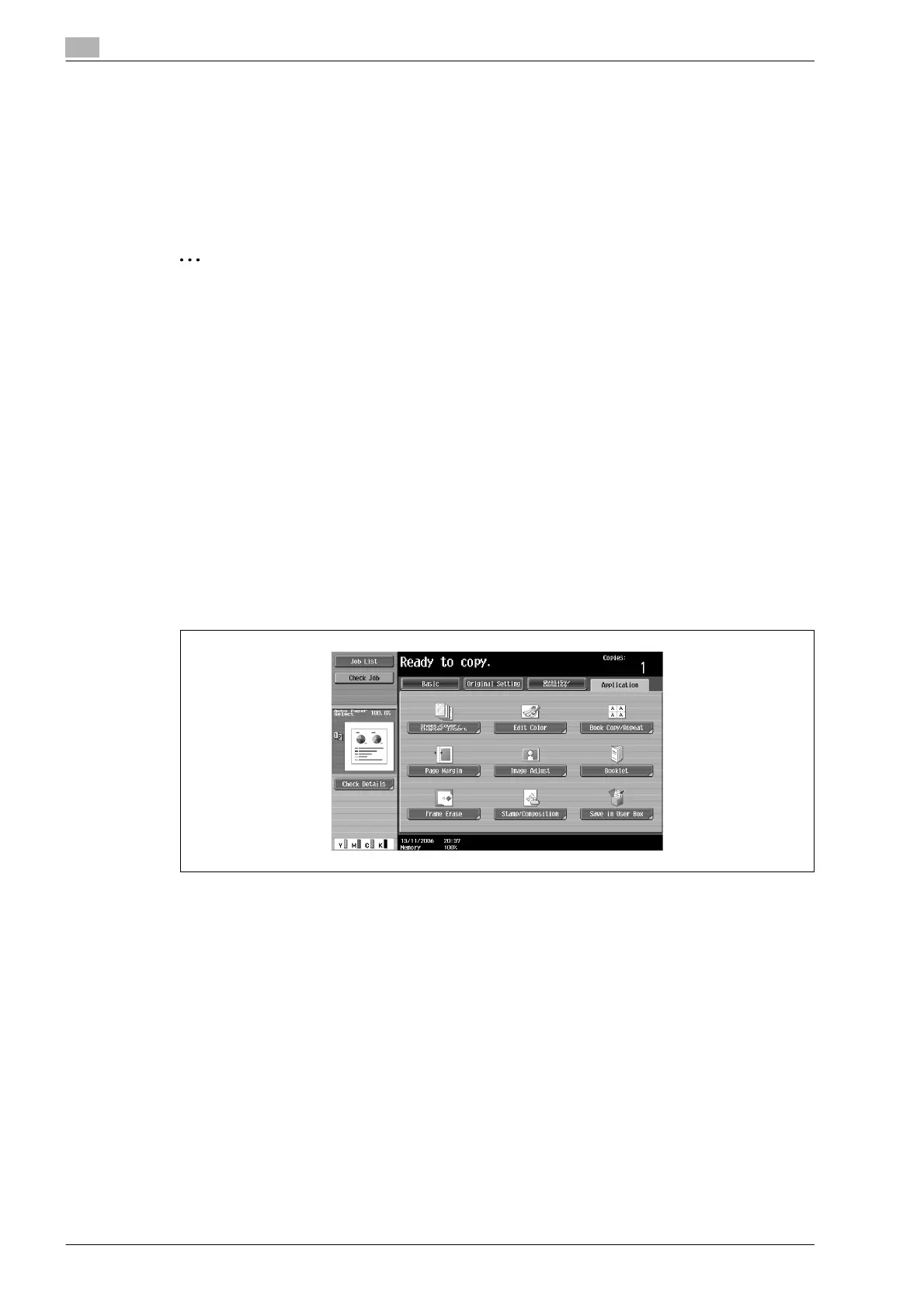
3 Touch [Application], and then touch [Sheet/Cover/Chapter Insert].
– For details on using thick paper for the insertion sheets and on loading the paper, refer to "Paper
types and paper capacities" on page 2-80 and "Loading paper into the bypass tray" on page 2-22.
– To cancel the setting and select the default, press the [Reset] key.
The Sheet/Cover/Chapter Insert screen appears.










 To Next Page