2
Copy Operations
2-138 ineo+ 650/550/451
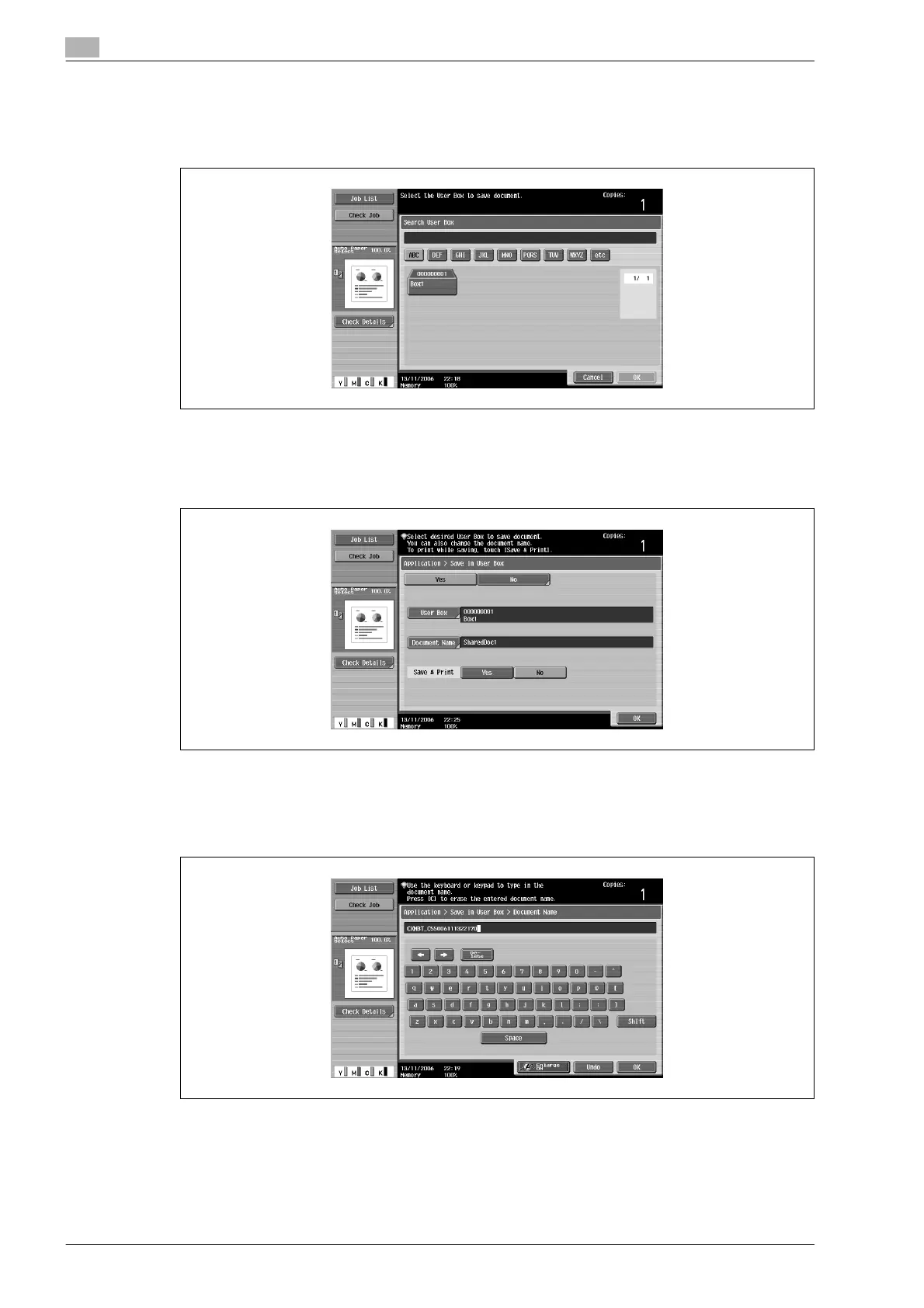
– Touching [Search User Box] displays the Search User Box screen.
User boxes can be searched for by the first letter of their name. Touch [etc] or the button that
includes the first letter of the user box name to display a list of user boxes starting with the selected
letter. A user box can be selected from this screen.
5 Touch [OK].
6 Select whether or not a copy will also be printed when the data is saved. To print a copy, touch [Yes]
beside "Save & Print".
7 Check the name of the document to be saved. Touch [Document Name].
8 The name specified as the default appears beside "Document Name".
– For details on typing in text, refer to "Entering text" on page 9-3.
9 After typing in the name, touch [OK].
– To cancel the "Save in User Box" function, touch [No].










 To Next Page