3
Print Operations
3-24 ineo+ 650/550/451
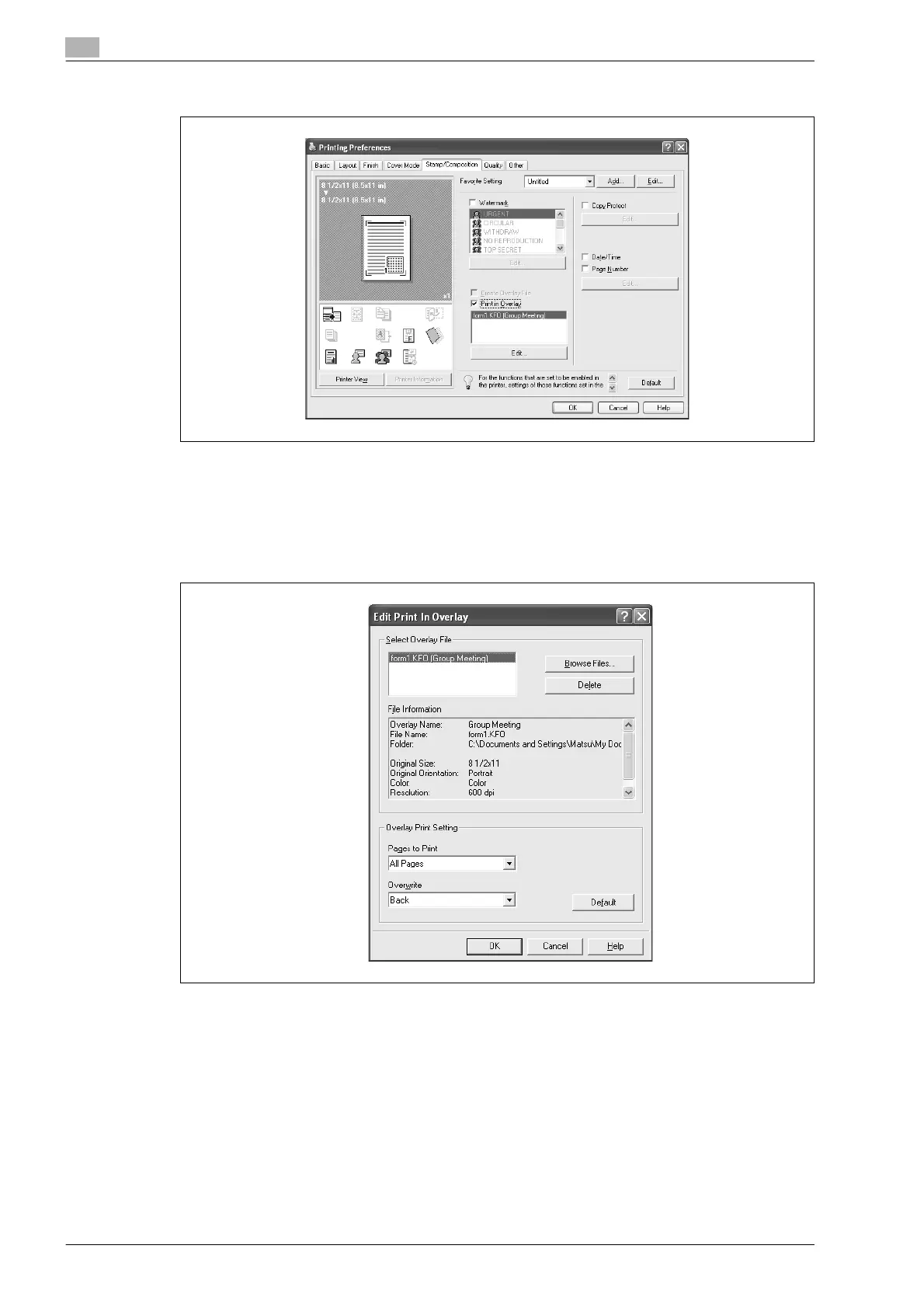
5 Select the "Print in Overlay" check box.
6 From the list, select the overlay that you want to print.
7 Click the [Edit] button under "Print in Overlay".
The Edit Print In Overlay dialog box appears.
8 Specify the overlay printing method.
– Pages to Print: Specifies the pages to print.
– Overwrite: Specifies the sequence for printing the overlay on top of the original document.
9 Click the [OK] button.
The Stamp/Composition tab appears again.
10 Click the [OK] button.
The Print dialog box appears again.
11 Click the [Print] button.
The printing of the overlay is performed.










 To Next Page