ineo+ 650/550/451 3-49
Print Operations
3
2
Note
The dialog boxes differ depending on the application.
The items indicated by *1 are displayed only in Mac OS 10.3 and Mac OS 10.4.
The items indicated by *2 are displayed only in Mac OS 10.3.
The items indicated by *3 are displayed only in Mac OS 10.4.
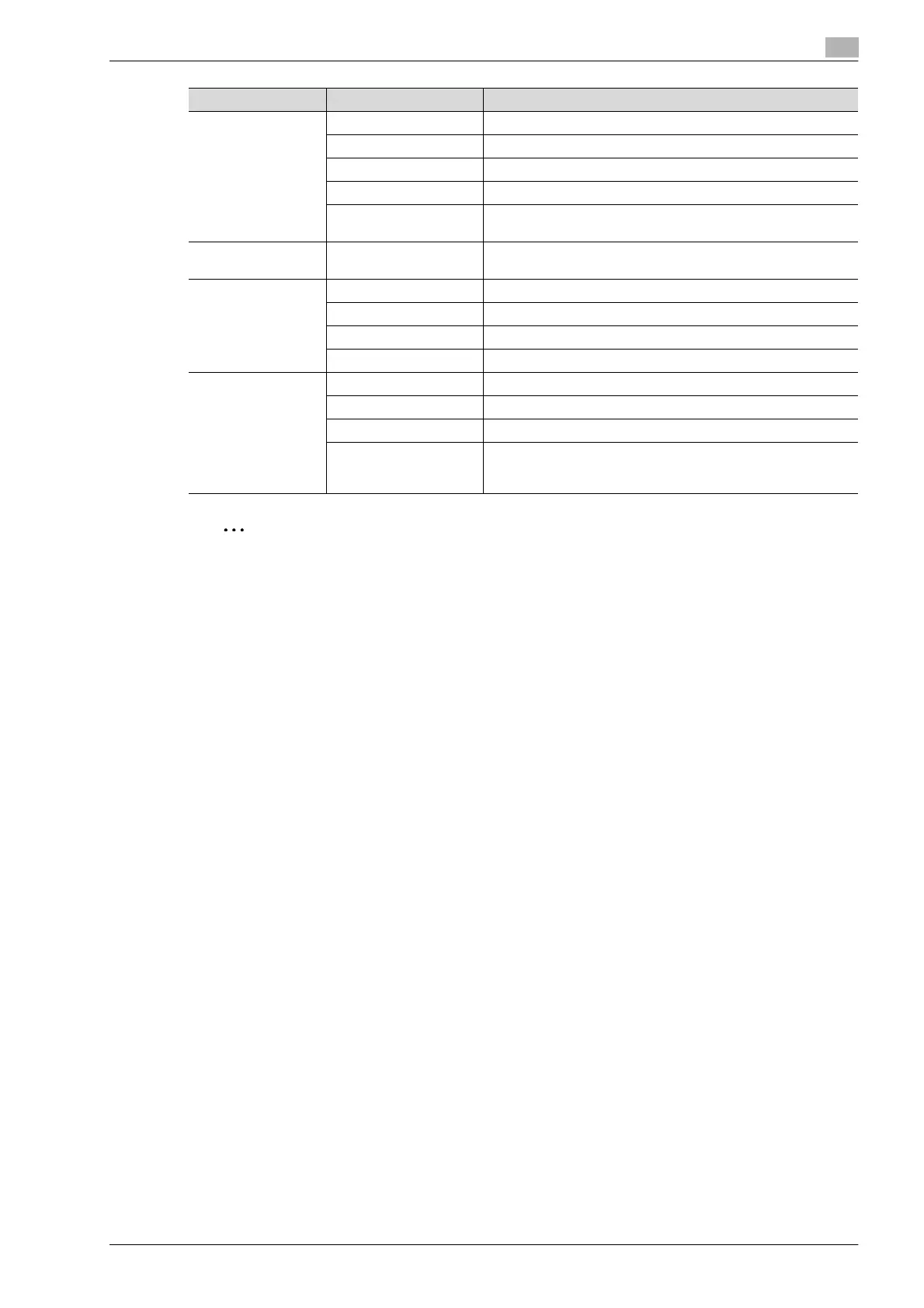
Cover Mode/Trans-
parency Interleave
Front Cover Attaches a front cover page.
Back Cover Attaches a back cover page.
PI Front Cover Attaches a front cover from the post inserter.
PI Back Cover Attaches a back cover from the post inserter.
Transparency Interleave Outputs and inserts interleaves when printing overhead projector
transparencies.
Per Page Setting Per Page Setting Inserts paper between pages and switches the paper and tray for
each page.
Stamp/Composition Copy Protect Prints a special pattern to prevent copying.
Date/Time Prints the date and time.
Page Number Prints the page number.
Header/Footer Prints a header and a footer.
Quality Select Color Specifies the color for printing.
Glossy Mode Prints with a gloss.
Color Settings Prints with a quality suitable for the selected original document.
Quality Adjustment Adjusts the image quality. You can select "Simple" to adjust en-
tire documents or "Detailed" to adjust the text, photos, and
charts in the document.
Menu Item Function










 To Next Page