ineo+ 650/550/451 5-27
Network Scanner Operations
5
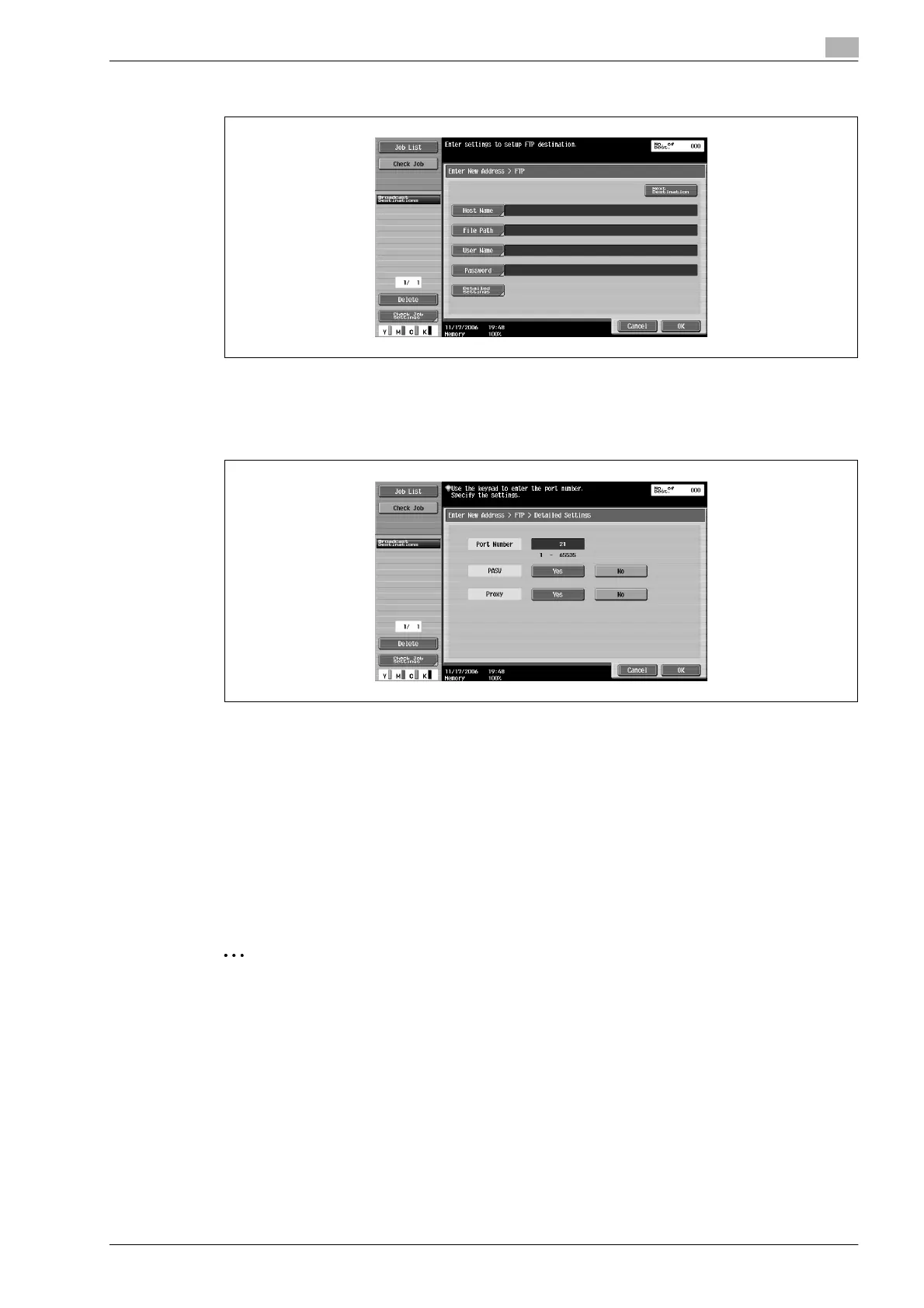
3 Type in the destination information.
– To specify an additional address, touch [Next Destination], and then enter the information.
The entered addresses appear under "Broadcast Destinations".
4 To specify advanced settings, touch [Detailed Settings], and then specify the settings.
5 Touch [OK], and then touch [OK] in the next screen that appears.
6 Touch [Scan Settings], [Original Settings] or [Communication Settings], and then specify the desired
scan settings.
– For details on the scan settings, refer to "Specifying scan and transmission settings (Scan
settings/original settings/communication settings)" on page 5-28.
7 Load the document into the ADF or place it on the original glass.
8 Press the [Start] key in the control panel.
Scanning of the document begins, and the data is sent.
2
Note
Do not turn off the machine until the scan job is deleted from the Job List screen.










 To Next Page