E
Press [MENU/TOP].
The main screen appears again. The Z-axis coordinate display changes to [AUTO], and the spindle
rotating speed display changes to [OFF].
X 15.00mm
Y 39.00mm
Z AUTOmm S 5000rpm
2.
Install the cutter holder and solid collet.
A
Open the front cover.
B
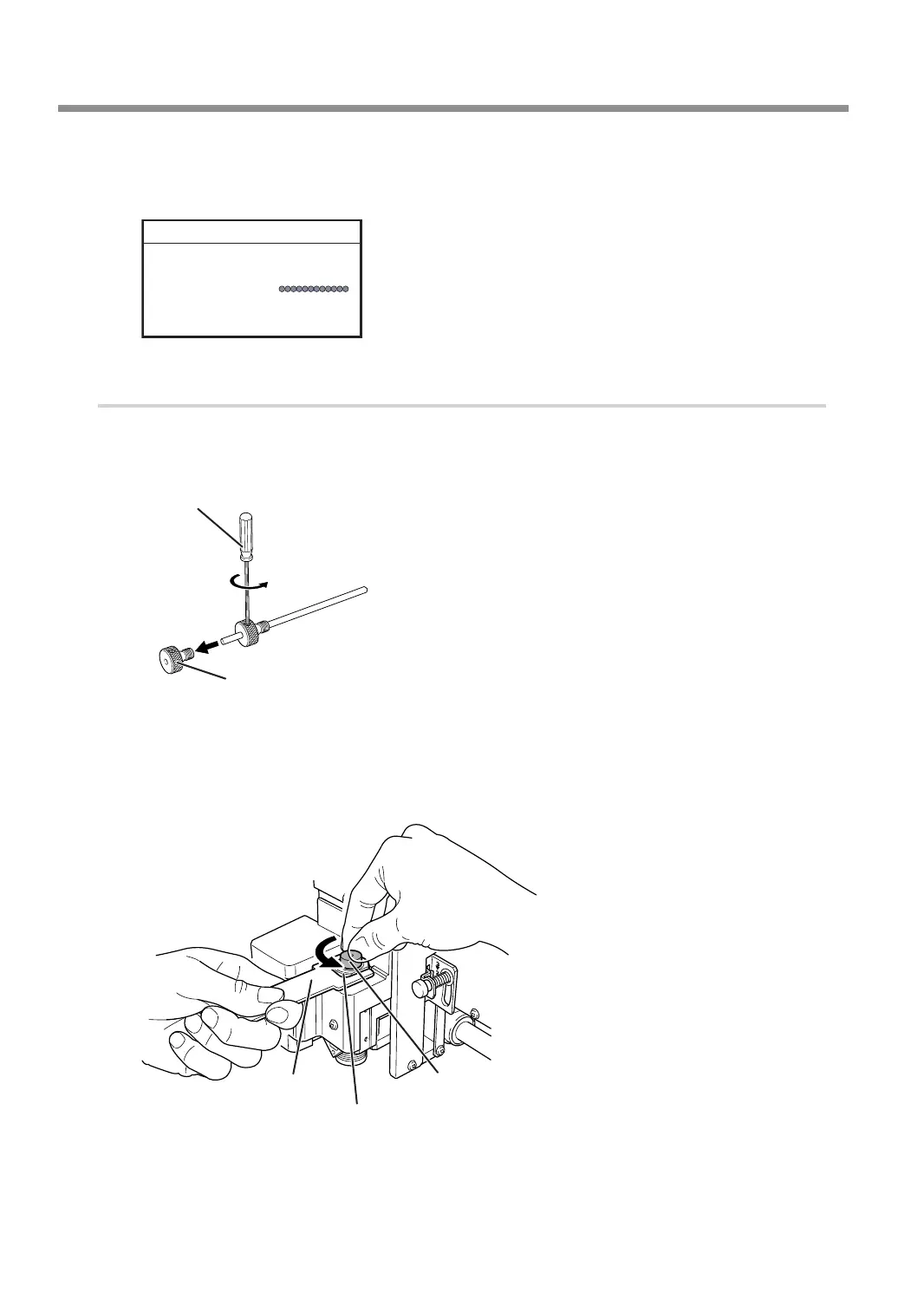
Detach the cutter holder from the cutter.
Loosen
Hexagonal screwdriver
Cutter holder
C
Install the cutter holder.
While holding the spindle unit immobile with a wrench, tighten the cutter holder.
The cutter holder is reverse-threaded (that is, you turn it counterclockwise to tighten it). Be careful to
turn it in the correct direction.
Wrench
Spindle unit
Cutter holder
Turn counterclockwise
Using Various Tools
90
Chapter 5 Various Engraving Methods



 To Next Page