SmartROC T35/T40 19 Water Mist System
125 No: 7026962571.1.7027002891 en-US
2.
Turn off flushing air.
3.
Run the water mist pump at full speed for a few seconds so that the system fills up
with water.
19.5 Clean Filter in Water Mist Tank
Precondition
p
The water mist tank is empty.
1.
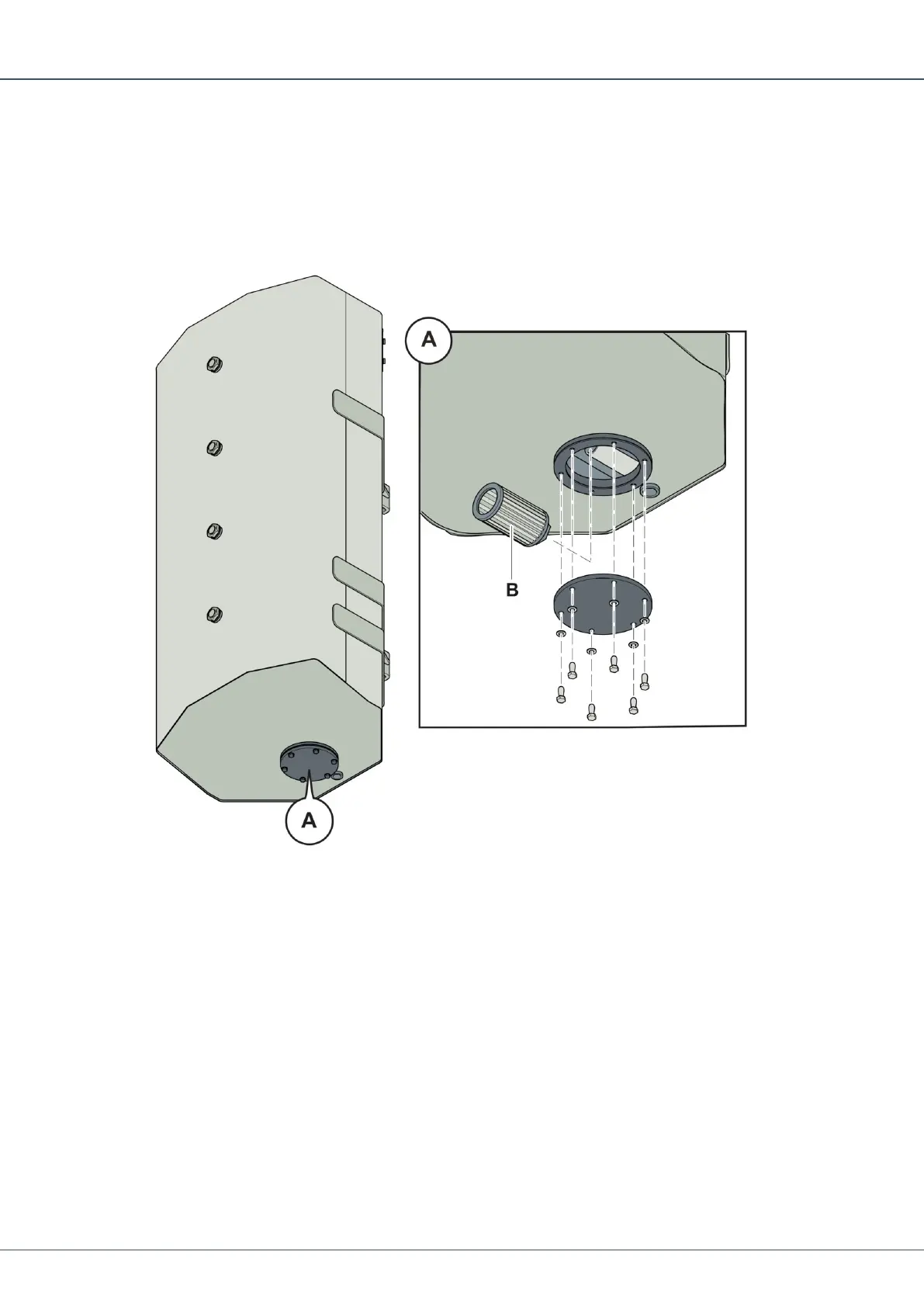
Remove the bolts holding the cover (A) in place.
2.
Reach into the hole and slide the filter (B) off the water intake pipe and remove it from
inside the tank.
3.
Inspect and clean the filter. If the wire mesh is damaged, replace it with a new filter.
4.
Reach into the tank and push the filter back onto the water intake pipe.
5.
Install the cover using the bolts. Make sure that all washers and seals are correctly
placed.
6.
Fill up the water mist tank with clean water and check that the cover does not leak.


 To Next Page
 Loading...