SmartROC T35/T40 22 Service Tool Bag RCS
145 No: 7026962571.1.7027002891 en-US
è
The signal is 0 V for an open contact and +24 V for a closed contact.
Pin Function
1 +24 V DC
2 Signal B
3 Ground
4 Signal A
5 Ground
Table15: Pin Configuration
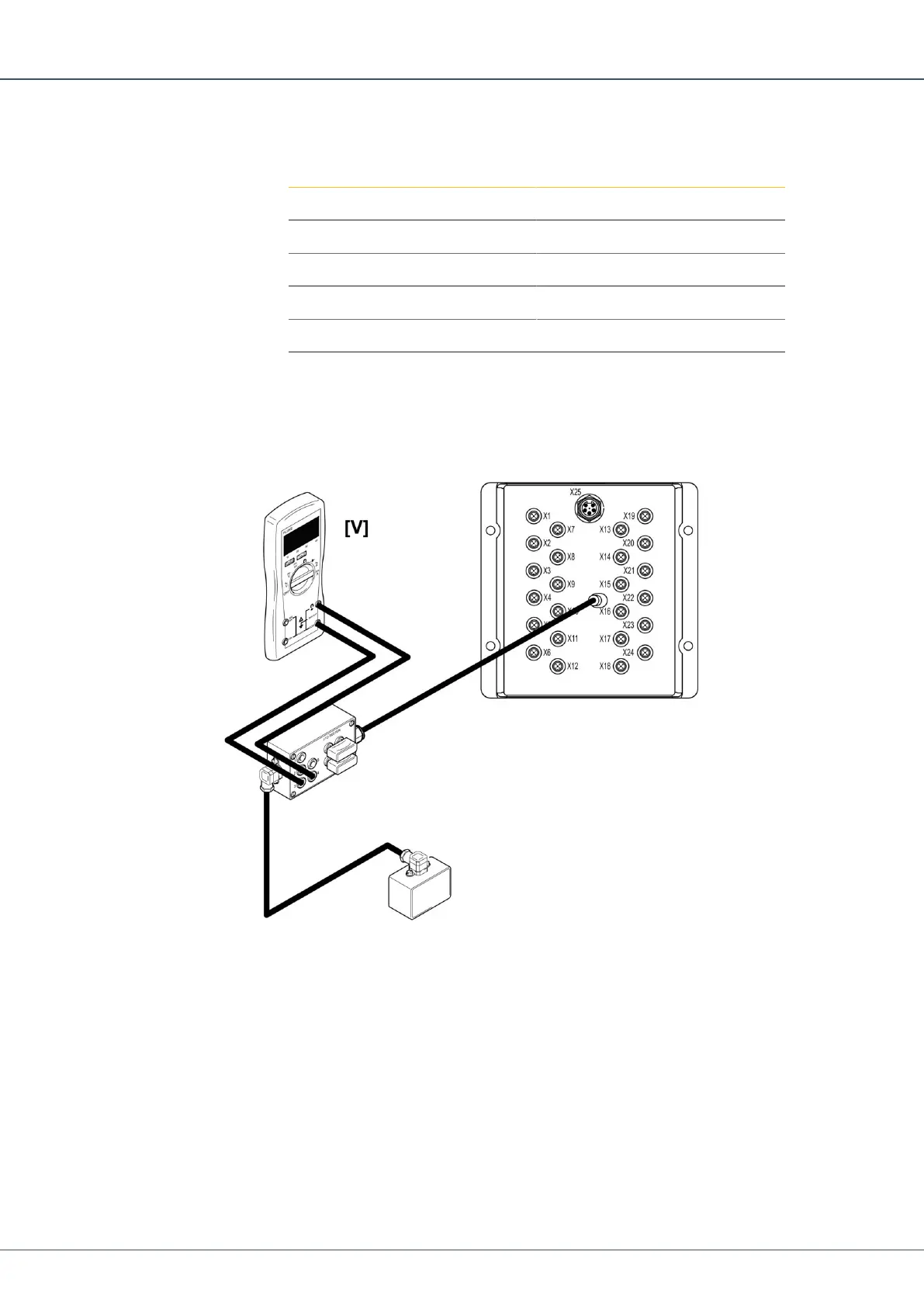
22.5 Checking Digital Outputs Voltage on I/O Module
Each designated contact has two digital outputs, A and B.
1.
Connect the 5-position connector on the I/O tester between the output of interest on
the I/O module and the valve.
2.
Connect the multimeter between ground and the signal A (+A) or signal B (+B) output
of interest.
3.
Activate the function.


 To Next Page
 Loading...