EPSON WF-C5790/WF-C5790a/WF-C5710/ET-8700/WF-C5210/WF-C5290/WF-C5290a Revision A
Disassembly/assembly Disassembly/Reassembly Procedures 481
Confidential
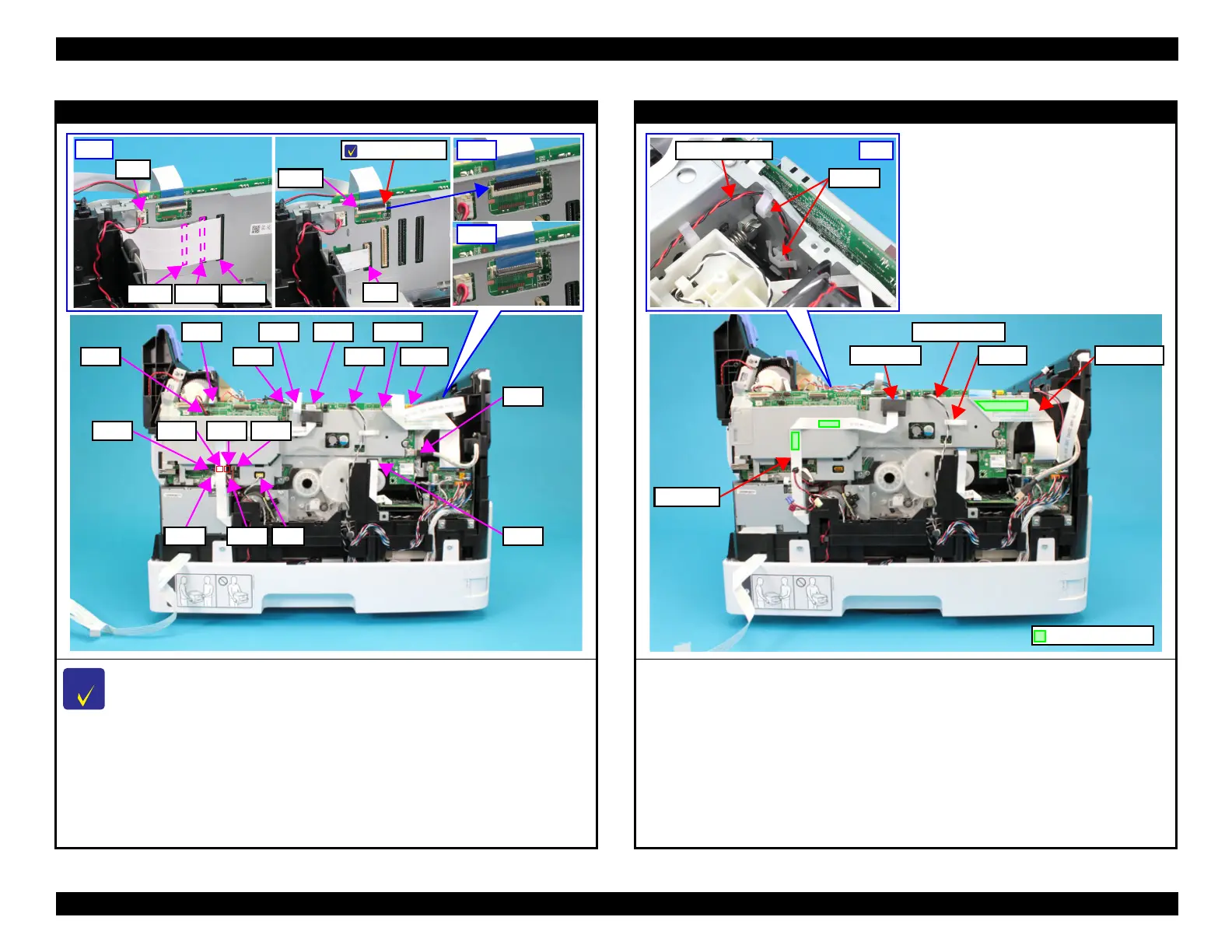
Main Board Assy
When disconnecting the Panel FFC (CN42), make sure to unlock the connector lock
beforehand.
3. Disconnect the following connectors from the board. (* are WF-C5700 Series/ET-8700
only)
CN110
CN609CN53
CN44CN9
CN74
CN55
CN80
CN33
CN34CN2CN52CN50
CN77 CN75 CN73
•CN2 •CN3* •CN8 •CN9 •CN33* •CN34
•CN42 • CN44* •CN50 •CN52 •CN53 •CN55
•CN66 •CN67 •CN68 •CN72 •CN73 •CN74
•CN75 •CN77 •CN80 • CN110 •CN609
Main Board Assy
4. Peel off the Fax FFC from the Shield Plate, and Pull the Fax FFC out from the ferrite core.
(WF-C5700 Series/ET-8700 only)
5. Release the PE sensor cable from the clamp.
6. Peel off the Relay FFC from the Shield Plate.
7. Release the CR motor cable from two clamps.
Clamp
Ferrite core
Relay FFC
Fax FFC
Double-sided tape















 To Next Page