3 Copy
82
Copy
3
Center
Shadows in the center of documents such as booklets or documents with facing pages
are erased. You can set the center erase width within the range from 0 to 50 mm in 1
mm increments.
Original Orientation
Refer to"Original Orientation (Specify the Orientation of Loaded Documents)" (P.88).
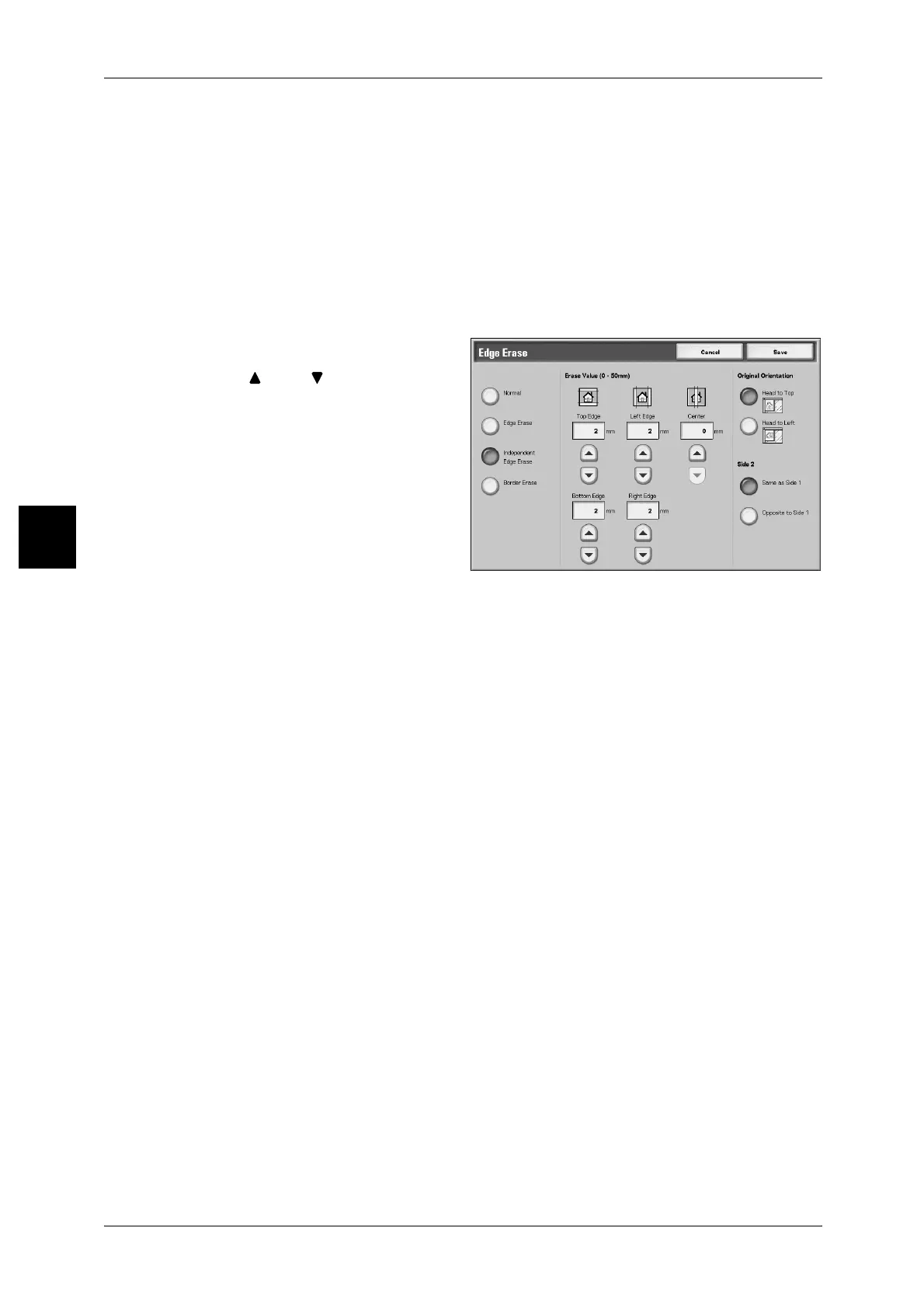
When Independent Edge Erase is selected:
You can specify different values for the top, bottom, left and right edges.
1 Select [Independent Edge Erase].
2 Use [ ] and [ ] to enter the value
for the Edge Erase.
Top Edge
Erases shadows at the top of the copies. The edges are erased based on the
orientation of the document set.
You can set the border erase width within the range from 0 to 50 mm in 1 mm
increments.
Bottom Edge
Erases shadows at the bottom of the copies. The edges are erased based on the
orientation of the document set.
You can set the border erase width within the range from 0 to 50 mm in 1 mm
increments.
Left Edge
Erases shadows at the left of the copies. The edges are erased based on the
orientation of the document set.
You can set the border erase width within the range from 0 to 50 mm in 1 mm
increments.
Right Edge
Erases shadows at the left of the copies. The edges are erased based on the
orientation of the document set.
You can set the border erase width within the range from 0 to 50 mm in 1 mm
increments.
Center
Shadows in the center of documents such as booklets or documents with facing pages
are erased. You can set the center erase width within the range from 0 to 50 mm in 1
mm increments.
Original Orientation
Refer to "Original Orientation (Specify the Orientation of Loaded Documents)" (P.88).



 To Next Page
 Loading...






