421
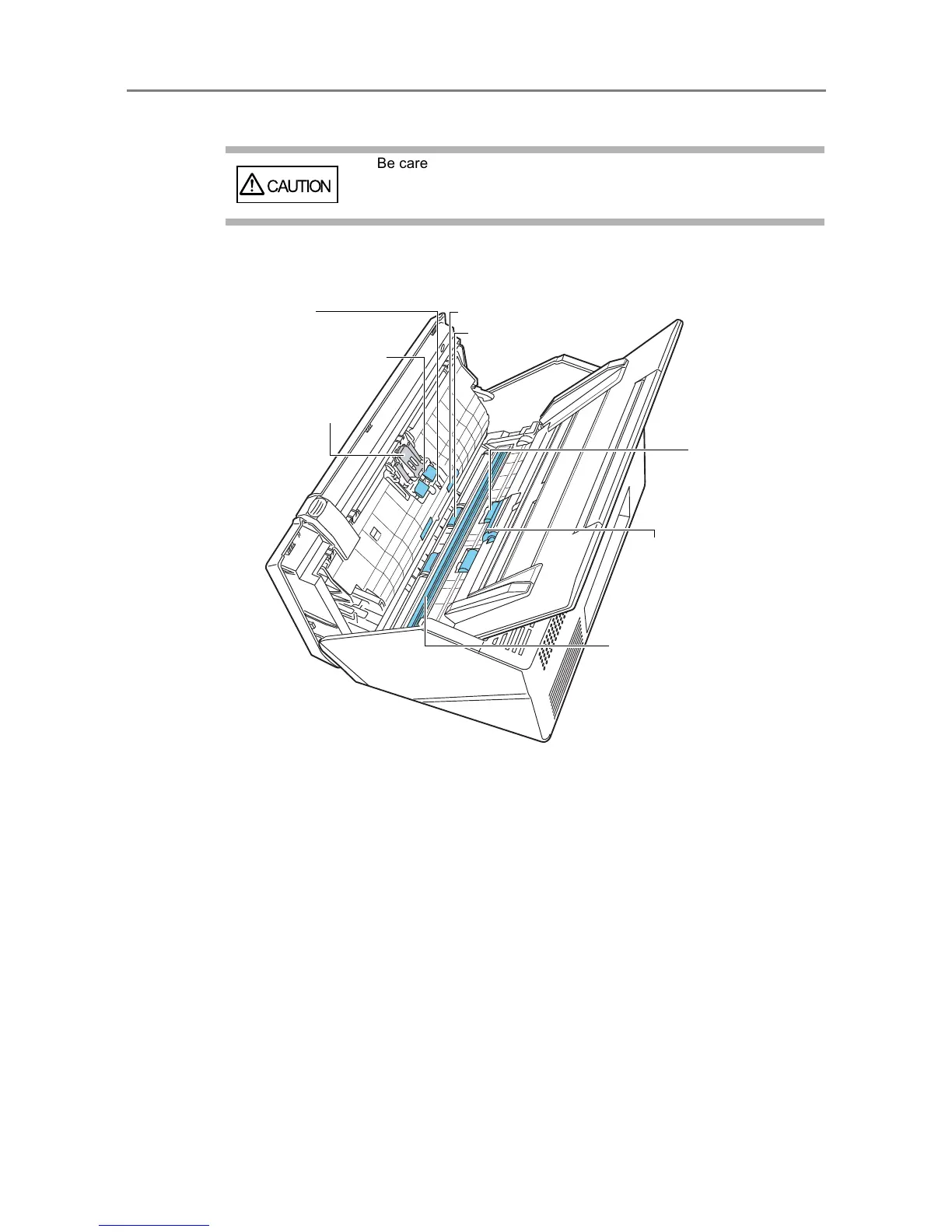
3. Clean the following parts with a soft cloth slightly moistened with
Cleaner F1 or with the Cleaning Wipe.
z Pad assy (× 1)
Wipe the pad assy downwards. When cleaning the pad assy, be careful not to get
your hand or the cloth caught on the pick spring (metal part).
z Ultrasonic sensors (× 2)
Clean lightly with a soft cloth to wipe their surfaces clean.
z Idler rollers (× 4)
Gently rotate the idler rollers by hand as you wipe them clean.
Take care not to damage the soft rubber. The idle rollers should be cleaned
carefully and thoroughly, as dirty idle rollers can adversely affect the paper pickup
performance.


 To Next Page
 Loading...












