4
Operating instructions HERMA 400 A
PPLICATOR DESCRIPTION
3.28 US (130519) 65/154
Inserting the backing paper
For an overview see also sections 6.5.7 and 6.5.8.
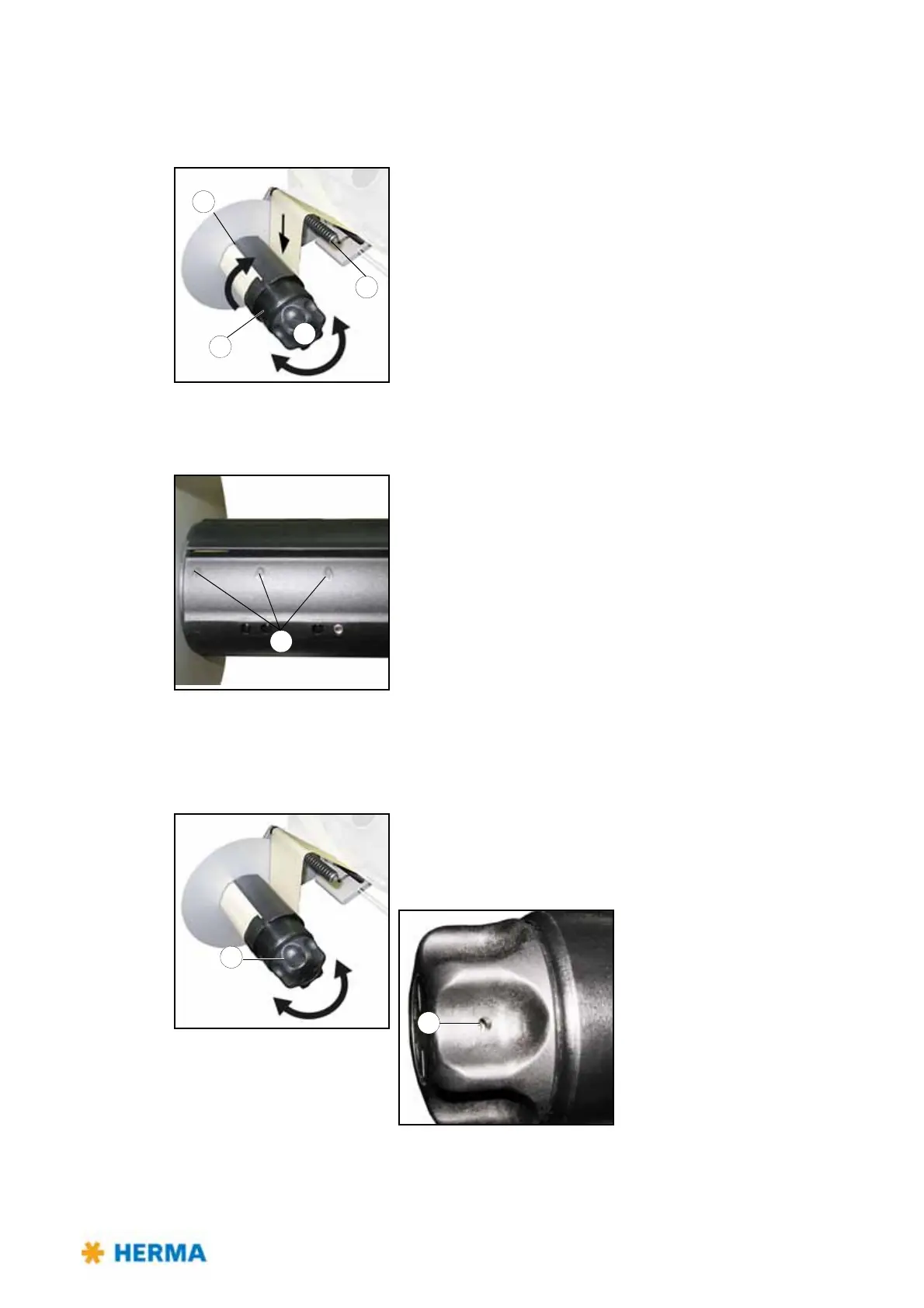
> Turn handle 1
completely to the left (maximum of five steps) to
unclamp the unit.
> Run backing paper around bar 2.
> Run backing paper around the take-u
p roll and insert into slit 3.
The backing paper should be inserted on a length of
approx. 3“ / 8 cm at least.
Correct direction is indicated with arrows 4.
> Turn handle 1 comple
tely to the right (maximum of five steps) to
make sure the backing paper is clamped with the highest possible
force. This is required to ensure easy removal of the wound-up
backing paper.
> Tighten the web by turning take-up roll 5.
Replacing the handle
If after a very long time of use clamping of the backing paper with handle 1 does not function properly
anymore proceed as follows when preplacing a worn handle:
> Turn handle 1
completely to the left (maximum of five steps) to
unclamp the unit and make screw 10 accessible.
Loosen screw 10 (do not remove!), retract the handle, insert new
handle and fasten screw 10 afterwards.



 To Next Page