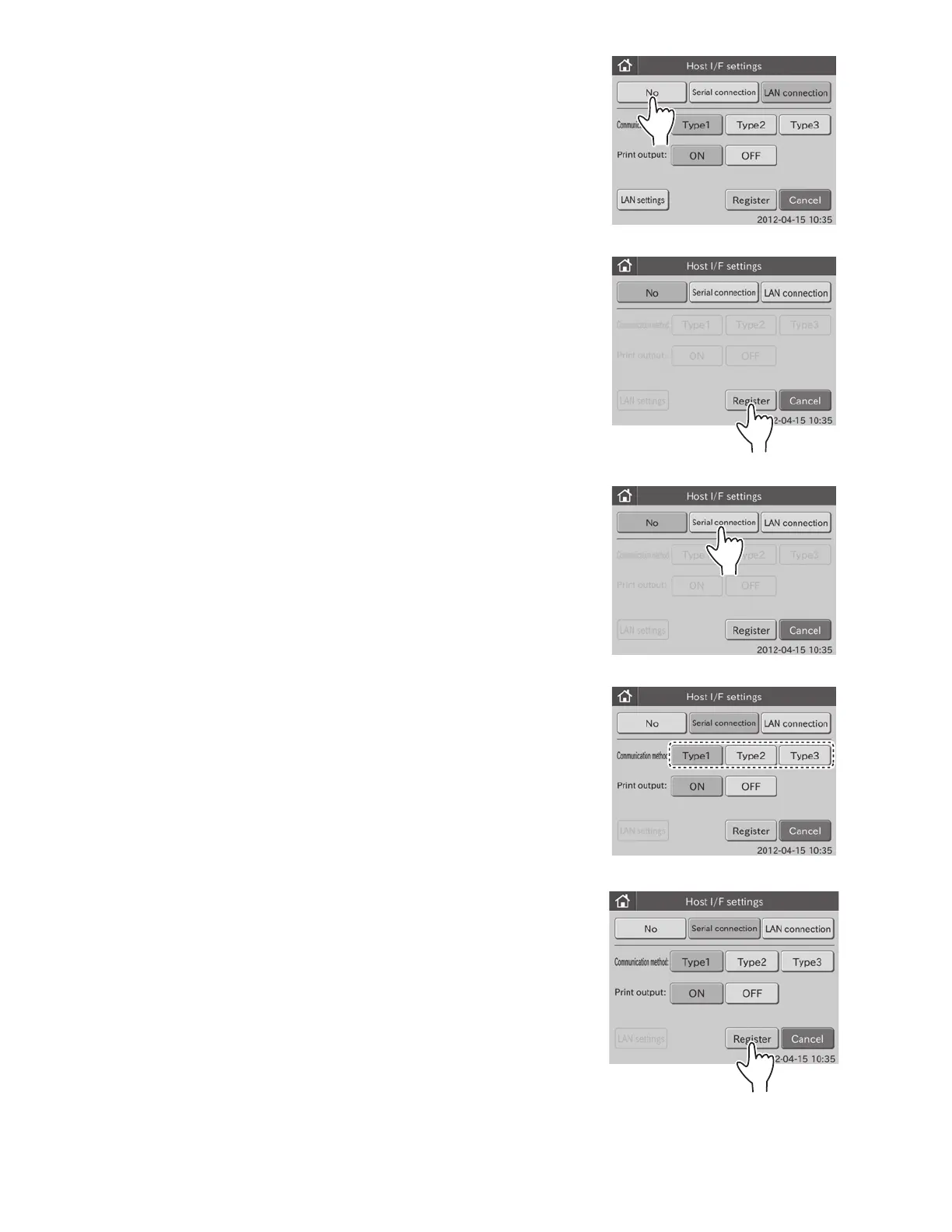
3. To not connect to the host computer
a. Touch NO.
NOTE: Other buttons except for REGISTER and CANCEL are
grayed out and become unselectable.
b. Touch REGISTER.
The host I/F setting is set to [No], and then the display
returns to the BASIC/EXTERNAL I/F SETTING menu
dialogue.
NOTE: To cancel setting, touch CANCEL.
4. To use the serial connection
a. Touch SERIAL CONNECTION.
NOTE: LAN SETTINGS becomes unselectable.
b. Select a communication method.
The following 3 communication methods are selectable.
• Type 1: two-way communication
• Type 2: one-way transmission (bidirectional format)
• Type 3: one-way transmission (standard format)
c. Select ON or OFF for print output.
Select ON to use the printer. Select OFF to not use the printer.
89



 To Next Page