images) on the client side appear as local drives (USB CD read-only) on the managed server.
With the help of vMedia, the server can boot from the DVD/CD (or image) on the client, perform
OS and applications installation on the server from the client’s drives or data transfer, and so
on.
The OA has two types of CD/DVD interfaces to access scriptable vMedia:
Built-in DVD Interface The c3000 Enclosure has a built-in DVD drive you can use to connect
using scriptable vMedia.
External CD/DVD Drive Interface On a c7000 Enclosure, an external CD/DVD drive is connected
to the additional USB port on the enclosure itself. This is used to connect using scriptable vMedia.
To connect using scriptable vMedia on server blades, follow these steps:
• On a c3000 enclosure, insert a DVD in the built-in DVD drive.
• On a c7000 enclosure, insert a CD/DVD in the external CD/DVD drive that is connected to
the USB port.
There are three methods to connect:
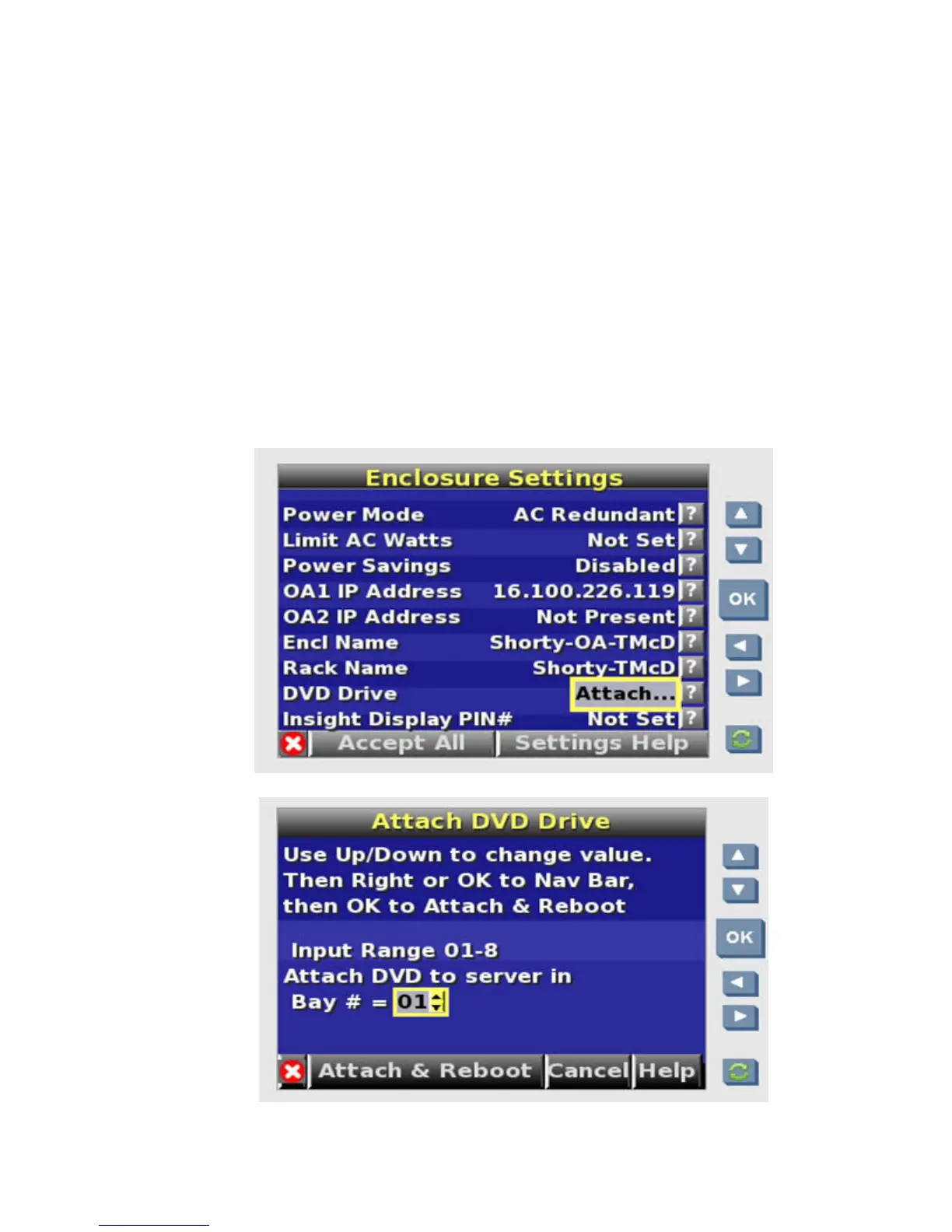
1. Using the LCD display on the OA enclosure, navigate to the DVD Drive - Attach...
option.
174 Using iLO 2









 To Next Page